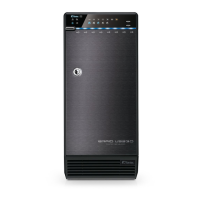
DIAGRAM of QB-X8US3R
FRONT PANEL
LED INDICATION
OVERVIEW
1 2
32
5
6 74 8 9 10
14 15 16 17 18
21 22 23 24 25 26 27 28
19 20
1
11
12 13
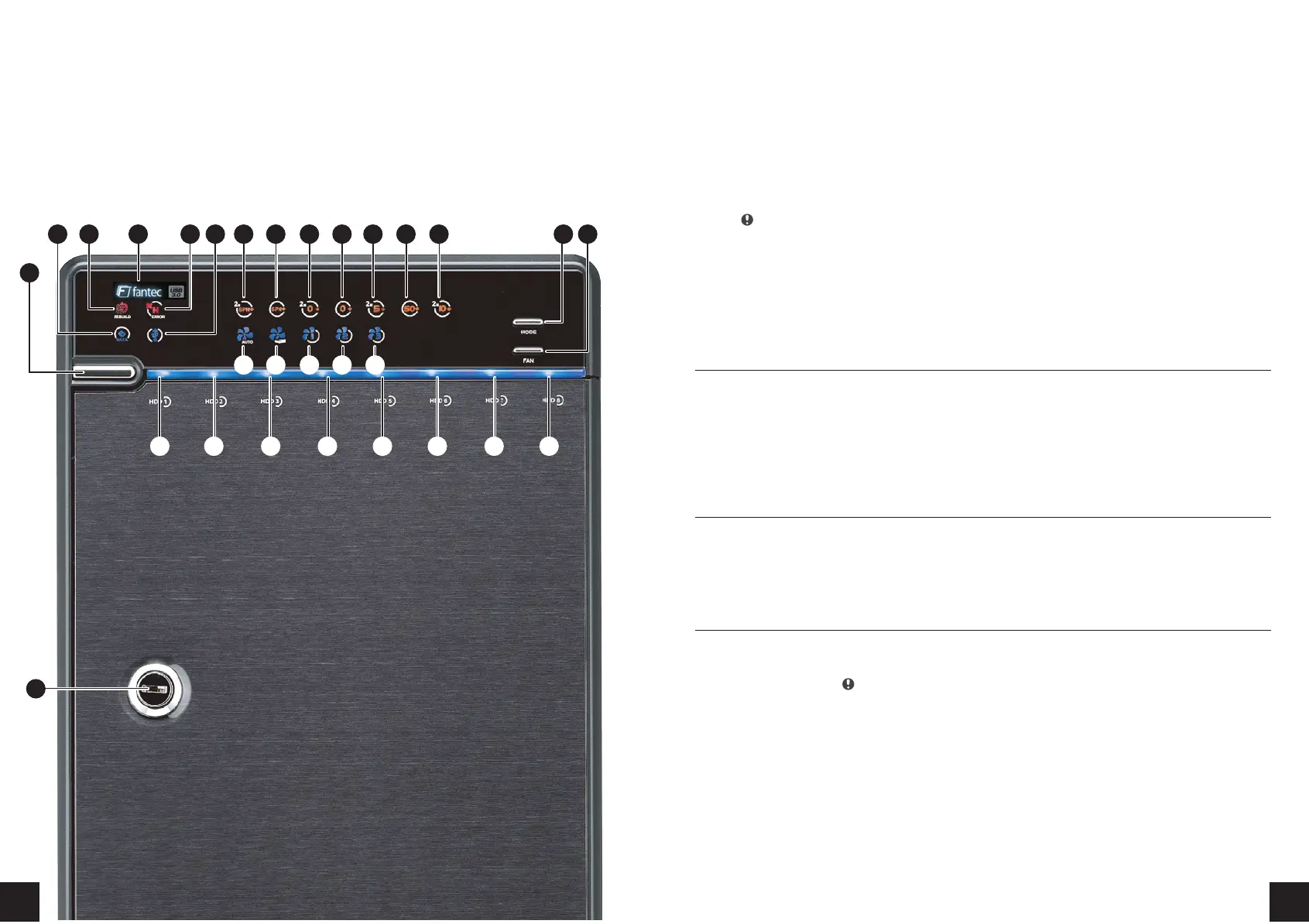
1. Power button
It needs to be pressed and held for 3 seconds to power off.
This design prevents accidental power off.
2. eSATA in use / access
3. Rebuild
4. Blue Power on
Orange Sleep mode
5. HDD error When any of HDD1~HDD8 has error,
HDD error is on.
6. USB in use / access
7. 2 X Spanning Mode / BIG (JBOD)
8. Spanning Mode / BIG (JBOD)
9. 2 X RAID 0 Striping Mode
10. RAID 0 Striping Mode
11. 2 X RAID 5
12. RAID 50
13. 2 X RAID 10
14. Smart Fan automatic mode
15. Smart Fan manual mode
16. Fan speed level 1
17. Fan speed level 2
18. Fan speed level 3
19. Mode RAID mode button needs to be pressed and held
for 3 seconds to switch the device's raid mode.
This design will prevent accidental execution of this function.
20. Fan button Controls auto & manual modes
and fan speed from level 1 to level 3.
21.-28. HDD1 / HDD2 / HDD3 / HDD4 / HDD5 / HDD6 / HDD7 / HDD8
Blue active
Purple access
Red rebuild
29. Key slot
29
Descriptions


 To Next Page