53
ENGLISH
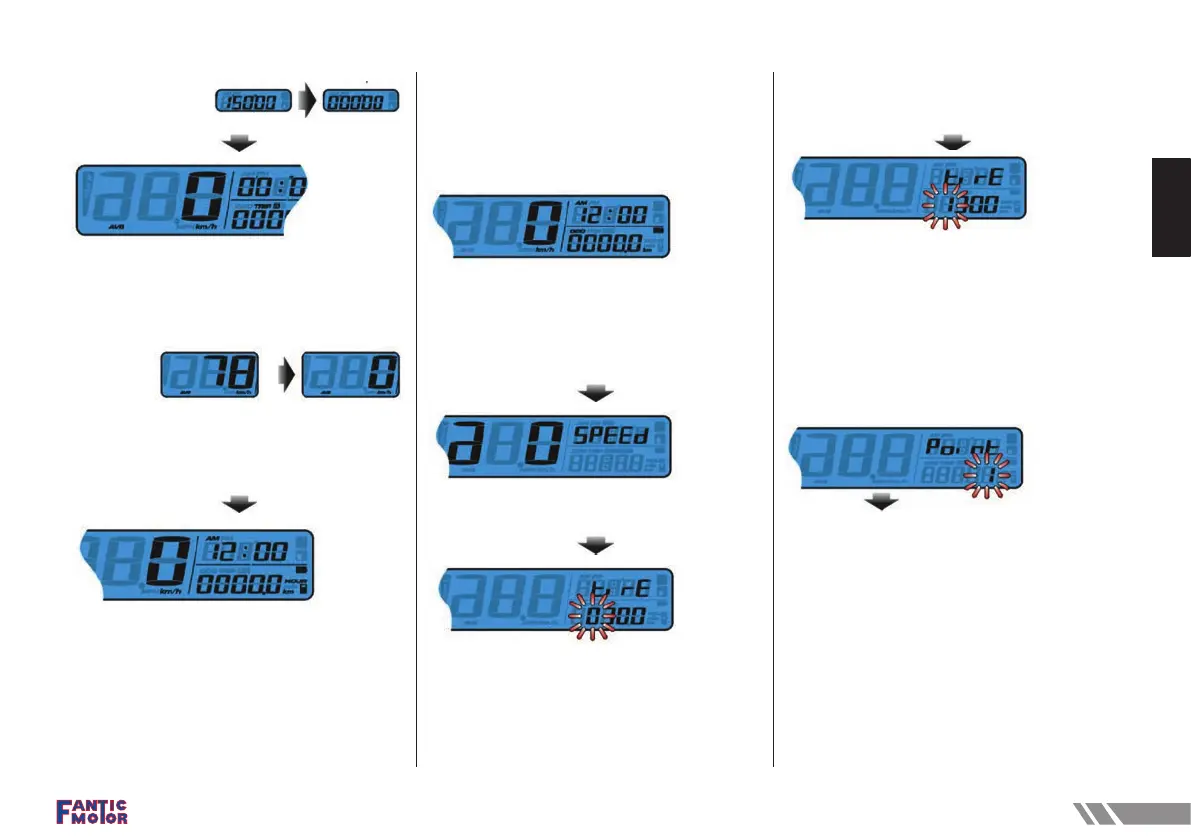
• Press the Select button to switch from Stopwatch
to Speed Record.
• Hold pressing the Select button for 3 seconds to
reset the Speed Record.
NOTE Average speed and the Max speed
display in 3 seconds rotation.
• Press the Select button to switch from Speed
Record back to the main screen.
Adjust + Select X 3 function
Tire circumference setting
• In main screen, press down the Adjust+
SelectX3 to enter the tire circumference and
sensing point selling (for changing different size tire.)
• Press the Adjust button to enter the tire
circumference setting.
• Press the Adjust button to enter the tire
circumference setting. In this example the tire
circumference is 1,300 mm.
NOTE The circumference of the rear tires
must be set to 2090mm and 9 pulses for
Motard and 2290mm and 9 pulses for
Enduro models.
The digit you set is from left to right in
order.
• In this example the tire circumference setting is
changed from 1,000 mm to 1,300 mm.
• Press the Select button to change the setting.
• Press the Adjust button for three times to enter the
sensing point setting
Setting point of tire detection



 To Next Page