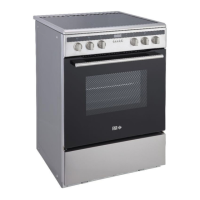
USING THE OVEN
When you rst use your oven, odors may come
from the insulation materials and the heating
elements. For this reason, before using your
oven for the rst time, switch on the oven
while empty, at its maximum temperature for
45minutes.
1. Select the oven function you require. Select
the temperature you require.
2. Before placing food in the oven you may
need to pre-heat the oven for 10 minutes.
3. e red temperature indicator light goes o
when the chosen temperature is reached.
4. To switch the oven o, turn the function
control dial to the o position ‘0’.
Note: Under no circumstances should the oven
be lined with aluminum foil, do not place dishes
or baking trays directly or onto the oven base as
overheating and damage may occur.
Instructions for use
ENGLISH


 To Next Page