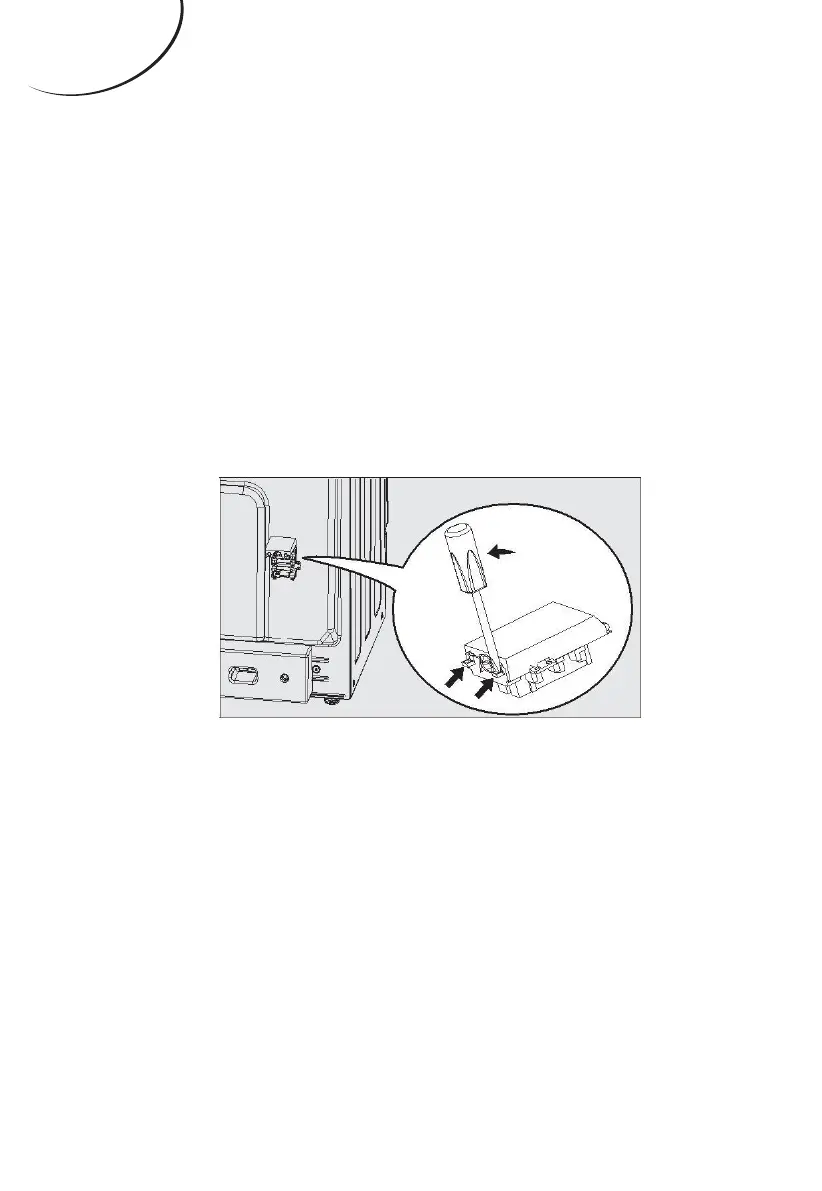
For the installation of the mains cable carry out
the following operations:
1. Open the terminal board by inserting
a screwdriver into the side tabs of the
powercode cover. Use the screwdriver as a
lever by pushing it down to open the cover as
below:
2. Connect the electricity follows the diagram
as printed in the surface of power code cover.
3. Fasten the supply cable in place with the
clamp and close the cover of the terminal
board.
Note: e display will light once connect to electricity.
ENGLISH


 To Next Page