EasyManua.ls Logo

Farfisa 1SEK/ME - User Manual

Farfisa 1SEK/ME
24 pages
Print Icon
To Next Page IconTo Next Page
Loading...
Mi2527 1
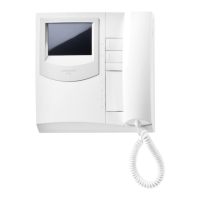
Composto da: Composed by: Composé par: Compuesto por:
Item
1SEK/ME
1SEK/MEC
Description
1
SEM7ME
1
SEM7ME
1
1
1
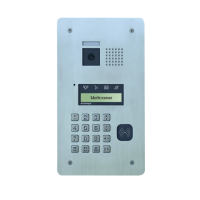
SEC/E
1
SEC/E
1
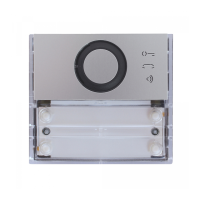
SEPS
1
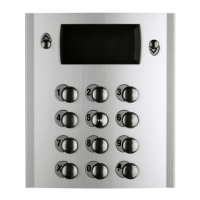
SEA
SED
1
1
8
8
1
1
Prima di procedere con l’installazione verificare che siano presenti tutti gli articoli mostrati sopra, altrimenti contat-
tare il proprio distributore. Leggere attentamente le istruzioni di sicurezza contenute in questo manuale.
Check the box and make sure you have all of the part listed above otherwise please contact your local supplier.
Please read carefully the safety instructions in this manual.
Avant de commencer l'installation vérifier que tous les articles montrés ci dessus soient présent, si vous rencon-
trez le moindre problème, contactez votre revendeur. Il est impératif de lire le mode d’emploi et les instructions de sé-
curité contenues dans ce manuel.
Antes de iniciar la instalación averiguar en la caja que estén presentes todos los artículos mostrados arriba, de
otro modo contactar con el distribuidor. Leer cuidadosamente las instrucciones de seguridad contenidas en este
manual.
2-WIRES VIDEOKIT
SEE EASY

1SEK/ME
1SEK/MEC
Mi2527

Questions and Answers

Summary

Safety Instructions

Safety Warnings

General warnings on installation and usage to prevent interference and hazards.

Precautions

Specific steps for correct installation and operation, avoiding potential risks.

Care and maintenance

Guidelines for maintaining the device's condition and longevity.

Product Description

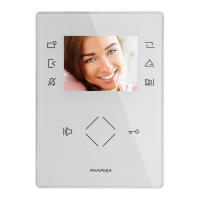
Indoor Unit Components

Detailed list and description of the parts included in the indoor unit.

Outdoor Unit Components

Detailed list and description of the parts included in the outdoor unit.

Installation

Camera Placement Guidelines

Recommendations for positioning the outdoor camera to avoid direct sunlight or glare.

Monitor Mounting

Instructions for securely attaching the indoor monitor to the wall bracket.

Installation Instructions

Wiring and Connections

Connecting L1/L2 terminals to camera and power supply, and system wiring.

Expansion and Termination

Line Termination

Configuration of the dip-switch for video line termination at the monitor's rear panel.

Expansion Ports

Connecting external call buttons or buzzers using the provided connector.

Cable Cross Section

Cable Requirements

Recommended cable types and lengths for system connections to ensure optimal distance.

Operating Instructions

Unit Activation and Basic Functions

Monitor response to calls, image display, and visitor data saving.

Door Lock Release

Procedure for activating the door lock release function from the monitor.

Auto-Power On

Manually activating the monitor view for a short period without receiving a call.

Operating Instructions

General Call Function

Broadcasts calls to all slave monitors without needing a response.

Intercom Call

Direct communication between monitors within the same apartment.

Operating Instructions

Selective Call

Calling a specific monitor by address, including assigning names.

Pictures and Video Playback

Accessing and viewing recorded images and video clips from the monitor.

Operating Instructions

Guard Unit Call

Calling a monitor configured as a Guard Unit for specific communication.

Advanced Features Overview

Accessing SMS functions and other advanced features for monitor interaction.

Operating Instructions

Main Menu Navigation

Accessing the main menu and viewing system date and time.

Call Record Access

Accessing the log of incoming and outgoing calls with image capture.

Operating Instructions

Call Log Functionality

Using the Call Record option to view call history and captured images.

Operating Instructions

Language and About Information

Setting system language and viewing device information.

Installer Setup

Installer Setup Guide

Using codes and dip-switches for advanced configuration and address settings.

Function Codes

Programming Functions

List of codes and their corresponding functions for programming system features.

Technical Specifications

Monitor Specifications

Detailed technical data for the SEM7/ME indoor monitor unit.

Camera Specifications

Detailed technical data for the SEC/E outdoor camera unit.

Troubleshooting

Common Issues and Solutions

Diagnosing and resolving common problems like no power, display issues, or audio problems.

Farfisa 1SEK/ME Specifications

General IconGeneral
TypeIntercom System
Model1SEK/ME
BrandFarfisa
ColorWhite
MaterialPlastic

Related product manuals