HOW TO SET THE CLOCK
6
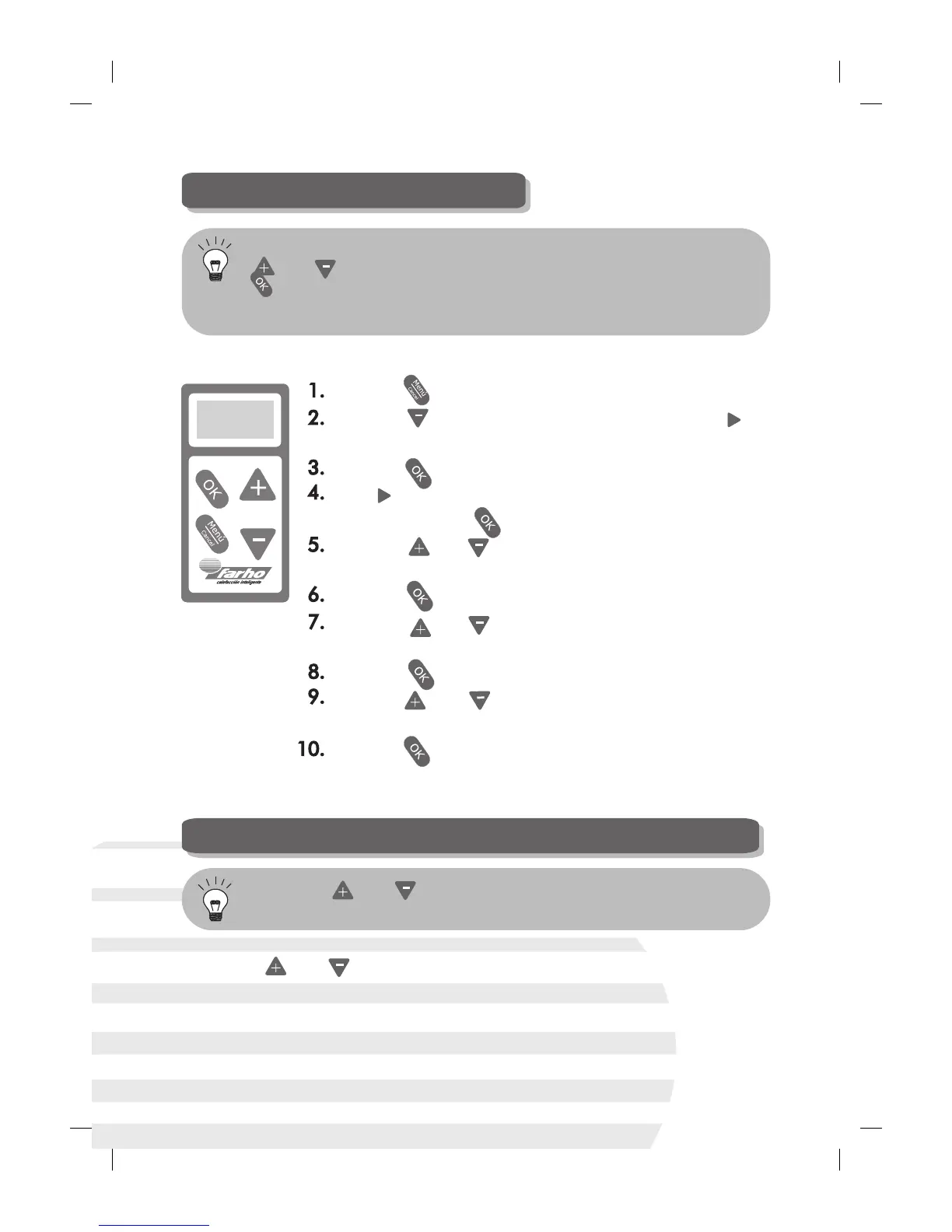
In order to set the time in the radiator, follow the steps given below:
Press the key.
Press the key ONCE, which will make the “ ”
indicator position itself in front of “Settings”.
Press the key.
The “ ” indicator will now be positioned in front of
“Time”. Press the key again.
Press the and keys to enter the correct hour
setting.
Press the key.
Press the and keys to enter the correct minute
setting.
Press the key.
Press the and keys to enter the correct day of
the week.
Press the key.
HOW TO RAISE OR LOWER THE ROOM TEMPERATURE
To raise or lower the room temperature all you have to do is to simply
press the and keys until the temperature indicator displays the
desired heat level. The FARHO heater will automatically adjust the heat
emission efficiently until reaching the temperature level you have set.
Go to the “Settings” menu. Once there, select “Time”. Use the
and keys to select the right hour setting and accept with the
key when you are ready. Do the same with the minutes and the
date.
Press the and keys to raise and lower the operating
temperature, respectively.


 To Next Page