Need help?
Do you have a question about the Farho Nova and is the answer not in the manual?
Lists key features and benefits of the control unit, including PID control, safety features, and user interface design.
Illustrates the control unit's buttons and indicators for easy identification and understanding of the interface.
Explains how to turn the device on or put it into standby mode, including visual and audible cues.
Details how to switch between different operating modes like Auto, Comfort, Eco, and Frost Protection.
Provides a general overview of the various operational modes available for the device.
Explains how the device displays energy consumption and provides tips for energy saving based on temperature settings.
Describes how to lock and unlock the control panel to prevent unauthorized changes.
Details how to view accumulated energy consumption in kWh and reset the energy meter.
Explains how to select and allocate pre-defined or custom programs for each day of the week.
Provides crucial details on how the open window detection feature works and its sensitivity.
Explains how the device can be controlled via a pilot wire system, detailing its functionality and limitations.
Describes how to temporarily override pilot wire commands for specific settings or situations.
Outlines the three-step process to access the user settings menu on the device.
Explains the different backlight modes (L1, L2, L3) available for the display.
Details how to adjust the minimum temperature to protect against frost.
Guides users on setting the temperature reduction level for the Eco mode.
Explains the priority rules when multiple operating modes or commands are active simultaneously.
Provides practical examples illustrating how different commands interact based on priority rules.
Shows a diagram of the infrared remote control and its functions.
Describes setting a minimum temperature limit to prevent accidental low settings.
Details setting a maximum temperature limit to prevent accidental high settings.
Sets the maximum ambient temperature that triggers automatic Boost stop.
Explains how to set the maximum allowable duration for the Boost function.
Guides on accessing and managing installer-specific settings for the device.
Explains how to set up and use a PIN code to protect device settings.
Details how to enable or disable the PIN code protection feature.
Guides on personalizing the PIN code after initialisation and activation.
Describes the process to reset all user, installer, and expert settings to factory defaults.
Outlines the five-step process to access the expert settings menu for professional installers.
Explains how to calibrate the ambient temperature sensor for accurate readings.
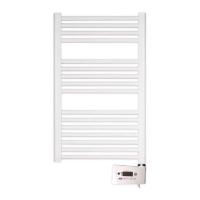
Explains how to set the power of the controller to match the towel rails.
Details how to reset the ambient temperature sensor calibration to zero.
Explains how the device responds to load shedding signals received via a pilot wire.
Discusses remote management through power shutdown and its potential implications.
Describes the device's behavior and data retention during and after power interruptions.
Provides instructions on how to assemble the controller onto the towel rail.

 To Next Page
 General