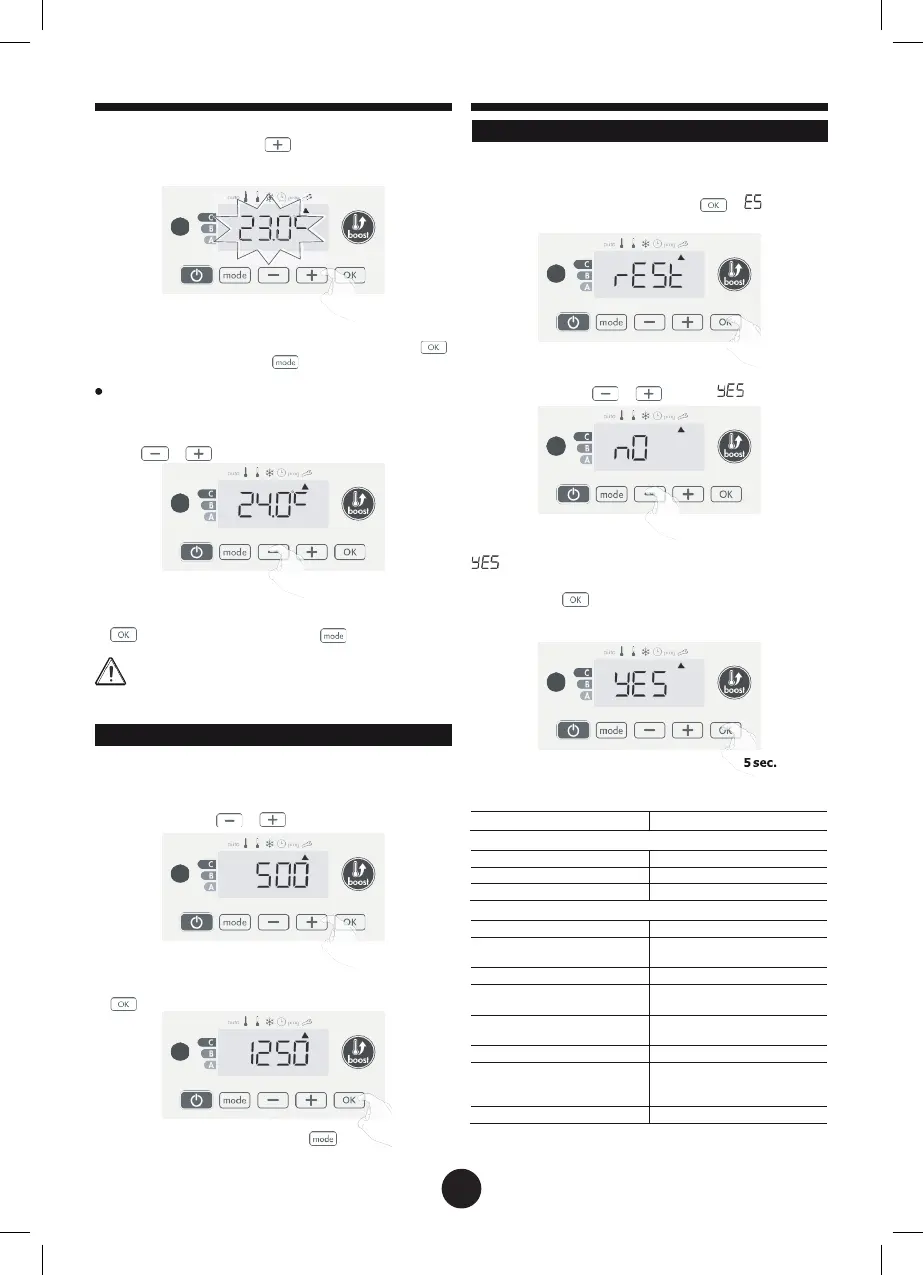
Increase the temperature measured by the ambient tempera-
ture sensor by 2°C by pressing
.
In our example the measured temperature by the sensor goes
from 21°C to 23°C.
RESTORING FACTORY SETTINGS
If the PIN code protection is disabled, the user, installer and ex
pert settings are re-initialized:
1-
From the Power setting setting, press . « W appears
on the display.
To validate, save the new value and exit the mode, press .
To exit the Expert settings, press
3 times.
The reset to zero of the sensor calibration
To put the value of the correction to
"0",
do the following :
1- When the temperature measured by the sensor appears,
press
or for at least 3 seconds.
2-
÷2 appears. Press or to select .
3 sec.
2- To save and move automatically to the next setting press
. To exit the Expert settings, press
3 times.
Important:
These changes should be performed by a
qualified staff, it should be performed in production or on
site during the first installation
= Factory settings reset
÷2 = Factory settings not reset
3-
Press the key
for 5 seconds. The device returns to its in-
itial configuration and goes back automatically to the Auto
mode.
SETTING THE POWER
To have a controller adapted to the towel rails and estimate the
energy consumed, it is essantial to set the power of the device.
1-
Pre set value: 500W. Select a value between 500W and
1500W by pressing
or
.
2-
To save and move automatically to the next setting press
.
3-
To save the Expert settings, press 3
times.
The following factory values will be effective:
Operating
Comfort setting temperature
User settings
Eco mode temperature
lowering-level
-3,5°C
Frost protection temperature
Minimum set of Comfort
setting temperature
7°C
Maximum set of Comfort
setting temperature
30°C
temperature for the automatic
35°C
25


 To Next Page