EasyManua.ls Logo

FATEK FBe-28MC - Connection Configuration

FATEK FBe-28MC
86 pages
Print Icon
To Next Page IconTo Next Page
To Previous Page IconTo Previous Page
Loading...
FB Series SIO Driver
GP-Pro EX Device/PLC Connection Manual
5
Connection Configuration
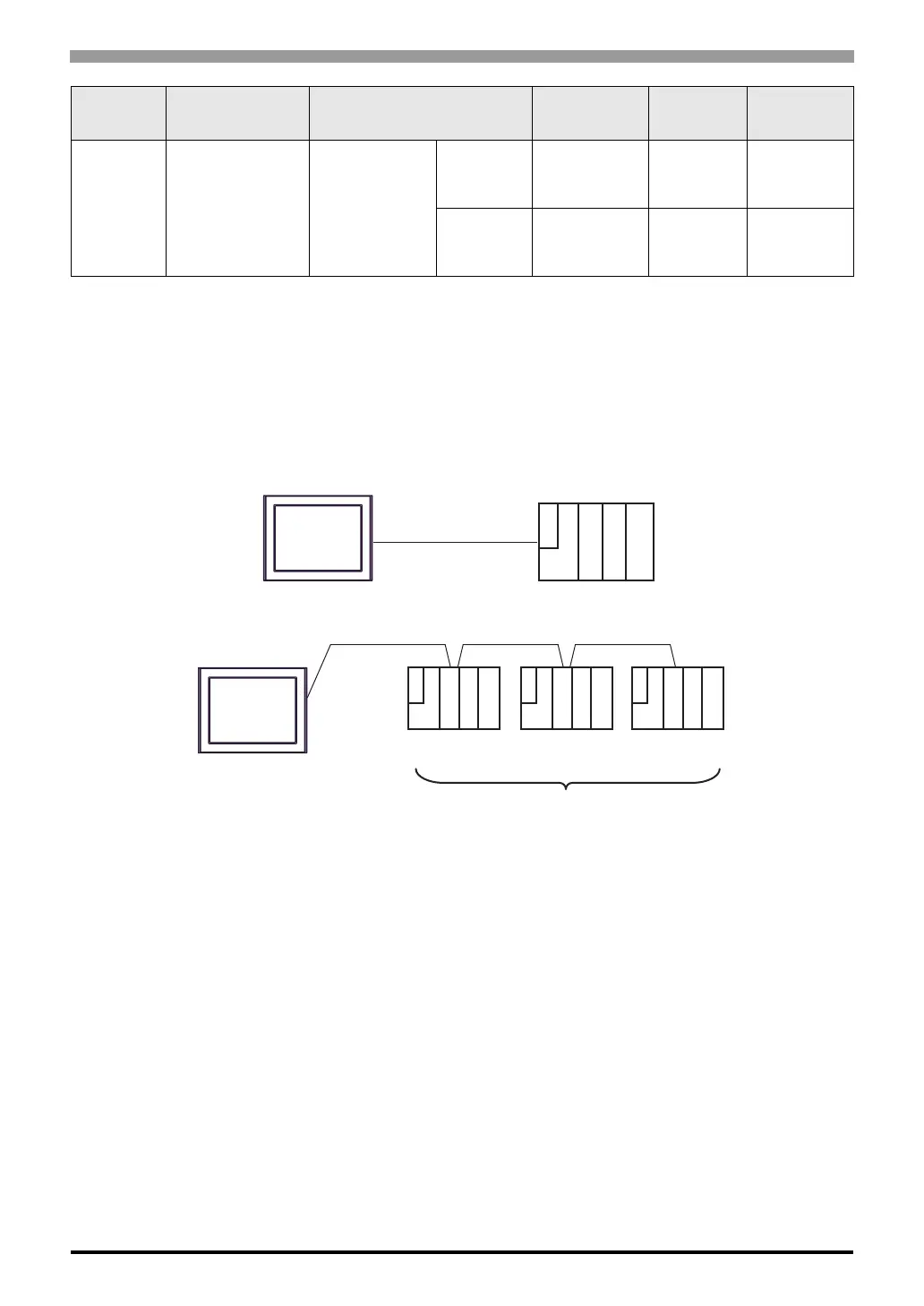
1:1 Connection
1:n Connection
FBe/FBn
*1
FBe-20MC
FBe-28MC
FBe-40MC
FBn-19MCT
FBn-26MCT
FBn-36MCT
FB-DTBR-E
Port 0 RS232C
Setting
Example 11
(page 27)
Cable
Diagram 3
(page 39)
Port 2
RS422/485
(2wire)
Setting
Example 13
(page 30)
Cable
Diagram 6
(page 56)
*1 Set the software's interface to "Standard Interface". Refer to your External Device manual for the correct
settings.
*2 Available only with a CPU incorporating an RS232 port.
Series CPU Link I/F SIO Type
Setting
Example
Cable
Diagram
Display
External Device
Display
External
Device
External
Device
External
Device
Maximum 16 units

Related product manuals