FB Series SIO Driver
GP-Pro EX Device/PLC Connection Manual
22
3.8 Setting Example 8
Settings of GP-Pro EX
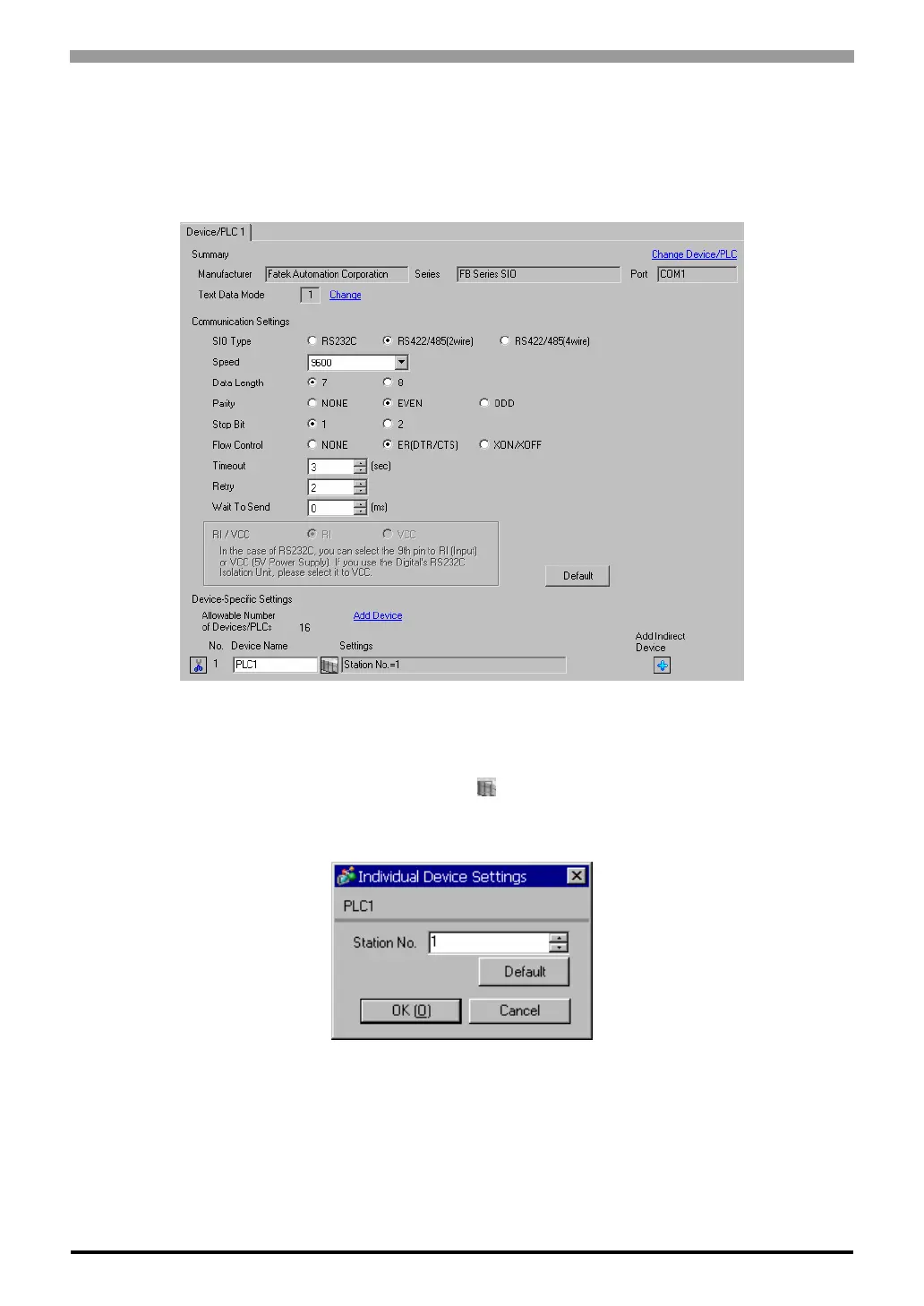
Communication Settings
To display the setup screen, from the [Project] menu, point to [System Settings] and select [Device/PLC].
Device Setting
To display the [Individual Device Settings] dialog box, from [Device-Specific Settings] in the [Device/PLC]
window, select the external device and click [Settings] .
To connect multiple External Devices, from [Device-Specific Settings] in the [Device/PLC] window, click [Add
Device] to add another External Device.



 To Next Page