FB Series SIO Driver
GP-Pro EX Device/PLC Connection Manual
35
Device Setting
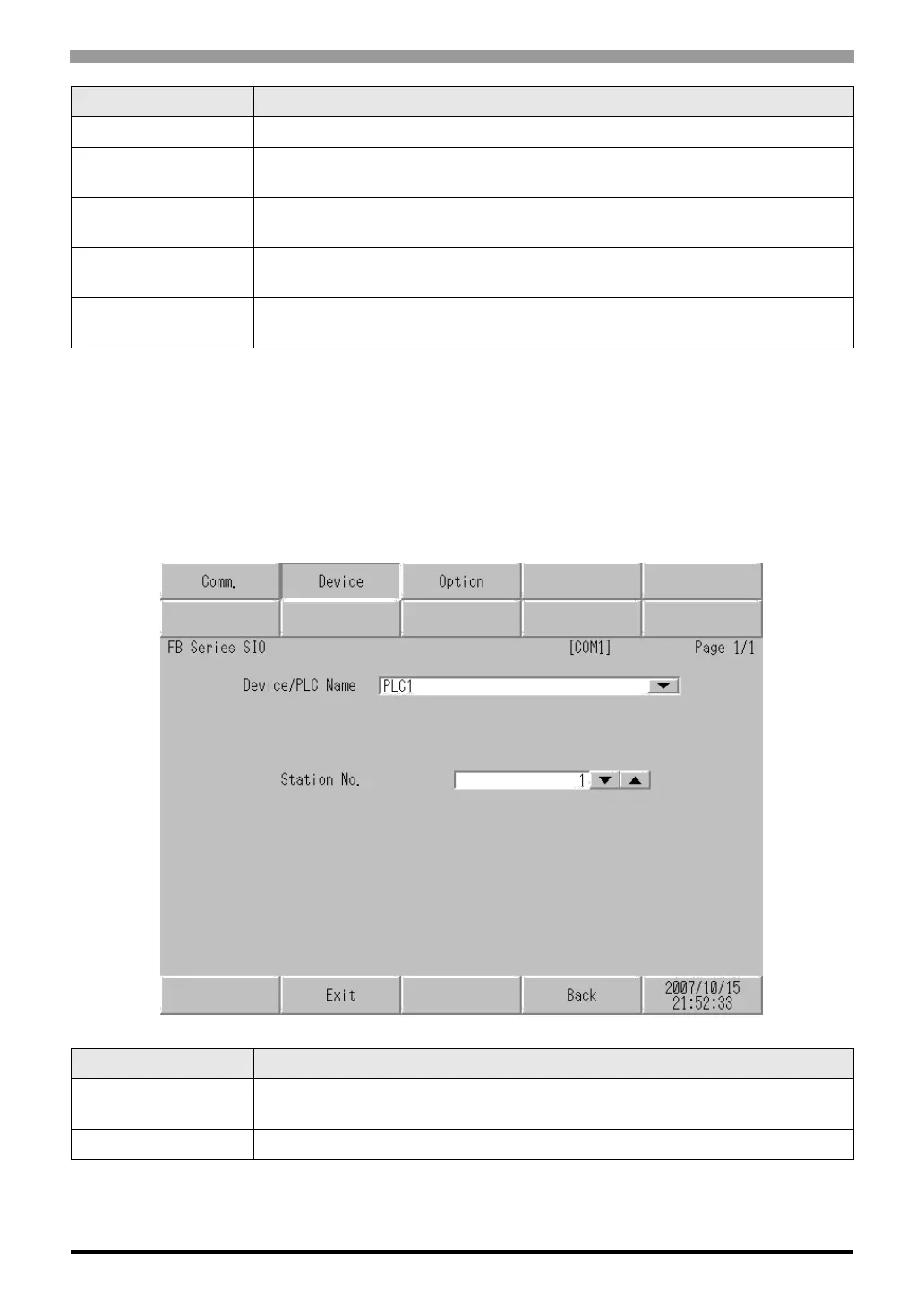
To display the setting screen, touch [Device/PLC Settings] from [Peripheral Equipment Settings]. Touch the
External Device you want to set from the list that appears, and touch [Device Settings].
Stop Bit Select a stop bit length.
Flow Control
Select the communication control method to prevent overflow of transmission and
reception data.
Timeout
Enter the time (s) for which the Display waits for a response from the External Device,
from "1 to 127".
Retry
In case of no response from the External Device, enter how many times the Display
retransmits the command, from "0 to 255".
Wait To Send
Enter the standby time (ms) from when the Display receives packets until it transmits the
next command, from "0 to 255".
Setup Items Setup Description
Device/PLC Name
Select the External Device to set. Device name is the title of the External Device set with
GP-Pro EX. (Initial value [PLC1])
Station No. Enter the station No. of the External Device, from "1 to 254".
Setup Items Setup Description



 To Next Page