Chapter 7 Introduction of Motion Flow
1-3
M-Series PLC Motion User Manual
7-1 Using Motion Flow
1. Initialize EtherCAT communication
2. Enable the motor
To enable the motor, the following A/B/C methods can be used:
A. Enable all axes (M10520).
B. Enable specific axis (M10600+(40*n-1), n=1-16 axes)
C. Enable the axis enable relay
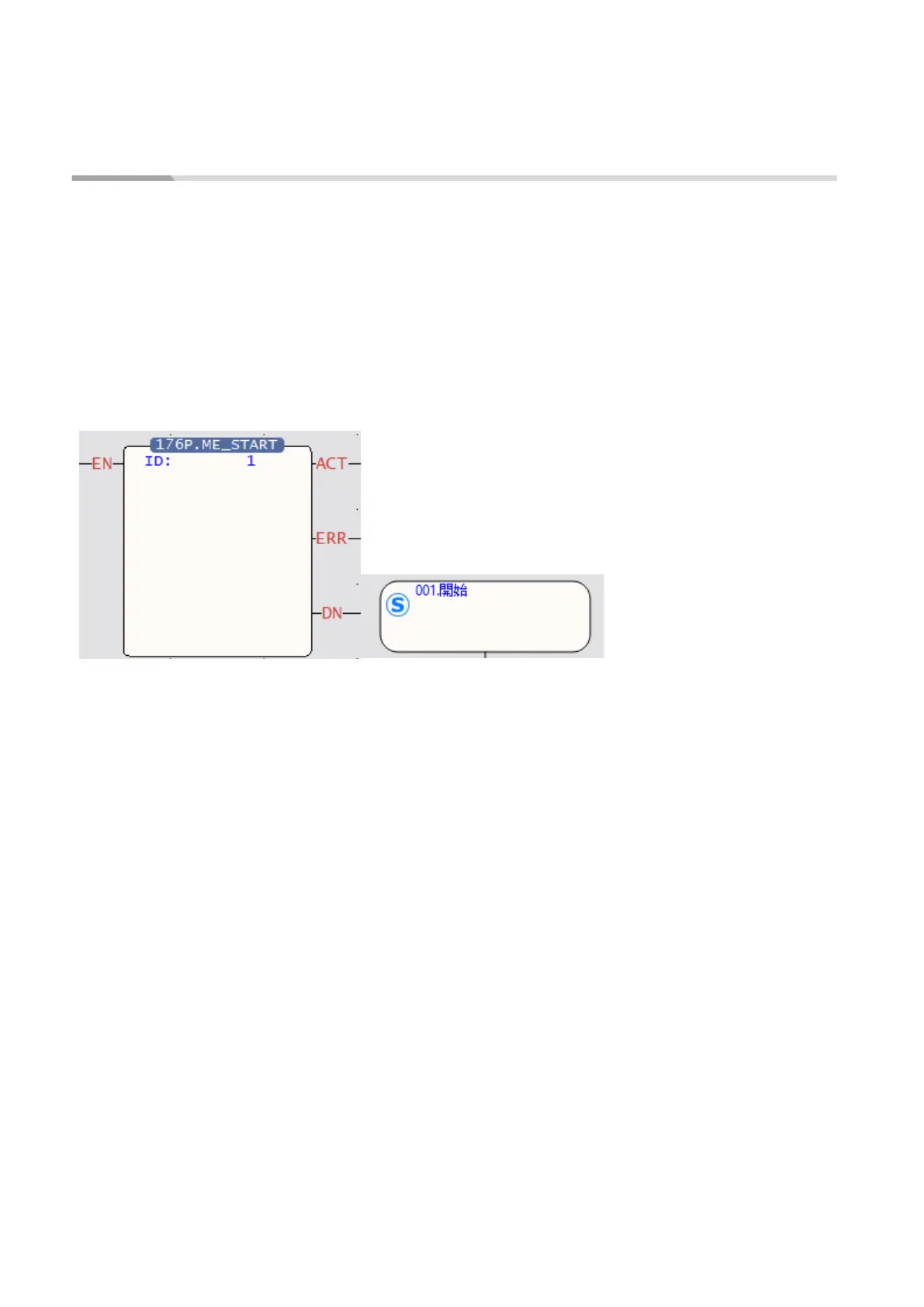
3. Use FUN 176 to enter the number of the motion process to be executed. The following figure
shows the flow chart to enter number 1, which corresponds to the number in Chapter 7-2.
4. It will start to execute the set flow.




 To Next Page