16
By so doing, the values already registered on the last
automatic calibration will be overwritten.
To perform it:
1. Turn on Assioma PRO MX
2. Release the shoes from the
pedals and make sure that no
load is applied
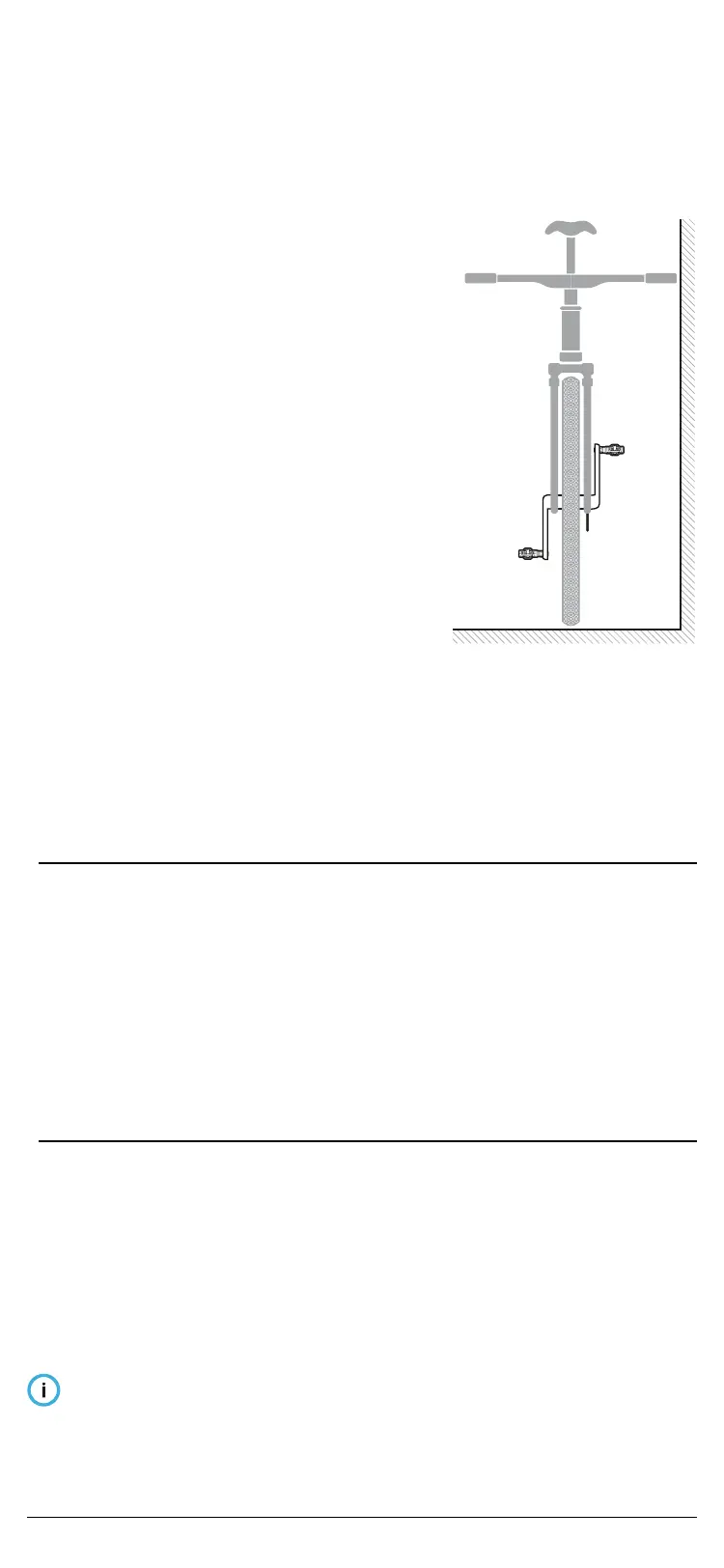
3. Place the bike upright (not
tilted) keeping it as still as
possible. Otherwise, it is not
be possible to complete the
calibration
4. Place the crank-arms in vertical
position
5. Open the Favero Assioma app
or bike computer and proceed
with the calibration.
If Assioma PRO MX is not
found, make sure it’s not
connected via Bluetooth to
another device.
The calibration procedure varies depending on
whether it is performed on the Favero Assioma app or
on your bike computer.
1. On the Favero Assioma app
1. Select “Settings”
2. Select “Manual calibration”
3. Select “Calibrate”
4. Make sure that manual calibration is successful
5. Repeat the operation if an error occurs.
2. On your bike computer (generic procedure which
varies according to the model)
1. Access the power sensors menu
2. Select “Calibrate” o “Zero-offset”
3. Make sure that manual calibration is successful;
normally, a conrmation message or a 0 (zero)
appears on the display
4. Repeat the operation if an error occurs.
Due to potential limitations of bike computers,
sometimes manual calibration is slowed down or
hindered if there are other ANT+ sensors enabled on
the bike computer but not turned on (e.g. heart rate
Fig. 15


 To Next Page