19
18. From single to dual-sided
Assioma PRO MX-1 measures the power output of the left
leg only and doubles it to offer total power data reading.
Please note that you can always purchase the right power
meter pedal at any time to change from a single to a
double-sided power meter, Assioma PRO MX-2.
To convert Assioma PRO MX-1 into MX-2, once you’ve
bought the product mentioned above, you need to open
the Favero Assioma app and select Settings - From single
to dual-sided.
19. Pedals removal
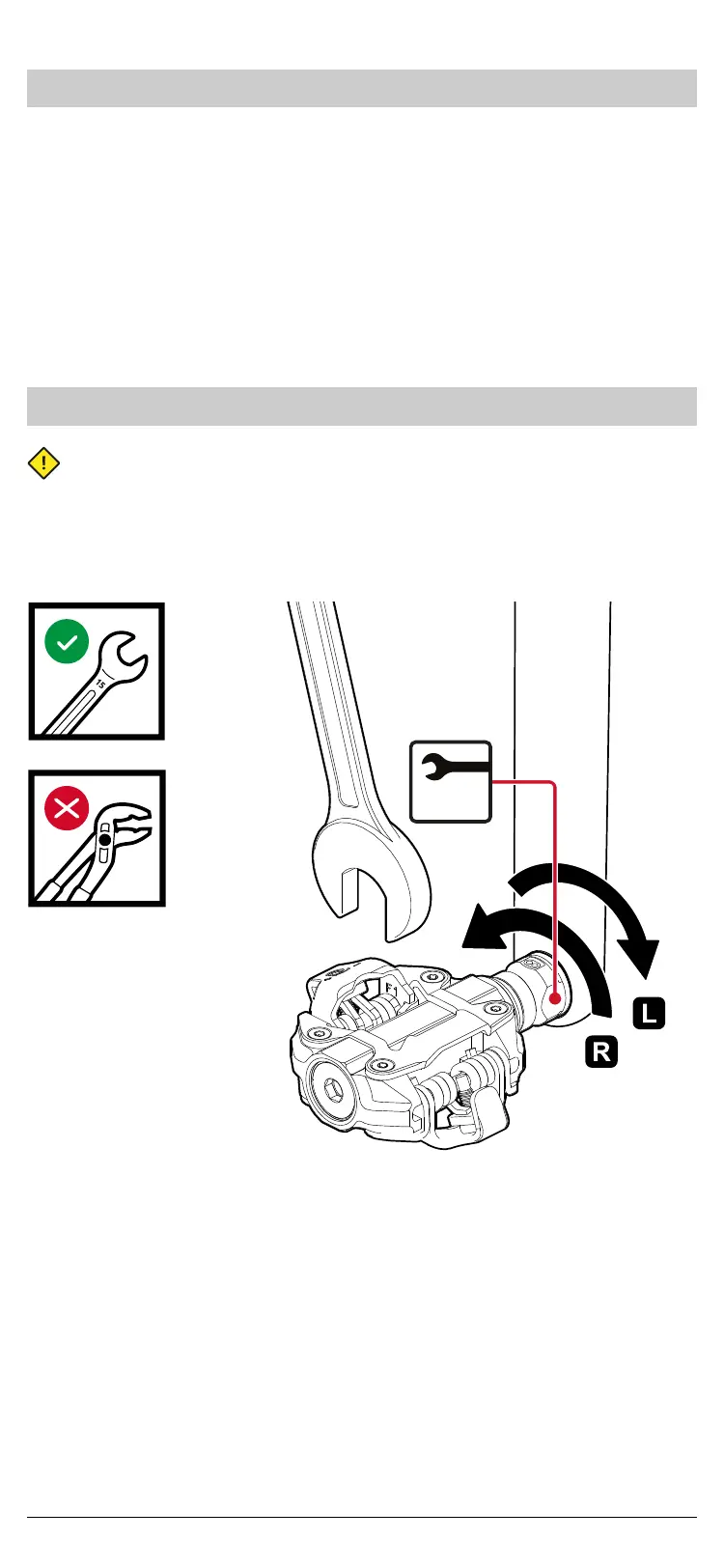
To remove the pedals, use a 15 mm-open-end wrench:
• Unscrew the LEFT pedal CLOCKWISE (facing the pedals)
• Unscrew the RIGHT pedal COUNTER-CLOCKWISE (facing
the pedals
15
Fig. 18


 To Next Page