EasyManua.ls Logo

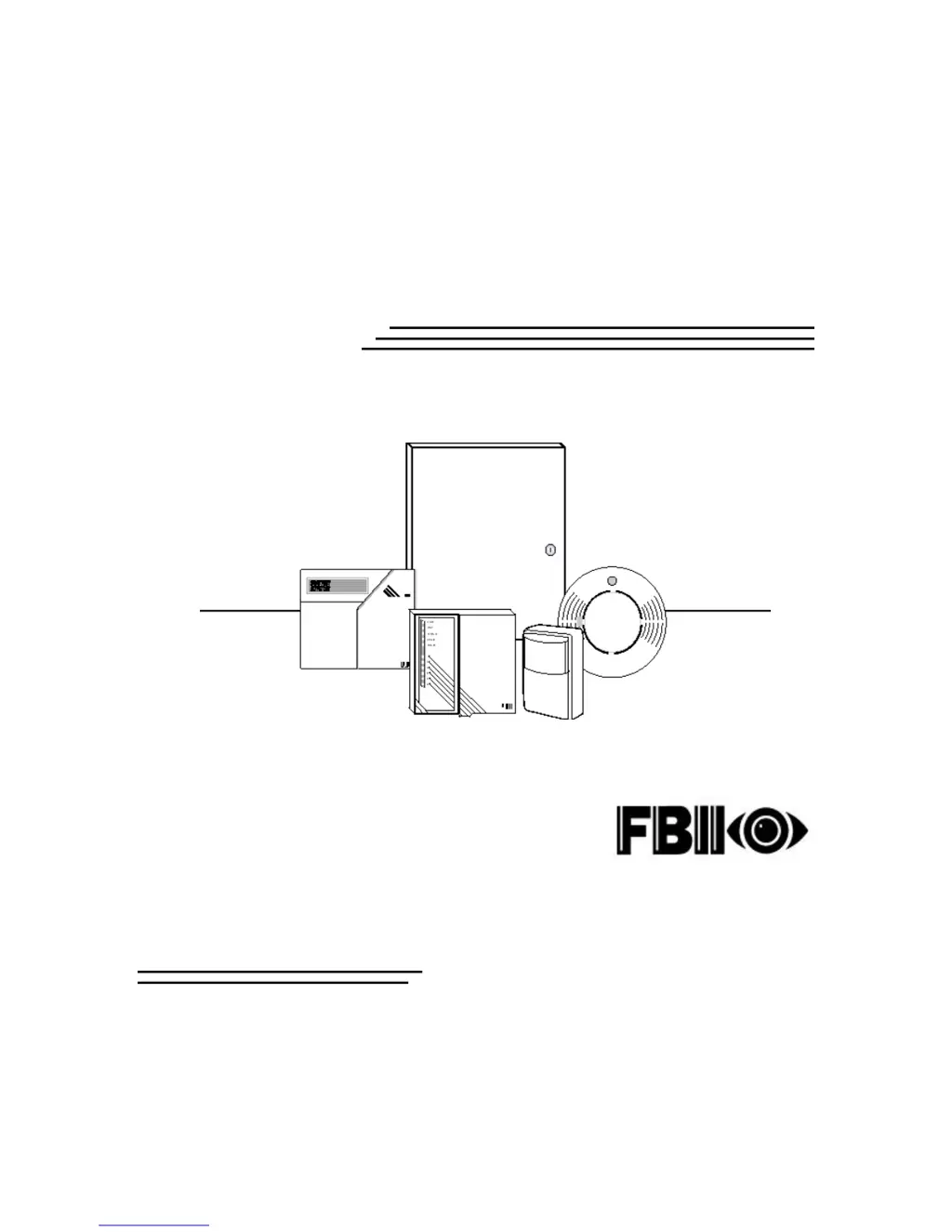
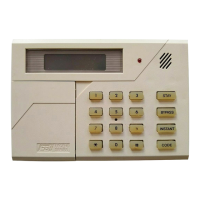
FBII XL-2T - User Manual

FBII XL-2T
30 pages
Print Icon
To Next Page IconTo Next Page
Loading...
X
X
L
L
-
-
2
2
T
T
Security System
User Guide
N9819V3 2/00
FIRE BURGLARY INSTRUMENTS,
INC.

Other manuals for FBII XL-2T

Questions and Answers

  • A
    Amy GibsonAug 17, 2025
    What to do if my FBII Security System displays 'COMM FAILURE'?
    • J
      Jennifer ThomasAug 18, 2025
      If your FBII Security System shows 'COMM FAILURE', it indicates a failure to communicate with the Central Station. This could be due to cut or disconnected telephone lines, requiring repair or replacement of the wiring. It may also indicate that the Central Station information is misprogrammed. Alternatively, the panel/dialer itself or the telephone lines could be faulty, in which case you should consider replacing the panel or consulting your local telephone company.
  • G
    Gregory WareAug 20, 2025
    Why does my FBII XL-2T Security System say 'NOT READY: ZN #'?
    • G
      gsnyderAug 20, 2025
      The 'NOT READY: ZN #' message on your FBII Security System indicates that a zone is faulted, and the system is not ready. Check the loop wiring for any opens or shorts and repair as needed. Also, verify that the EOL resistor isn't open or has the wrong value. It could also be due to a faulty keypad, in which case you should replace it. As a last resort, it may be a faulty panel, in which case you should check the zone terminal voltage for 3.3VDC, bypass the zone temporarily, and consider replacing the panel.
  • C
    Charles VillanuevaAug 22, 2025
    How to fix AC LOSS error on FBII XL-2T Security System?
    • A
      Andrew RamosAug 22, 2025
      If your FBII Security System displays an 'AC LOSS' error, it could be due to primary AC power being out. Check the transformer connection and the AC input voltage. If the power supply is fine, the keypad itself may be faulty, requiring replacement.
  • S
    Sarah BrownAug 26, 2025
    What to do if the siren on my FBII XL-2T Security System doesn't sound?
    • T
      Thomas WolfAug 26, 2025
      If the siren or speaker on your FBII Security System isn't working, the problem could stem from several causes. First, the siren/speaker itself might be faulty; test it by connecting 12VDC directly to it. If no sound is produced, replace the siren/speaker. Second, the wiring could be faulty; check for any open or short circuits and replace the wiring if necessary. Lastly, the panel/bell output might be faulty; check terminals 22 (+) & 23 (-) for 12VDC when the panel is in alarm (if programmed for bell output). If no voltage is measured, replace the panel.
  • T
    Tiffany LoweAug 27, 2025
    How to troubleshoot a blank keypad display on my FBII XL-2T Security System?
    • T
      Timothy RichardsonAug 28, 2025
      If the keypad display on your FBII Security System is not lit, it could be due to a lack of AC and DC power. Check the transformer and battery connections, as well as the AC input and battery voltage with the transformer disconnected. Another possible cause is that the keypad is not powered. Check terminals 15(+) and 12(-) for 12VDC.
  • J
    Jasmin MartinezAug 30, 2025
    Why is the 'LOW BAT' message appearing on my FBII XL-2T Security System?
    • R
      Robin BarrAug 30, 2025
      A 'LOW BAT' message on your FBII Security System indicates a potential issue with the DC power or low battery voltage. Check the battery connections and the battery voltage with the transformer disconnected. If the voltage is less than 11VDC, let the battery charge or replace it.
  • R
    Robert PriceSep 2, 2025
    What to do if the ZONE light is ON and the READY light is OFF on my FBII XL-2T?
    • S
      seanrossSep 2, 2025
      If the ZONE light is ON and the READY light is OFF, it indicates that a zone has faulted, and the system isn't ready. This could be due to a zone fault, a faulty keypad, or a faulty panel. First, check the loop wiring for any opens or shorts and repair them. Also, check the EOL resistor for an open or incorrect value. If the issue persists, check the zone terminal voltage for 3.3VDC, bypass the zone temporarily. If none of these steps resolve the issue, the keypad or panel may need replacement.
  • J
    John HowardSep 4, 2025
    Why is the AC/LB light OFF on my FBII Security System?
    • E
      Ethan LewisSep 4, 2025
      If the AC/LB light is off, it could be due to a primary AC power outage or a faulty keypad. Check the transformer connection and the AC input voltage. If the power supply is working, the keypad may need to be replaced.
  • G
    gmyersSep 7, 2025
    How to fix an FBII XL-2T Security System siren that doesn't sound?
    • J
      Jesse NicholsSep 7, 2025
      If the siren or speaker isn't producing sound, the cause may be a faulty siren/speaker, faulty wiring, or a faulty panel/bell output. To troubleshoot: * Connect 12 VDC directly to the siren/speaker. If no sound is produced, replace the siren/speaker. * Check the wiring for any open or short circuits, replacing the wiring if necessary. * Check terminals 22 (+) & 23 (-) for 12VDC when the panel is in alarm (if programmed for bell output). If no voltage is measured, replace the panel.
  • C
    Christopher JenningsSep 9, 2025
    What to do if the keypad display is not lit on my FBII XL-2T Security System?
    • D
      Danny RobinsonSep 9, 2025
      If the keypad display is not lit, it could be due to AC and DC power being out or the keypad not being powered. Check the transformer and battery connections, and verify the AC input and battery voltage with the transformer disconnected. Also, check terminals 15(+) and 12(-) for 12VDC to ensure the keypad is receiving power.

Summary

Quick Reference

TO TURN SYSTEM ON

Instructions for arming the system for away mode, exiting the premises.

TO TURN SYSTEM OFF

Instructions for disarming the system upon re-entry.

TO TURN SYSTEM ON AND STAY INSIDE

Instructions for arming the system while staying inside, protecting perimeter only.

TO TURN THE SYSTEM ON: INSTANT MODE, AND STAY INSIDE

Instructions for arming in instant stay mode, no entry delay.

Quick Reference

TO RESET SMOKE DETECTOR

Procedure to reset the smoke detector after an alarm or test.

Introduction

System Reference

ZONE DESCRIPTIONS

Guide for documenting protected areas assigned to system zones.

SEND-HELP ALERT

Explanation of how to activate emergency panic or help signals.

System Reference (cont)

USER CODE ASSIGNMENTS

Table for assigning user IDs, master users, and special code functions.

MONITORING STATION INFORMATION

Placeholder for information related to the central monitoring station.

Turning The System On

IS THE SYSTEM READY?

How to determine if the system is ready to be armed, checking the READY light.

WHEN SYSTEM IS NOT READY

Explains indicator lights and display messages when the system is not ready to arm.

Turning The System ON (cont)

TO TURN SYSTEM ON AND LEAVE

Arming the system in AWAY mode for when no one is home.

TO TURN SYSTEM ON AND STAY INSIDE

Arming the system in STAY mode, protecting perimeter only.

TO TURN SYSTEM ON IN INSTANT MODE AND STAY INSIDE

Arming in INSTANT STAY mode, no delays.

Turning The System ON (cont)

TO TURN SYSTEM ON IN INSTANT MODE

Arming the system in INSTANT mode for immediate alarm response.

TO BYPASS A ZONE

Procedure to temporarily exclude a zone from system protection.

TO UNBYPASS A ZONE

Procedure to restore a previously bypassed zone to normal operation.

Turning The System OFF

To turn your system OFF

Steps to disarm the system using a user code.

If alarms occurred

How zone lights indicate alarms or trouble conditions after disarming.

To clear the display

How to silence audible alerts and clear alarm memory.

User Codes

TO ADD OR CHANGE A USER CODE

Procedure for adding or modifying user codes at the keypad.

TO DELETE A USER CODE

Procedure for removing an existing user code.

THE ARM-ONLY CODE (Maid Code)

Information on a special code that can only arm, not disarm, the system.

Miscellaneous Commands

SEND HELP ALERTS

How the system can send programmed emergency alerts.

DURESS

Using a special code to disarm the system and send a silent duress signal.

QUICK ON (QUICK ARMING)

Arming the system quickly without a user code.

QUICK FORCED ON

Arming the system in AWAY mode, bypassing non-ready zones.

QUICK BYPASS

Bypassing zones without needing to enter a user code.

Miscellaneous Commands (cont)

TURN CHIME ON;OFF

How to activate or deactivate the chime feature for door openings.

SET AUTO ARM ON TIME

Setting a specific time for the system to automatically arm.

DOOR STRIKE

Activating door strikes for access control applications.

VIEW TIME

Viewing the current system time.

SET TIME

Setting the system's time and date.

TO VIEW AUTO ARM ON TIME

Viewing the programmed auto arm time.

Testing The System

SYSTEM TEST

Weekly procedure to test the alarm functionality and central station communication.

BATTERY TEST

Monthly procedure to test the system's backup battery performance.

National Fire Protection Association Recommendations On Smoke Detectors

Emergency Evacuation

Glossary

AC INDICATOR

Definition of the AC indicator light on the keypad.

ALARM

Definition of an alarm signal from the system.

ARMED

Definition of the system status when armed.

AWAY

Definition of the AWAY system setting.

BURGLARY;FIRE

Distinction between burglary and fire protection functions.

BYPASS FEATURE

Explanation of the bypass feature.

BYPASS BUTTON

Definition of the bypass button on the keypad.

CENTRAL STATION

Definition of the central monitoring station.

CHIME FEATURE

Definition of the chime feature.

DISARMED

Definition of the disarmed system status.

ENTRY DELAY

Definition of the entry delay period.

Glossary (cont)

EXIT DELAY

Definition of the exit delay period.

INTERIOR ZONE

Definition of an interior zone.

KEYPAD

Definition of the system keypad.

ON;OFF

Definition of the system's ON/OFF status.

ON;OFF INDICATOR

Definition of the ON/OFF indicator light.

ON-STAY

Definition of the ON-STAY system setting.

PANIC BUTTON

Definition of the panic button.

PERIMETER ZONE

Definition of a perimeter zone.

Glossary (cont)

SENSOR

Definition of various types of sensors used in the system.

SILENT CONDITION

Definition of silent alarm conditions.

SYSTEM

Definition of the overall security system components.

USER CODE

Definition of a user code.

ZONE

Definition of a zone in the system.

FEDERAL COMMUNICATIONS COMMISSION (FCC) STATEMENT

TELEPHONE OPERATIONAL PROBLEMS

TELEPHONE OPERATIONAL PROBLEMS (cont)

LIMITATIONS OF THIS ALARM SYSTEM

LIMITATIONS OF THIS ALARM SYSTEM (cont)

LIMITATIONS OF THIS ALARM SYSTEM (cont)

LIMITED WARRANTY

LIMITED WARRANTY (cont)

FBII XL-2T Specifications

General IconGeneral
BrandFBII
ModelXL-2T
CategorySecurity System
LanguageEnglish

Related product manuals