FCAR Series Product Operation Manual Instruction
17
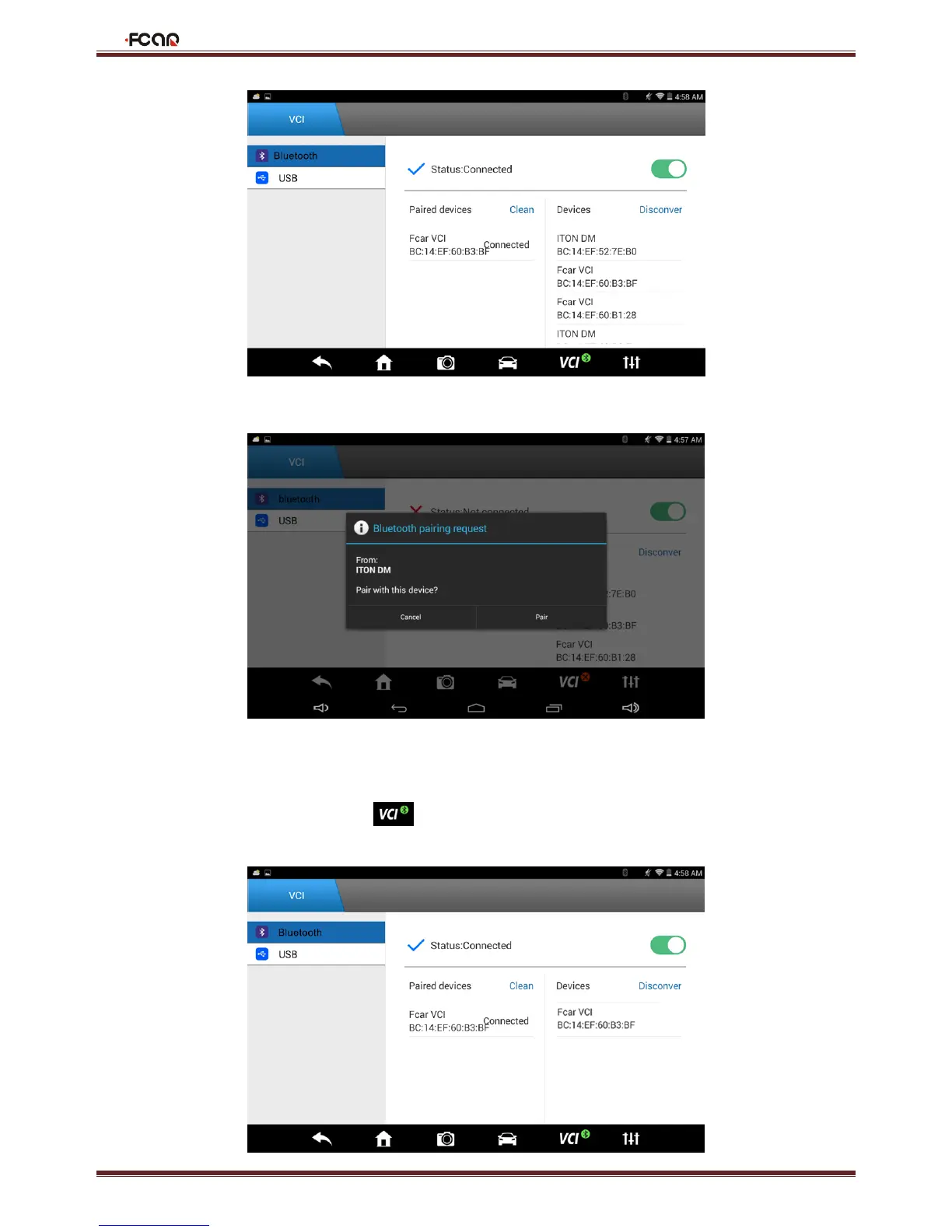
2. Wait a minute and the ID of VCI box connected to the vehicle can be found. Click Connect to pair;
3. Click "Pair";
4. After the pairing is successful, VCI Bluetooth lamp on the host will light, and the Bluetooth indicator on the VCI box will
also light, which means successful connection.
When the connection is OK, F6 plus displays . It will automatically pair next time you use it, and you do not need to
set again.



 To Next Page