Document Number:
MAN – FD151CV-QUAD
Revision Date:
05/04/2017
Page 10 of 15
© 2017 FDS Avionics Corp.
All Rights Reserved.
TECHNICAL SUPPORT
470-239-7421 or FDSAvionics.com
Button Controls
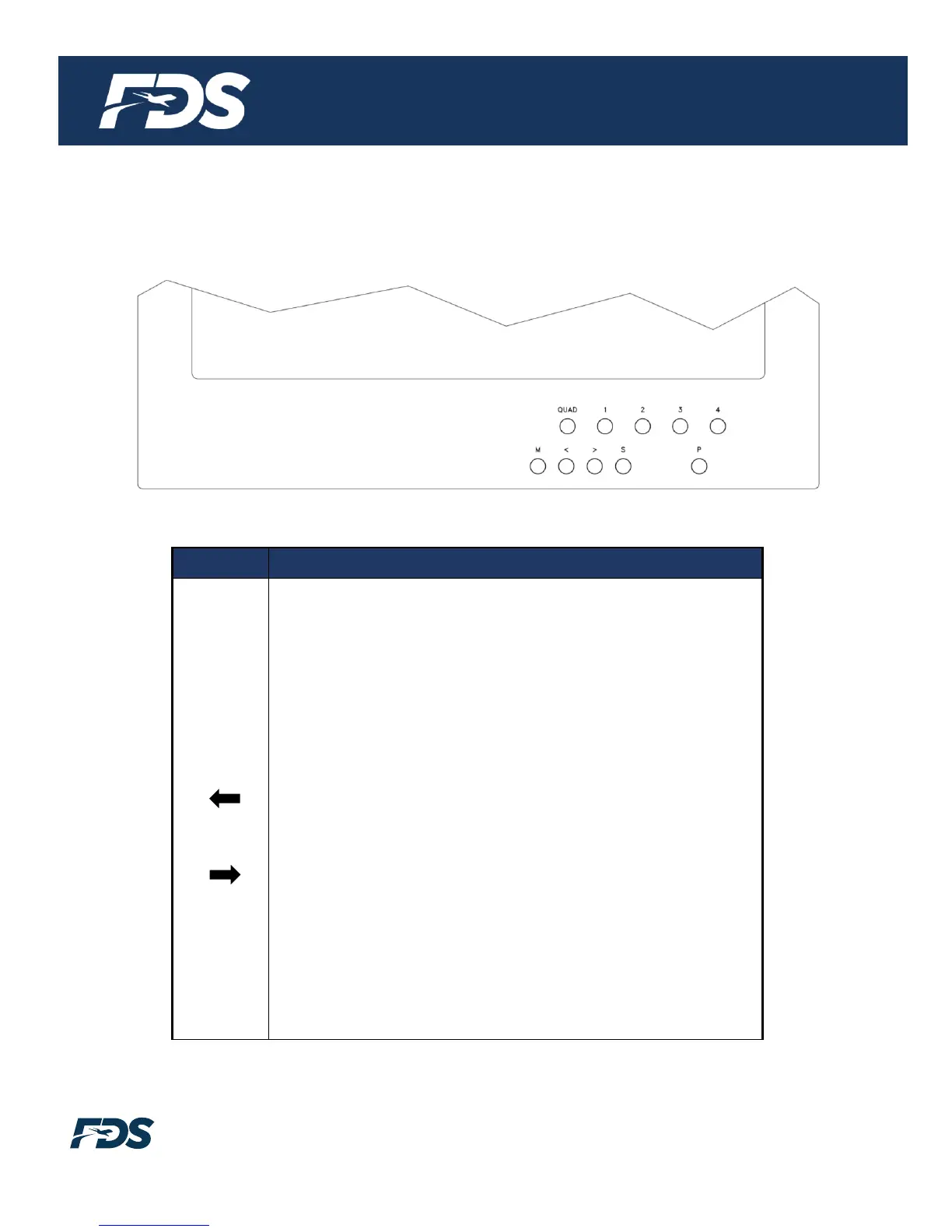
Located at the bottom of the FD151CV-QUAD are 10 buttons.
The functions are as follows:
Puts monitor into quad-screen mode.
Displays Input 1 as full-screen.
Displays Input 2 as full-screen.
Displays Input 3 as full-screen.
Displays Input 4 as full-screen.
Opens the menu, changes between selections.
Press while in menu- Adjust selection UP.
Press out of menu – Brightness (Use up or down to
change.)
Press while in menu- Adjust selection DOWN.
Press out of menu – Contrast (Use up or down to
change.)
Select video source with the following order: Composite
1, Composite 2 and RGB (PC).
Pressing will turn the monitor ON or OFF from Standby
mode.


 To Next Page