EasyManua.ls Logo

FeelElec FY6900 Series - User Manual

FeelElec FY6900 Series
49 pages
Print Icon
To Next Page IconTo Next Page
Loading...
FeelElec
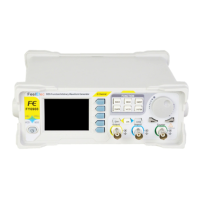
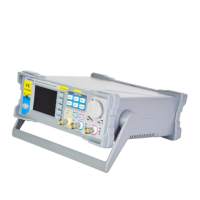
FY6900 Series Fully Numerical Control
Dual Channel Function/Arbitrary Waveform Generator
Users Manual
Rev1.0 May,2019

Questions and Answers

Summary

Product Introduction

Main Features

Details the key technical specifications and functionalities of the FY6900 signal generator.

Quick Start

General Inspection

Steps to check the instrument and accessories for damage or defects upon receipt.

Front Panel Overview

Detailed description of the FY6900 front panel components and their functions.

Back Panel Overview

Explanation of the connectors and controls located on the rear panel of the FY6900.

Power On and Inspection

Instructions for connecting power, turning on the device, and initial system setup.

User Interface

Details the display modes and elements of the FY6900 user interface.

Appearance and Dimensions

Physical dimensions and visual characteristics of the FY6900 signal generator.

Front Panel Operations

Waveform Output

Instructions on how to output waveforms from the FY6900 generator.

Select Output Channel

How to choose between CH1 and CH2 for signal output.

Select Waveform

Details the various types of waveforms that can be generated by the FY6900.

Set Frequency

Steps to set the output frequency for the generated waveform.

Set Amplitude

Instructions for setting the amplitude (Vpp, Vrms) of the output signal.

Set Offset

How to adjust the DC offset voltage for the output waveform.

Set Phase

Instructions for setting the phase of the output signal.

Set Duty Cycle (Rectangle)

How to set the duty cycle for rectangular waveforms.

Set Pulse Width (Adj-Pulse Wave)

How to adjust the pulse width for adjustable pulse waveforms.

Enable Output

How to activate or deactivate the signal output for CH1 and CH2.

Example: Output Sine Waveform

A step-by-step guide to generating a sine waveform on CH1.

Burst

How to generate burst waveforms with specified cycles and trigger modes.

Enable Burst Function

Steps to activate and configure the burst output feature.

Modulation Function

Details the various modulation types supported by the FY6900.

Frequency Meter;Counter

How to use the instrument as a frequency meter or counter.

Enable the Counter

Steps to activate and configure the counter function.

Set the Counter

Configuration options for the counter, including gate time and coupling.

Sweep

How to configure and perform sweep operations on the FY6900.

Sweep Object

Defines the parameters that can be swept (frequency, amplitude, offset, duty cycle).

Sweep Start Position

How to set the starting point for sweep operations.

Sweep End Position

How to set the ending point for sweep operations.

Sweep Time

How to set the duration for sweep operations.

VCO (Voltage Control Output) Sweep

How to use an external signal to control sweep parameters.

Sweep Type

Explanation of Linear and Logarithm sweep types.

Enable Sweep Function

Steps to activate and manage the sweep function.

System Configuration and Auxiliary Functions

Managing system settings, saving/loading parameters, and network configurations.

Save and Load

How to save and load instrument configurations and parameters.

Configuration

Settings for system language, buzzer, and uplink mode.

Uplink

Instructions for multi-machine uplink setup for expanded output channels.

Synchronization

How to synchronize parameters between CH1 and CH2.

Troubleshooting

Technical Specification

Appendix

Appendix A: Safety Notes

Important safety precautions to follow during instrument usage.

Appendix B: Warning and personal injury

Critical warnings regarding potential risks and misuse of the product.

Appendix C: Accessories and Options

List of standard accessories and optional equipment available for the FY6900.

Appendix D: Warranty

Details the warranty terms and conditions for the FY6900 signal generator.

FeelElec FY6900 Series Specifications

General IconGeneral
BrandFeelElec
ModelFY6900 Series
CategoryInverter
LanguageEnglish

Related product manuals