EasyManua.ls Logo

FeelElec FY6900-60M - User Manual

Default Icon
49 pages
Print Icon
To Next Page IconTo Next Page
Loading...
FeelElec
FY6900 Series Fully Numerical Control
Dual Channel Function/Arbitrary Waveform Generator
Users Manual
Rev1.0 May,2019

Questions and Answers

Summary

Product Introduction

Main Features

Overview of the FY6900 series generator's key capabilities and technologies.

Quick Start

General Inspection

Steps to check the instrument and its packaging for damage upon receipt.

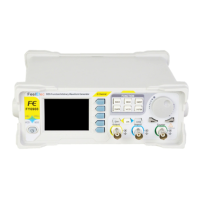
Front Panel Overview

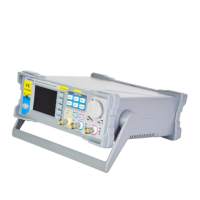
Back Panel Overview

BNC Connector Terminals

Input/output terminals for signals, modulation triggers, and synchronization.

USB Device Interface

Port for PC communication and programming.

Power Switch and Socket

Location and function of the power switch and AC power input socket.

Power On and Inspection

Connect to Power

Instructions for connecting the instrument to an AC power supply.

Power On Procedure

Steps to turn on the generator and initiate self-inspection.

User Interface

Dual Channels Parameters (default)

Description of the default display mode showing parameters for both channels.

Front Panel Operations

Waveform Output

Instructions on generating waveforms from one or both channels.

Select Output Channel

How to switch between Channel 1 and Channel 2 for output.

Set Duty Cycle (Rectangle)

How to adjust the duty cycle for rectangle waveforms.

Select Waveform

Enable Output

Burst Function

Modulation Function

Frequency Meter;Counter

Enable the Counter

How to activate the frequency meter/counter and input signals.

Set the Counter

Sweep Function

System Configuration and Auxiliary Functions

Save and Load Parameters

Configuration Settings

Uplink Operation

Synchronization Function

Troubleshooting Common Failures

Screen Dark (No Display)

Solutions for issues when the screen remains dark after power on.

CH2 Locked Issue

Troubleshooting steps to resolve when Channel 2 is locked.

No Waveform Output

Steps to fix problems where no waveform is output despite correct settings.

Technical Specification

Frequency Specifications

Detailed frequency ranges for different waveform types across models.

Waveform Characteristics

Details on supported waveforms, storage depth, sampling rate, and resolution.

Output Characteristics

Specifications for amplitude, resolution, stability, and flatness.

Appendix

Safety Notes

Important precautions for safe and proper use of the instrument.

Warning and Personal Injury

Risks and warnings related to product failure and improper usage.

FeelElec FY6900-60M Specifications

General IconGeneral
ModelFY6900-60M
Output Impedance50Ω
Amplitude Resolution1mV
Channels2
Output WaveformsSine, Square, Triangle, Ramp, Pulse, DC
DC Offset Range±10V
DisplayLCD
ModulationAM, FM, PM, FSK

Related product manuals