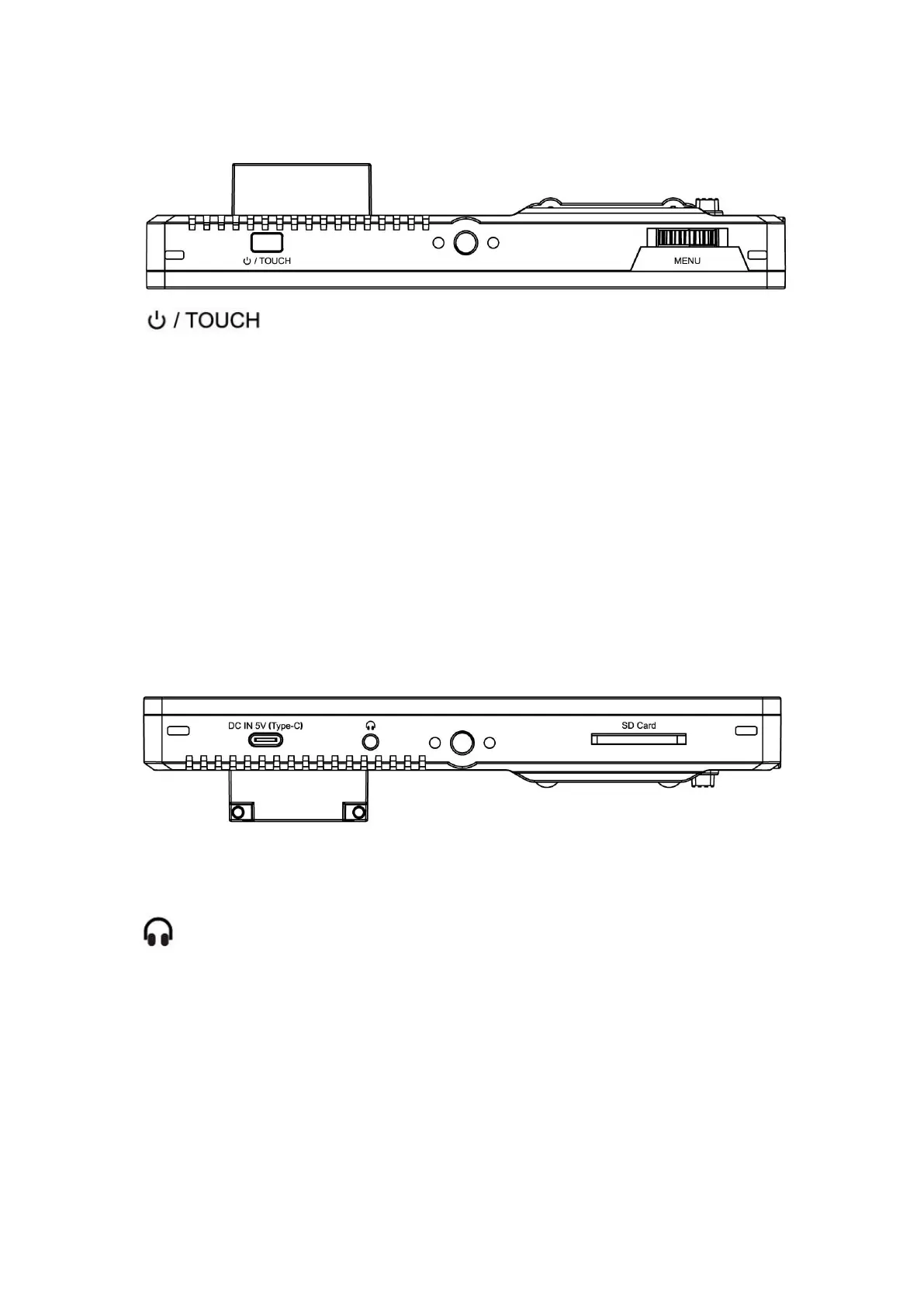
1.1 Button Instruction
: Long press to turn on and off the power; short press
to turn on and off the screen touch function.
MENU: Long press to open the main menu and short press to open
the shortcut menu. Rotate the wheel to select a menu item, press it
again to open the corresponding menu function.
(See details: 2.Menu Operation Instruction)
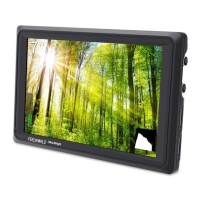
1.2 Port Instruction (Bottom)
SD Card: SD card slot, 3DLUT upload via SD card and for firmware
upgrade
: 3.5mm earphone port output
DC IN 5V (Type-C): (Note: This port can be connected to the power
bank and is not used for data transmission; it is only used for local
power supply and cannot provide loop-out power.


 To Next Page