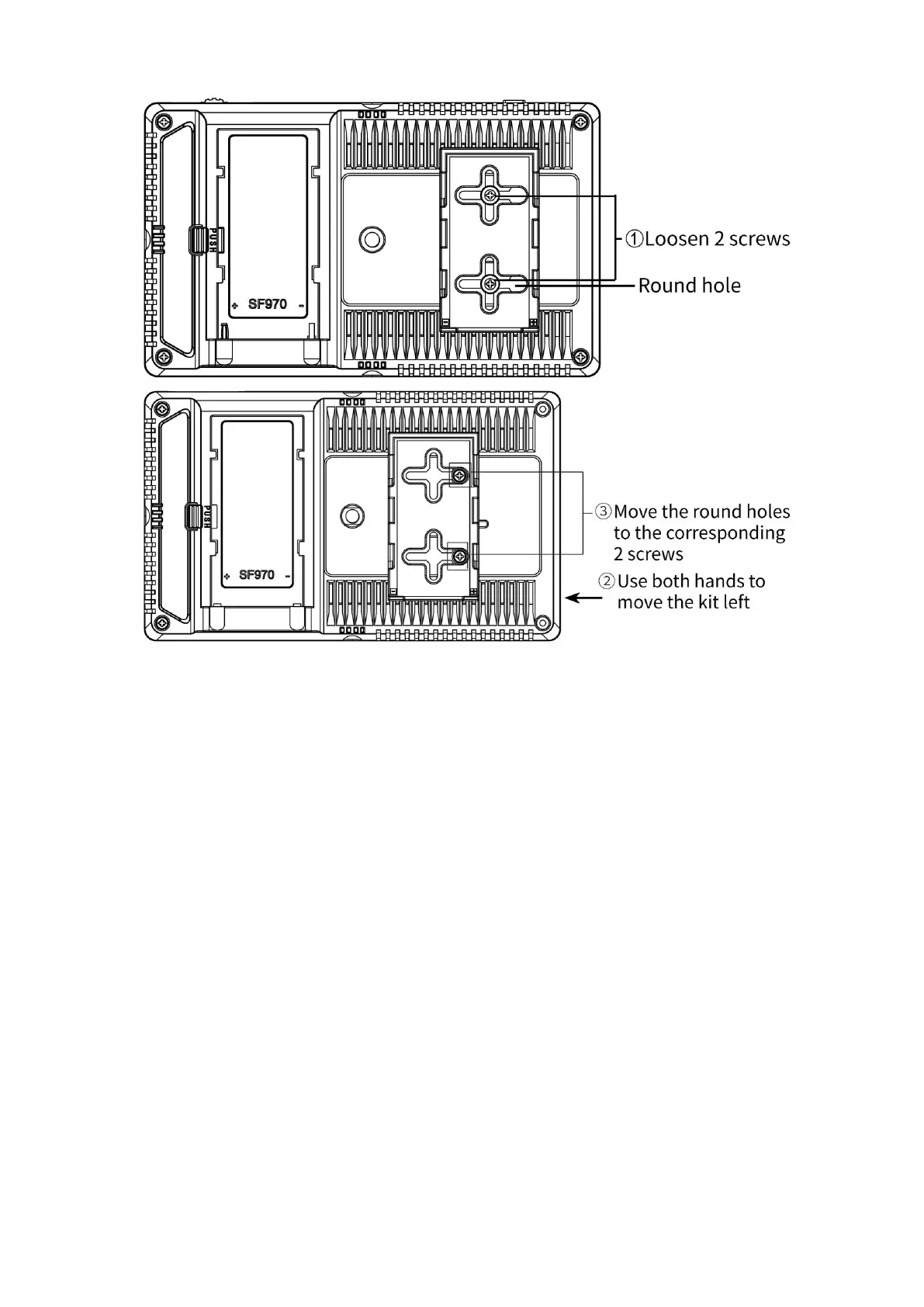
④
. Then gently lift the kit upwards and carefully disassemble the 2P power cord.
⑤. Then remove the 2 screws.
(4) Install back to the kit: first screw the 2 screws back to the screw hole used to
install the kit on the back of the monitor, install the 2P power cable to the cutout,
then align the round hole of the kit with the screw, and then push the kit to the
screw at the center of the kit cross, then tighten the screws.
1.6 Mount Points
¼-20 Thread Points
There are (4) ¼-20 thread points (top, bottom, right side &back) can
be easily connected to the hot shoe mount, tripod fixed installation.


 To Next Page