www.feiyu-tech.com 1918
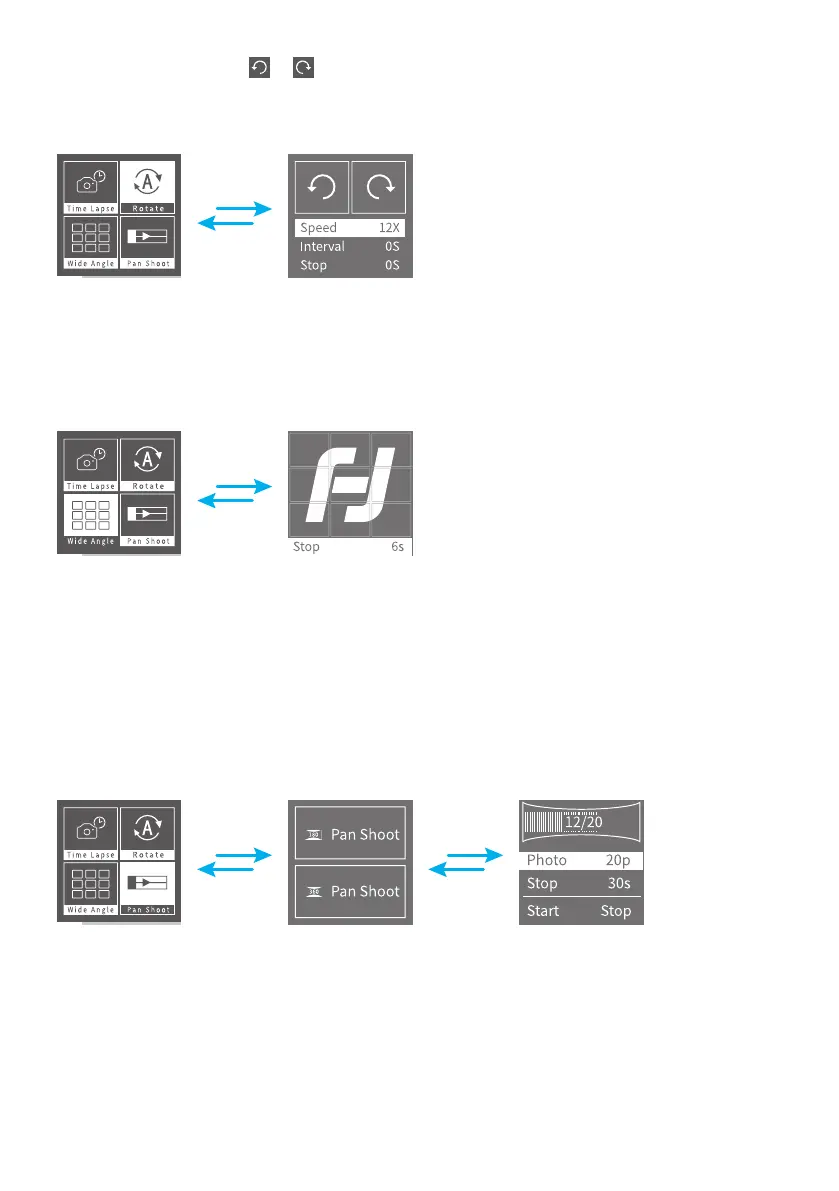
(3) Tag direction icon or , to start to rotate, tag again to stop.
Once got settings set up, simply tag the trigger button to re-control the pan/tilt
via turntable and knob.
3.4.3 Wide Angle
Slide to right to enter reverse screen, tag to enter the Wide Angle interface, as the
picture shows:
Once setting done, simply tag the trigger button to re-control the pan/tilt via
turntable and knob.
3.4.4 Pan Shoot
Slide to right to enter reverse screen, tag to enter the pan shoot interface, and
have 180° panorama and 360° panorama. Tag to enter, set the number of photos
and seconds to stay, tag "Start". As the picture shows:
Once setting done, simply tag the trigger button to re-control the pan/tilt via
turntable and knob.














 To Next Page