www.feiyu-tech.com 1514
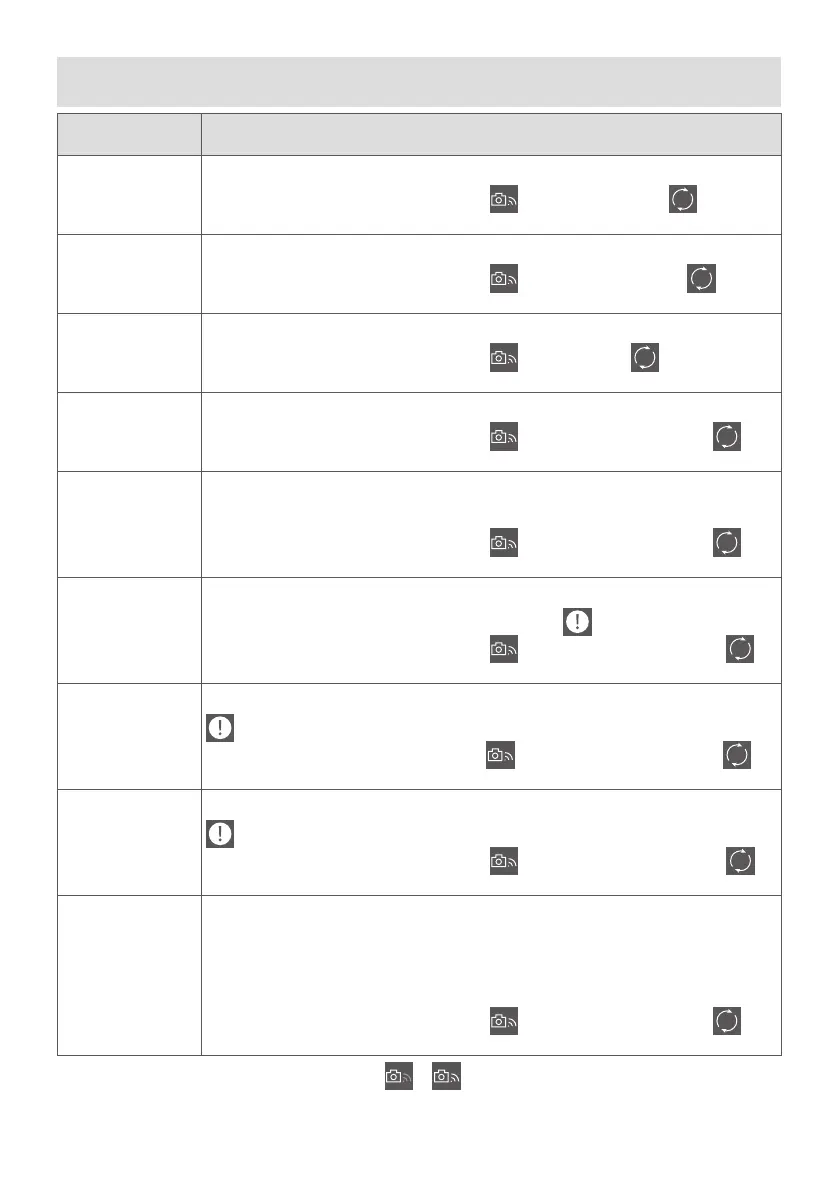
5. Action camera connection steps
Action Camera Steps
Ricca
1. Preferences → Wi-Fi (ON).
2. Feiyu ON APP → FY_VIMBLE 2A_xx →
→ RICCA → Ricca → → Camera
Name (Ricca_xxxx) → Enter password → Conrm.
SJCAM
(SJ6 LEGEND)
1. Preferences → Wi-Fi (ON).
2. Feiyu ON APP → FY_VIMBLE 2A_xx →
→ SJCAM → SJCam → →
Camera Name (SJ6 LEGENDxxxx) → Enter password → Conrm.
YI 4K
1. Setting → Wi-Fi (ON) → Wi-Fi Frequency(2.4G) → Wi-Fi Info.
2. Feiyu ON APP → FY_VIMBLE 2A_xx →
→ YI → YI4K → → Camera
Name (YDXJ_xxxx) → Enter password → Conrm.
GoPro HERO5
1. Preferences → CONNECT → Connect New Device → GoPro App.
2. Feiyu ON APP → FY_VIMBLE 2A_xx →
→ GoPro → HERO5/6/8 → →
Camera Name (GPxxxxxxxx) → Enter password → Conrm.
GoPro HERO6
1. Preferences → Connections → Wi-Fi Band (2.4GHz) → Connect New Device →
GoPro App.
2. Feiyu ON APP → FY_VIMBLE 2A_xx →
→ GoPro → HERO5/6/8 → →
Camera Name (GPxxxxxxxx) → Enter password → Conrm.
GoPro HERO7
Black
1. Preferences → Connections → Wireless Connections (ON) → Wi-Fi
Band(2.4GHz) → Connect Device → GoPro App →
.
2. Feiyu ON APP → FY_VIMBLE 2A_xx →
→ GoPro → HERO7 Black → →
Camera Name (GPxxxxxxxx) → Enter password → Conrm.
GoPro HERO7
Silver
1. Preferences → Connections → Wi-Fi Band (2.4GHz) → Connect GoPro APP→
.
2. Feiyu ON APP → FY_VIMBLE 2A_xx→
→ GoPro → HERO7 Silver → →
Camera Name (GPxxxxxxxx) → Enter password → Conrm.
GoPro HERO7
White
1. Preferences → Connections → Wi-Fi Band(2.4GHz) → Connect GoPro APP→
.
2. Feiyu ON APP → FY_VIMBLE 2A_xx →
→ GoPro → HERO7 white → →
Camera Name (GPxxxxxxxx) → Enter password → Conrm.
GoPro HERO8
Black
1. Preferences → Connections → Wireless Connections(ON) →Wi-Fi.
Band (2.4GHz) → Connect Device.
2. GoPro APP → Control Your Gopro → Join →Trust.
3. Preferences → Connections → Camera Info.
4. Feiyu ON APP → FY_VIMBLE 2A_xx →
→ GoPro → HERO5/6/8 → →
Camera Name (GPxxxxxxxx) → Enter password → Conrm.
The icon lit up after the connection succeed.
→















 To Next Page