7
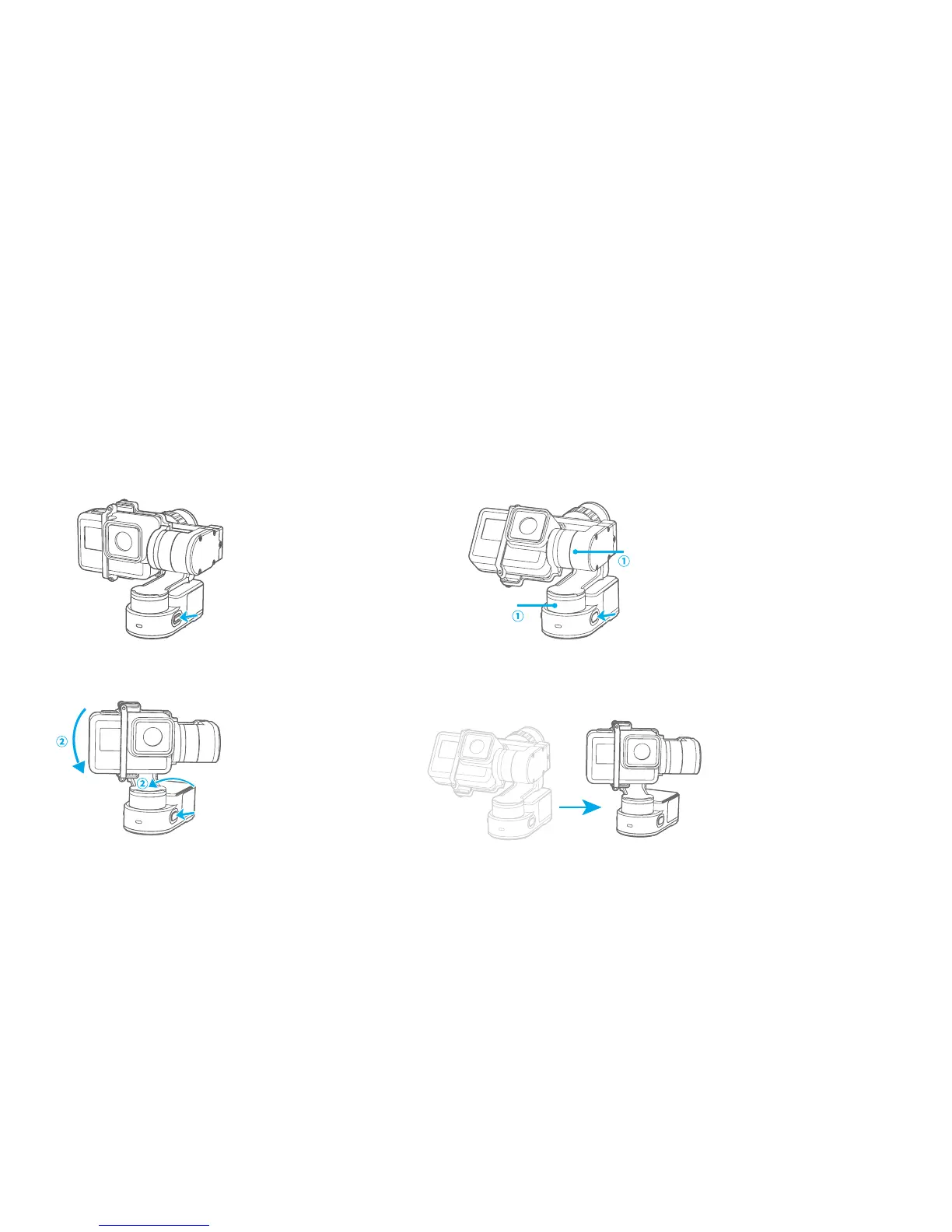
Autorotation Mode
2. Turn the panning axis
and tilting axis to the
position ① and hold for
half a second.Click on
function button,
record the position ①.
1.Four times clicks on
function button, gimbal
will access the autorotation
mode setting.
4.Gimbal will recover to
position ① automatically.
Tilting axis and panning
axis turn to position ②
at constant speed.The gimbal
is automatically reset after
the end.
3 .Turn the panning axis
and tilting axis to the
position ② and hold for
half a second .Lick on the
function button again,
record the position ②.
Tilting
Tilting
Panning
Panning
Four times clicks on function button, gimbal will access the autorotation mode setting. Manually turn the
gimbal to an initial position, then click again on function button for recording it.Manually turn the gimbal
to end position, then click the functionbutton again for recording it. Gimbal will turn to the initial position
and begin autorotation.














 To Next Page