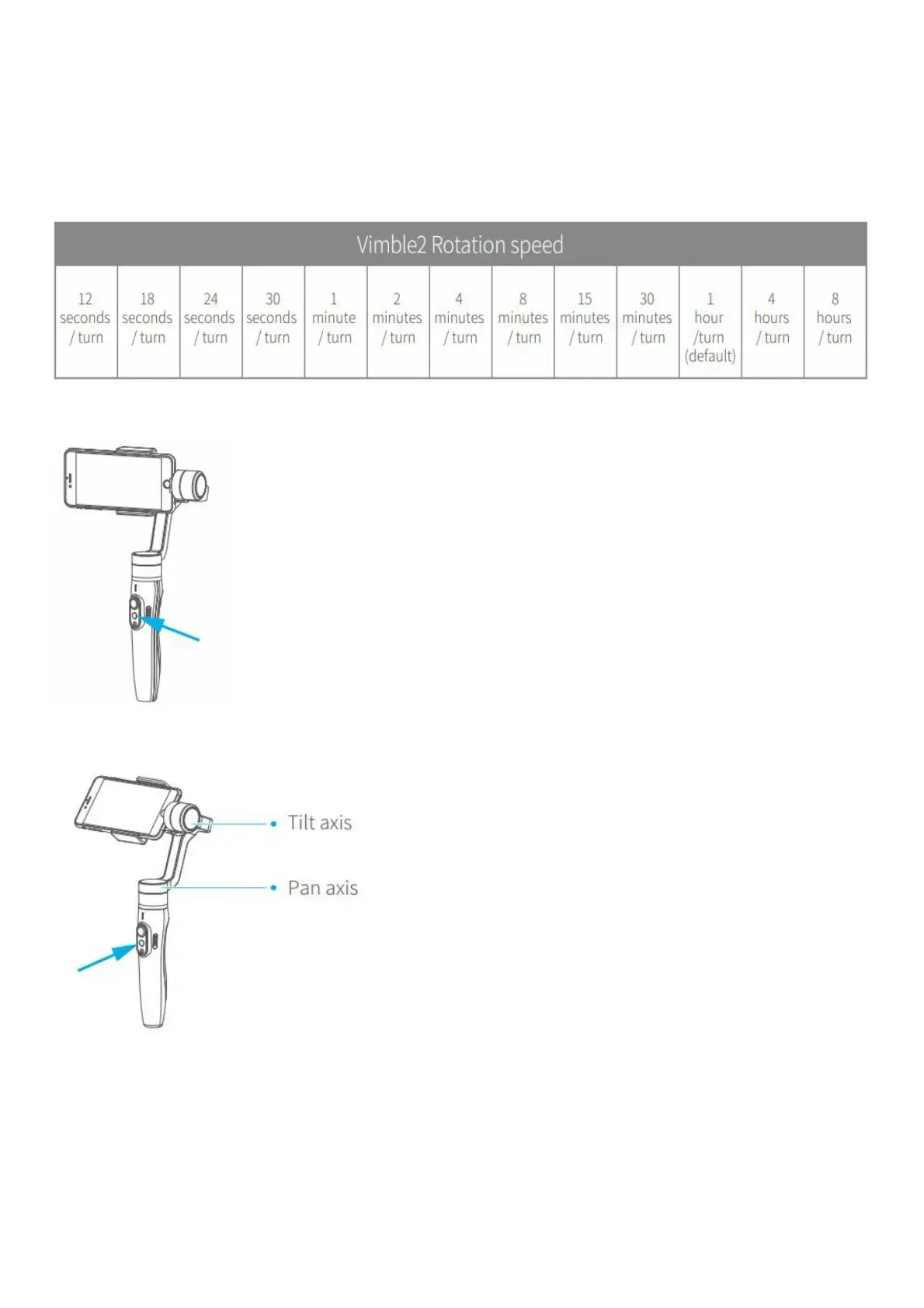
The gimbal can easily create constant speed moves by using the motion control mode. This mode can be used for
recording both regular video and time lapse photography. For best results, attach gimbal to the Feiyu Tech tripod, or
other tripod, to keep it completely still.
1.Set motion speed in Feiyu ON App
To set the motion speed, connect to the Feiyu ON App and select desired speed from the motion control option in the
settings menu.
Motion control speed reference table
2.Enter motion control mode by clicking the function button 4 times
3.Set rotation start position
Record the first position (rotation start position) by manually moving smartphone to desired position. Hold in position
for half a second. Click the function button to record rotation start position.
4.Set rotation end position















 To Next Page