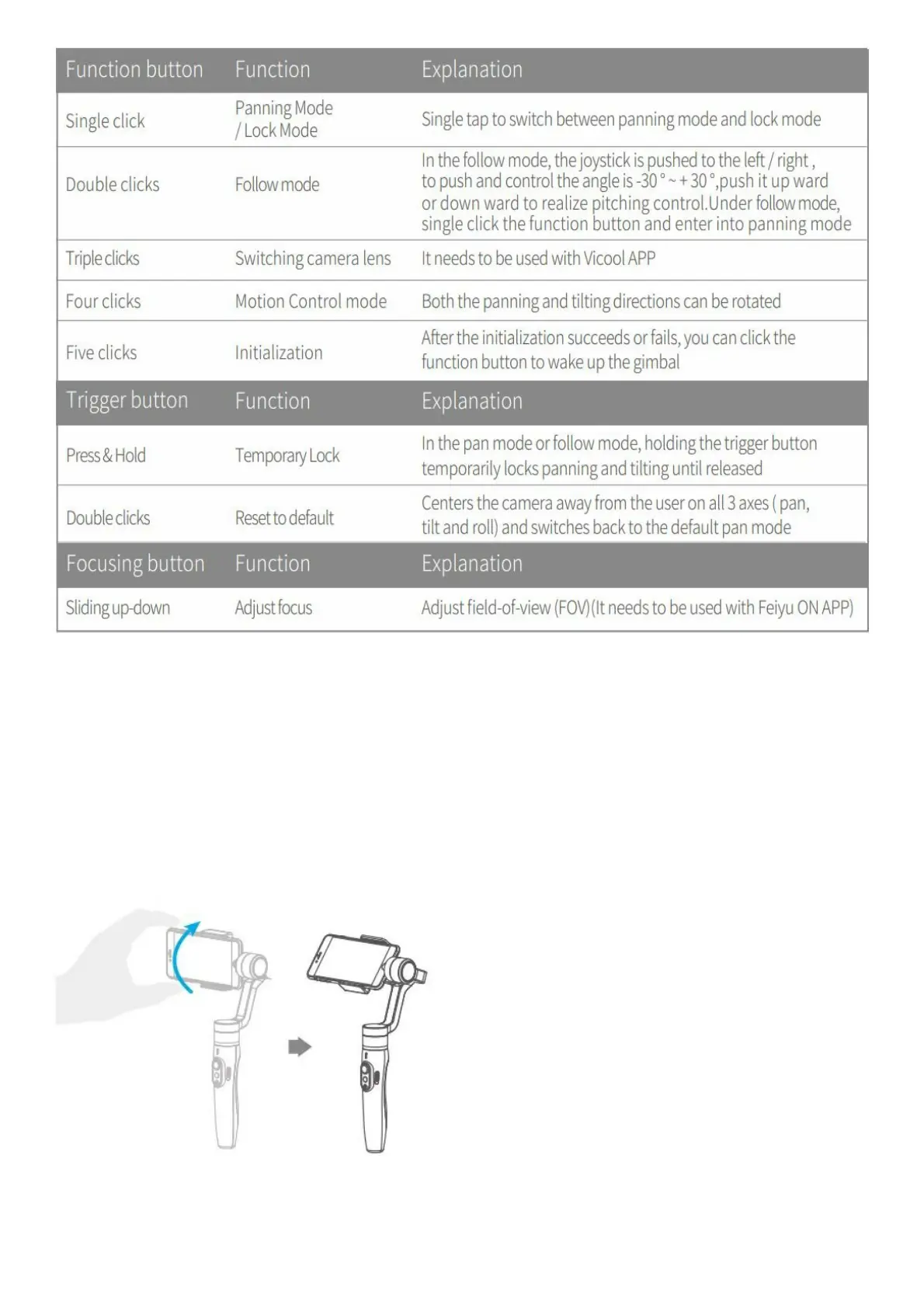
Modes
Panning mode (Default mode )— The rolling and tilting direction are fixed, and the smartphone moves according to
the hand movement direction of the user.
Follow mode—The rolling direction is fixed, and the smartphone moves according to the hand movement direction of
the user.
Lock mode— The orientation of the smartphone is fixed.
Reset— Return to pan mode, all to return to default.
Manual Lock
Smartphone can be manually positioned while in lock mode , follow mode or pan mode. Both the pan and tilt can be
manually set.
Manually move smartphone to desired position, and hold for half a second. New tilt and/or pan positions are
automatically saved.
Motion Control Mode















 To Next Page