10
6.2 Bluetooth Connection
Turn on the gimbal.
Method one: Download and install Feiyu ON App, run the App, follow the prompts to turn on and connect with the
bluetooth.
Method two: Turn on the smartphone bluetooth, Connect the gimbal bluetooth in the setting of phone, e.g. FY_
PocketV2_XX. (If the bluetooth can't be found, please turn o Feiyu ON App in the background.)
6.3 Connect the App
Open Feiyu ON App and connect the gimbal via tips.
Format Bluetooth of gimbal: FY_PocketV2_XX
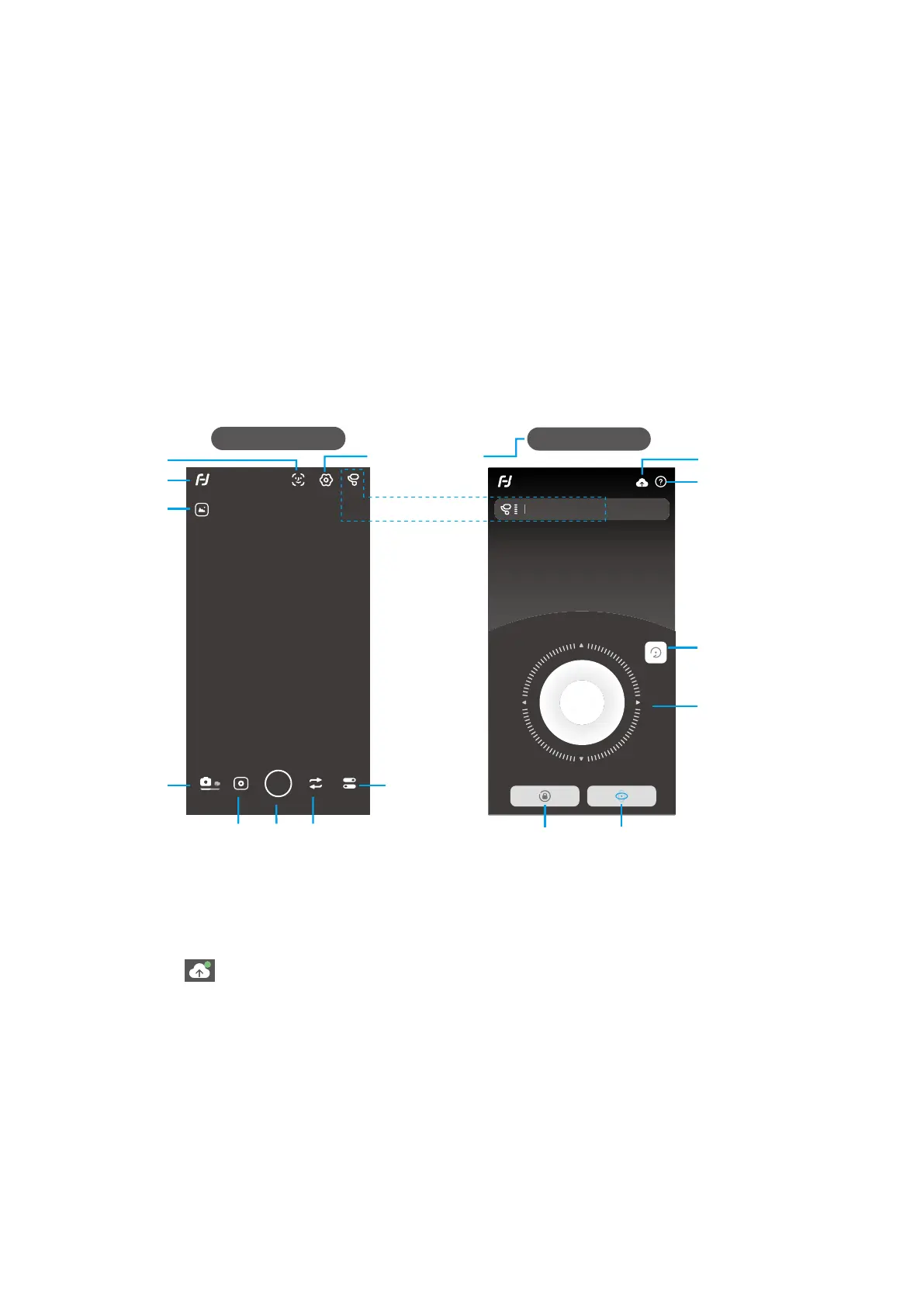
6.4 Shooting / control interface
Panning modeLock mode
Control interface
Remote Control
FY_PocketV_xx
Virtual
Joystick
Reset
Tutorial
Upgrade
Choose photo
modes
Shutter
Camera setting
Switch between
front and rear camera
Back
Shooting interface
Album
Switch between
photo/ recording
mode
Gimbal information
Face/object
tracking
Setting- Advanced
settings
6.5 Firmware Upgrade
Upgrade the rmware through the App.
(1) Click the icon
(2) Select upgrade type.
(3) Follow the prompts to upgrade the rmware.
Upgrade type introductions:
Keyboard rmware update: Repair / update or newly add button/touch screen/interaction functions, update more
compatibility cameras which can be controlled through WIFI, repair few bugs about camera control through WIFI,
and etc.
Bluetooth firmware update: Repair / update or newly add Bluetooth functions, update more compatibility
cameras, and etc.



 To Next Page