8
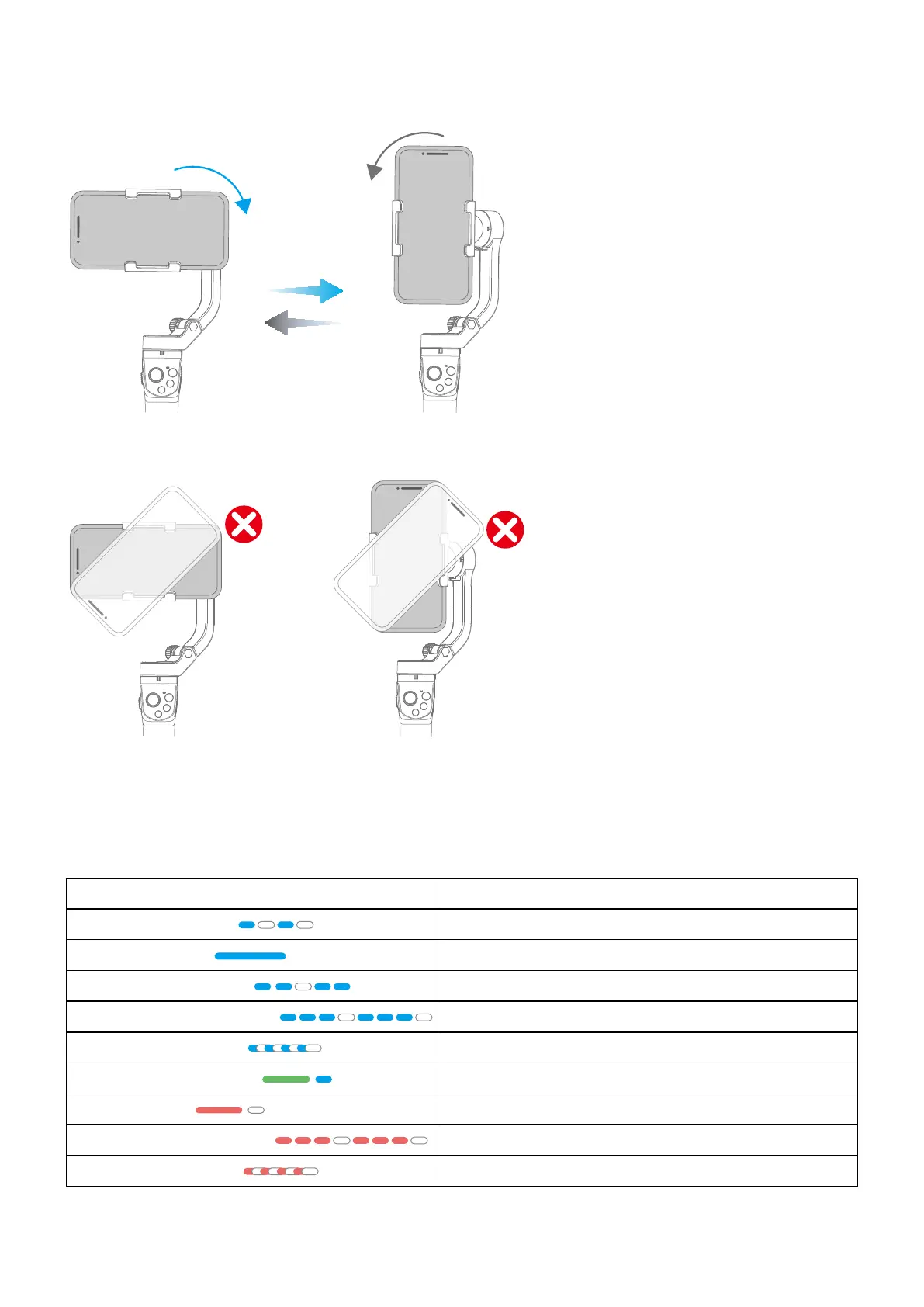
4.3Landscape and portrait shot switching
Double click the function button or manually rotate the smartphone holder (according to the picture below) to
switch between landscape and portrait mode.
Kindly Reminder:
Do not make anti-clockwise rotation in landscape mode,Do not make clockwise rotation in portrait mode.
4.4 Light Indicator
Indicator Instruction
Blue light ashes once
Panning mode
Constant blue light
Lock mode / Initialization
Blue light ash two times
Follow mode
Blue light ashes three times
All follow mode/Initialization succeed
Blue light keeps ashing
Malfunction/ initialization fail(Power o with prompt sound)
Green light change to blue
Power on
Red light turn o
Power o
Red light ashes three times
Low power
Red light keeps ashing
Gimbal powering o



 To Next Page