33
!
"
§
$
%
Edgebander with glue pot
G 200 / G 220
Making adjustments and preparations
1. Operating temperature (SP1):
press and hold (approx. 10 seconds)
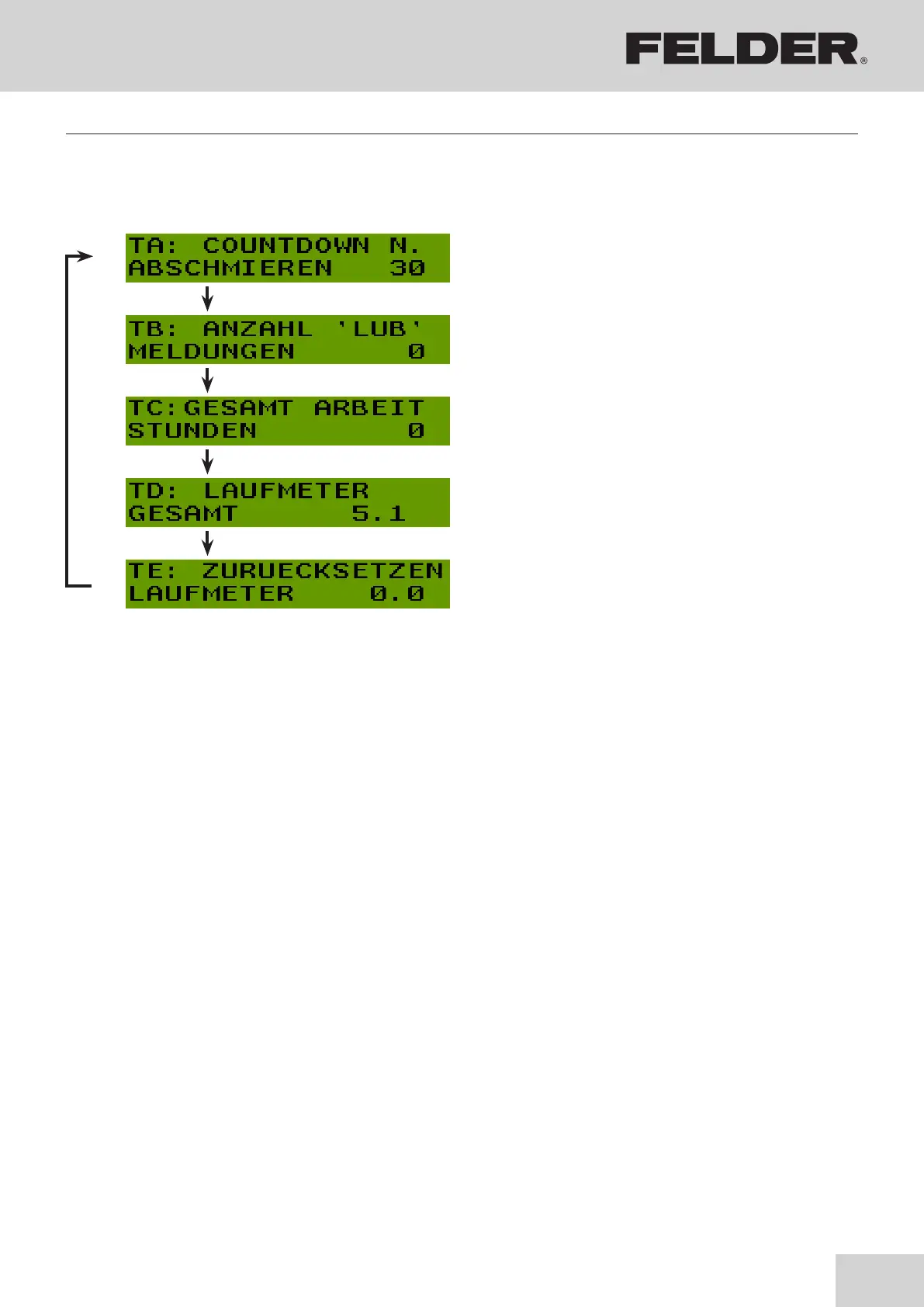
2. The following value appears in the display:>TA:
COUNTDOWN<
Use the arrow keys to scroll through parameters:
3. Save changes with >OK< key and exit menu.
!Display of the maintenance intervals (Countdown)
The setting is carried out by FELDER employees on
delivery.
The following value appears in the display >LUB<:
Reset meter:
OFF key - press and hold (approx. 10 seconds)
"The setting is carried out by FELDER employees on
delivery.
§Operating hour meter:
Meter (total material used)
$Odometer for total meters of material used:
Meter (total material used)
%Odometer for total meters of material used: Meter
resettable
Reset meter:
Operating temperature (SP1) - press and hold (ap-
prox. 10 seconds)
8.10.2 Display machine information / Setup


 To Next Page