EasyManua.ls Logo

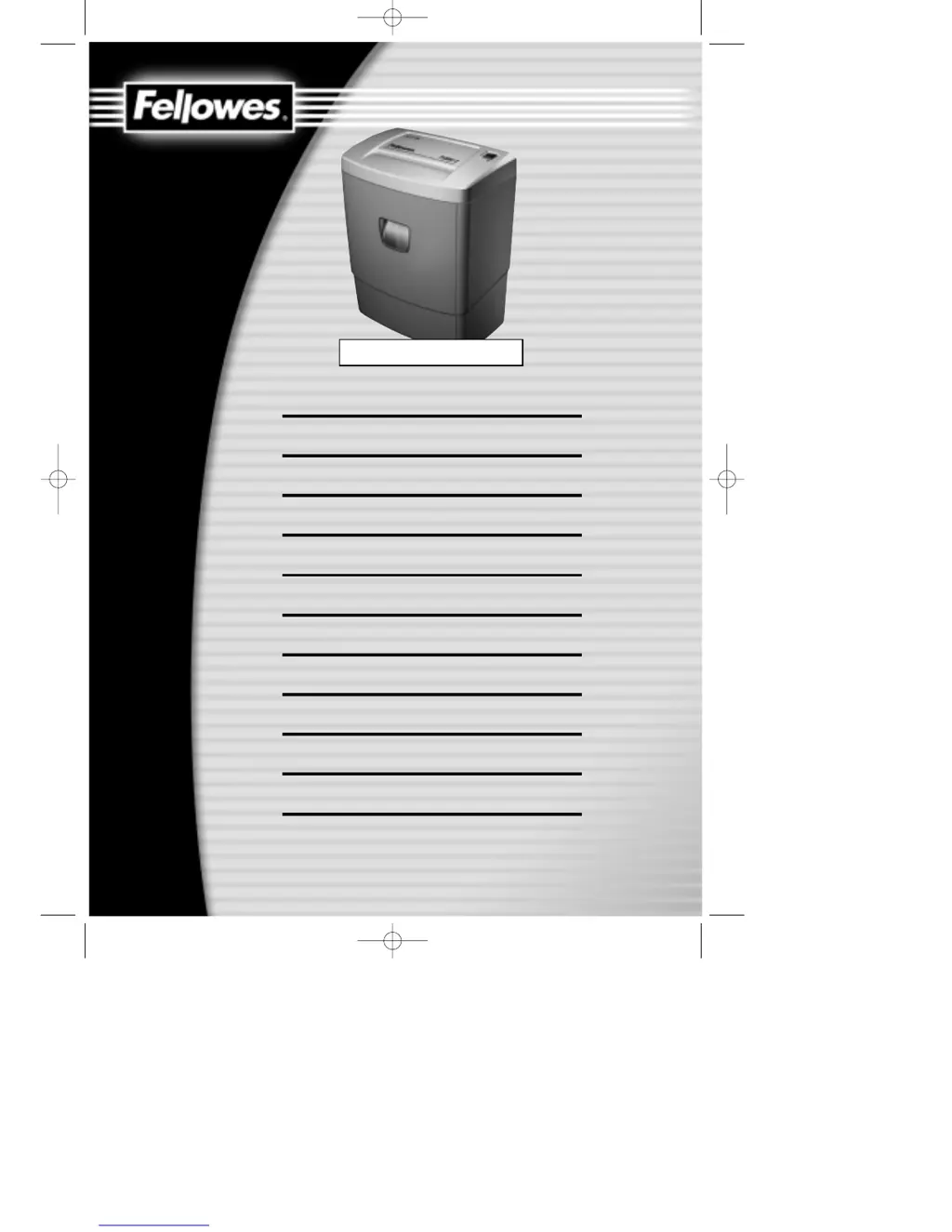
Fellowes PS80C-2 - User Manual

Fellowes PS80C-2
28 pages
Print Icon
To Next Page IconTo Next Page
Loading...
USE AND CARE MANUAL
Please read and keep this manual with your original receipt
MODE D’EMPLOI ET D’ENTRETIEN
Veuillez lire ce manuel et le conserver avec la preuve d’achat
MANUAL DEL USUARIO Y DE MANTENIMIENTO
Lea y conserve este manual con su factura de compra
BEDIENUNGS- UND WARTUNGSANLEITUNG
Diese Anleitung vollständig durchlesen und zusammen mit dem Originalkaufbeleg aufbewahren
MANUALE D’USO E MANUTENZIONE
Leggete e conservate questo manuale insieme alla vostra ricevuta originale
HANDLEIDING VOOR GEBRUIK EN ONDERHOUD
Deze handleiding volledig doorlezen en bewaren samen met uw originele aankoopbon
ANVÄNDAR- OCH UNDERHÅLLSMANUAL
Läs den här manualen och förvara den tillsammans med det ursprungliga kvittot
BETJENINGS- OG VEDLIGEHOLDELSESHÅNDBOG
Læs venligst denne håndbog, og opbevar den sammen med den originale kvittering
KÄYTTÖ- JA HUOLTO-OHJEET
Lue nämä käyttöohjeet ja säilytä ne yhdessä alkuperäisen maksukuitin kanssa
BRUKS- OG VEDLIKEHOLDSHÅNDBOK
Vennligst les denne håndboken og oppbevar den sammen med kvitteringen.
INSTRUKCJA U˚YTKOWANIA I OBS¸UGI
Prosimy przeczytaç niniejszà instrukcj´ i przechowywaç jà wraz z orygina∏em dowodu zakupu
РУКОВОДСТВО ПО ИСПОЛЬЗОВАНИЮ И УХОДУ
Прочтите это руководство и Сохраните его вместе с оригиналом чека на покупку
PAPER SHREDDER
PS70-2, PS80C-2
30113 PS702,PS80C2 als 1/19/02 14:28 Page 1

Questions and Answers

  • R
    Ryan MitchellAug 8, 2025
    What to do if my Fellowes PS80C-2 suddenly stops?
    • T
      Timothy JuarezAug 8, 2025
      If your Fellowes Paper Shredder stops suddenly, it might have exceeded its maximum run time and entered a cool-down period. In this case, move the power switch to the OFF (O) position and allow the shredder motor to cool down for at least 25 minutes. Alternatively, the shredder could be jammed due to excessive paper. To resolve this, ensure the wastebasket is empty, then move the power switch to the REVERSE (R) position to reverse the jammed paper. If it jams in reverse, switch to AUTO (I) for 5 seconds. Repeat this process until the jam clears. If needed, turn off the shredder and carefully pull out the paper to clear the jam, then switch back to AUTO (I) to continue shredding.
  • H
    harriserinNov 17, 2025
    How to fix a Fellowes PS80C-2 that will not operate?
    • P
      Patricia JosephNov 17, 2025
      If your Fellowes Paper Shredder won't operate, start by checking if it's properly plugged in. Next, ensure the power switch is in the AUTO (I) position, not OFF (O). Also, make sure the pull-out bin is correctly aligned with the cabinet by pushing it in until the bin and cabinet edges align. For PS80C-2 models, if the red LED is lit, the shredder head may not be correctly positioned. To fix this, turn the power switch to OFF (O), unplug the shredder, and carefully position the shredder head over the cabinet, pressing down firmly on all four corners to lock it in place. Ensure the bin is firmly pushed into the cabinet so the bin and cabinet edges are aligned. Then, move the power switch to AUTO (I). If the shredder is jammed due to too much paper, empty the wastebasket and move the power sw...
  • J
    John MorrisonNov 27, 2025
    Why is the red LED lit on my Fellowes Paper Shredder?
    • K
      Kimberly BondNov 27, 2025
      The red LED on your Fellowes Paper Shredder might be lit because the pull-out bin isn't aligned correctly with the cabinet. Push the bin into the cabinet to realign the bin and cabinet edges. Another reason could be that the shredder head isn't correctly situated on the cabinet. To resolve this, move the power switch to the OFF (O) position and unplug the shredder. Carefully position the shredder head over the cabinet, ensuring it's placed on top correctly, and firmly push down on all four corners to lock it into place. Also, ensure the bin is firmly pushed into the shredder cabinet so the bin and cabinet edges are aligned. Then, move the power switch to the AUTO (I) position to begin shredding. A jam due to excessive paper can also trigger the jam protection feature, lighting the red LED....

Summary

Important Safeguards

Operating Cautions

Operation

Assembly and Power Connection

Assemble shredder, connect power, and switch to AUTO mode for operation.

Shredding Process

Feed paper into the entry and allow the shredder to process it automatically.

Cool-down and Shutdown

Allow the shredder to cool down after use and switch to OFF position.

Maintenance

Oiling Cutting Blades

Regularly oil the cutting blades for optimal shredding performance and efficiency.

Troubleshooting

Shredder Will Not Operate

Addresses issues where the shredder fails to start or respond to commands.

Shredder Stops Suddenly

Explains causes for the shredder stopping mid-operation, often due to overload.

Diminished Performance or Noise

Covers reduced shredding efficiency or unusual noises, indicating maintenance needs.

Continuous Operation After Shredding

Addresses the normal run-on feature for clearing excess paper after shredding.

Red LED Indicator

Explains the meaning of the red LED, often related to jams or bin alignment.

Limited Warranty

Declaration of Conformity

Fellowes PS80C-2 Specifications

General IconGeneral
BrandFellowes
ModelPS80C-2
CategoryPaper Shredder
LanguageEnglish

Related product manuals