EasyManua.ls Logo

Fellowes Venus 125 - Cold Lamination Steps

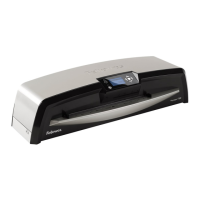
Fellowes Venus 125
6 pages
Print Icon
To Next Page IconTo Next Page
To Previous Page IconTo Previous Page
Loading...
http://www.monomachines.com
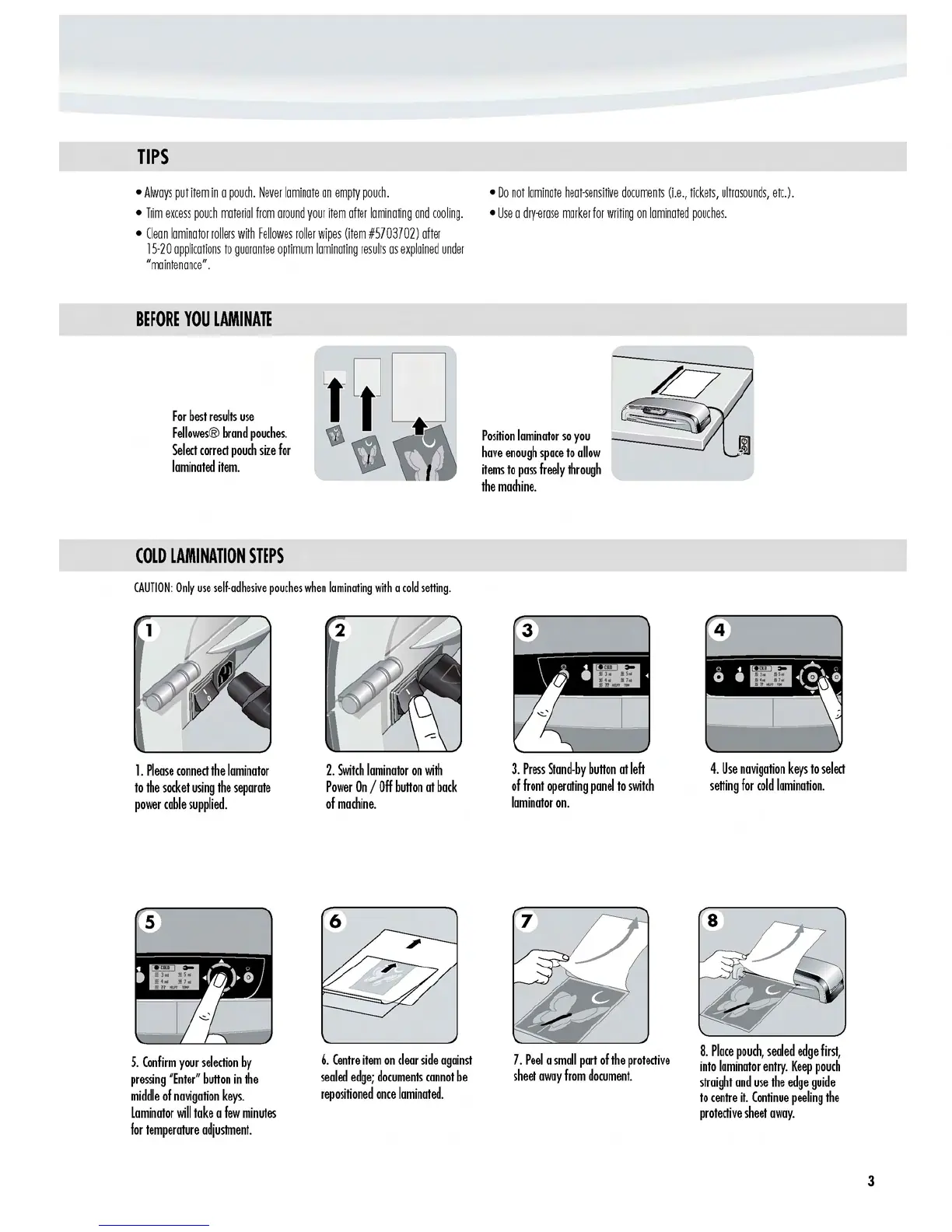
TIPS
Always
put
item
in
a
pouch.
Never
laminate
an
empty
pouch.
Do
not
laminate
heat-sensitive
documents
(i.e.,
tickets,
ultrasounds,
etc.).
Trim
excess
pouch
material
from
around
your
item
after
laminating
and
cooling.
Use
a
dry-erase
marker
for
writing
on
laminated
pouches.
Clean
laminator
rollers
with
Fellowes
roller
wipes
(item
#5703702)
after
15-20
applications
to
guarantee
optimum
laminating
results
as
explained
under
"maintenance".
BEFORE
YOU
LAMINATE
For
best
results
use
Fellowes®
brand
pouches.
Position
laminator
so
you
Select
correct
pouch
size
for
have
enough
space
to
allow
laminated
item.
items
to
pass
freely
through
the
machine.
COLD
LAMINATION
STEPS
CAUTION:
Only
use
self-adhesive
pouches
when
laminating
with
a
cold
setting.
1.
Please
connect
the
laminator
to
the
socket
using
the
separate
power
coble
supplied.
5.
Confirm
your
selection
by
pressing
"Enter"
bullon
in
the
middle
of
navigation
keys.
laminator
will
toke
a
few
minutes
for
temperature
adjustment.
3.
Press
Stand-by
bullon
at
left
of
front
operating
panel
to
switch
laminator
on.
4.
Use
navigation
keys
to
select
selling
for
cold
lamination.
2.
Switch
laminator
on
with
Power
On
/
Off
bullon
at
bock
of
machine.
6
7.
Peel
a
small
port
of
the
protective
sheet
away
from
document.
8.
Place
pouch,
sealed
edge
first,
6.
Centre
item
on
clear
side
against
into
laminator
entry.
Keep
pouch
sealed
edge;
documents
cannot
be
straight
and
use
the
edge
guide
repositioned
once
laminated.
to
centre
it.
Continue
peeling
the
protective
sheet
away.
http://www.monomachines.com
3

Other manuals for Fellowes Venus 125

Related product manuals