BLUETOOTH
SPECIFICATIONS
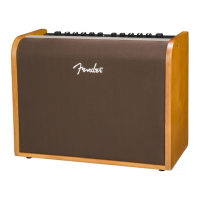
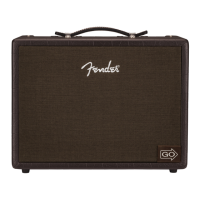
Acoustic Junior, Acoustic Junior Go
TYPE PR 5724
POWER REQUIREMENTS 155 watts 35 watts (typical)
POWER AMP OUTPUT 100 watts into 4Ω
INPUT IMPEDANCES 4.7MΩ (instruments) 18.2kΩ (microphones) 18kΩ (aux input)
INPUT SENSITIVITY 40mVrms (instruments) 4mVrms (microphones) 900mVrms (aux in, both channels driven), channel volume/tone controls at max
PHANTOM POWER 16V (XLR inputs)
TONE CONTROLS Low: ±12db @ 80Hz Mid: ±12db @ 700Hz High: ±12db @ 5kHz (shelving type)
LINE OUT Max level: +19.8dBu Nominal level: +4dBu (2x) Impedance: 600Ω (balanced)
SPEAKERS 8” speaker (4Ω) and compression tweeter
HEADPHONE OUTPUT 140mW into 16Ω/channel
BATTERY (ACOUSTIC JUNIOR GO ONLY) Lithium ion rechargeable Recharge time: 4 hours (after complete discharge)
Battery life: 5 hours (max volume), 12 hours (moderate volume)
FOOTSWITCH Four-button MGT-4 (optional, PN 0994071000), use with included magnetic overlay label
DIMENSIONS Width: 15.71” (39.9 cm) Height: 12.02” (30.5 cm) Depth: 9.4” (23.9 cm)
WEIGHT Acoustic Junior: 15.7 lbs. (7.14 kg) Acoustic Junior Go: 17.1 lbs. (7.78 kg)
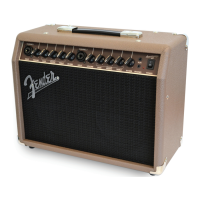
Acoustic SFX II
TYPE PR 5725
POWER REQUIREMENTS 300 watts (max) 49 watts (typical)
POWER AMP OUTPUT 2 x 100 watts into 4Ω
INPUT IMPEDANCES 4.7MΩ (instruments) 18.2kΩ (microphones) 18kΩ (aux input)
INPUT SENSITIVITY 40mVrms (instruments) 4mVrms (microphones) 900mVrms (aux in, both channels driven), channel volume/tone controls at max
PHANTOM POWER 16V (XLR inputs)
TONE CONTROLS Low: ±12db @ 80Hz Mid: ±12db @ 700Hz High: ±12db @ 5kHz (shelving type)
LINE OUT Max level: +19.8dBu Nominal level: +4dBu (2x) Impedance: 600Ω (balanced)
SPEAKERS Front: 8” speaker (4Ω) and compression tweeter Side: 6.5” speaker (8Ω)
HEADPHONE OUTPUT 140mW into 16Ω/channel
FOOTSWITCH Four-button MGT-4 (optional, PN 0994071000), use with included magnetic overlay label
DIMENSIONS Width: 15.7” (39.9 cm) Height: 19.39” (49.2 cm) Depth: 10.21” (25.9 cm)
WEIGHT 22 lbs. (9.98 kg)
Product specifications subject to change without notice.
• Press and hold PAIR button (G) for three seconds to activate pairing mode. PAIR button will begin ashing and then
remain illuminated when connection is successful (will time out in two minutes if connection is unsuccessful). Amp will
subsequently pair automatically with last connected device (if available).
• To connect, enable Bluetooth on external device, scan Bluetooth devices shown and select “FENDER ACOUSTIC”. Use
external device’s volume control to set Bluetooth volume level through amplier.
• To end connection or connect to another device, disable Bluetooth connection on mobile device or press and hold
PAIR button (G) for three seconds. Amp will return to pairing mode for two minutes until connection is successful.
PERFORMANCE TIP: Amplier streams audio from user’s mobile device only. Telephone calls will not come through amp-
lier, but streaming audio will be muted when a call is received. To avoid such streaming interruptions, engage airplane
mode on mobile device and manually enable Bluetooth.
6
ENGLISH


 To Next Page
 Loading...