A. INPUTS - Input 1 is the main guitar input for the Prosonic. Input 2 is a -3dB (low sensitivity) input for the
Prosonic.
B. NORMAL/DRIVE - Allows front panel selection of the NORMAL (Vintage sound) or DRIVE (Hi Gain).
SPECIAL NOTE: This switch is deactivated by plugging in the footswitch
C. VOLUME - Controls the volume level of the NORMAL channel ONLY.
D. GAIN 1 - 1st control for gain or overdrive of the DRIVE channel ONLY.
E. LED -Indicates operation of the DRIVE channel.
F. GAIN 2 - 2nd control for gain or overdrive. This acts much like a compressor when turned up. Operates
in the DRIVE channel ONLY. The gain channel will still operate with Gain 2 set at zero.
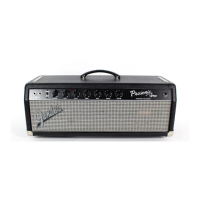
PROSONIC FRONT PANEL FUNCTIONS
A A B C D
F
E
G H



 To Next Page
