Pag 8
FINGERPRINTFINGERPRINT
FINGERPRINTFINGERPRINT
FINGERPRINT
FINGERPRINTFINGERPRINT
FINGERPRINTFINGERPRINT
FINGERPRINT
REMOTE UNIT
FOR ACCES CONTROL
+
321
7 8 9
0
x
-
654
r e L a
E o t h
A u
REMOTE UNIT
FOR ACCES CONTROL
+
321
7 8 9
0
x
-
654
x
d 1. 1
REMOTE UNIT
FOR ACCES CONTROL
+
321
7 8 9
0
x
-
654
A d d
0 y
E r r
6. Cancel the rest of the options with "X" until the new option d1.1 is shown, to continue registering users.
Repeat the aforementioned steps to register new users in mode 1 fingerprint.
NOTES:
- The same fingerprint cannot be entered twice on different registers (user number), therefore if it is
already registered on the system it cannot be re-registered.
- The master fingerprint cannot be the user fingerprint either.
Details: If the reader is unable to read the user fingerprint an
error message will appear and it will re-start.
1 beep
b) Add User in 2 Fingerprint Mode
Allows two fingerprints be registered for one user. The user can chose between the
following second fingerprint functions:
- Allows the use of the second fingerprint where there is a problem with the first one
(short-circuit, fire damage .....etc).
For this functionality choose the corresponding option: relay (to open the door).
- Intimidation Alarm. Using the second fingerprint instead of the first one the lock-
release will activate as will the alarm output. Where the first fingerprint is used only
the lock-release activates.
For this functionality choose the corresponding option: Au (to activate the auxiliary exit
and the lock-release).
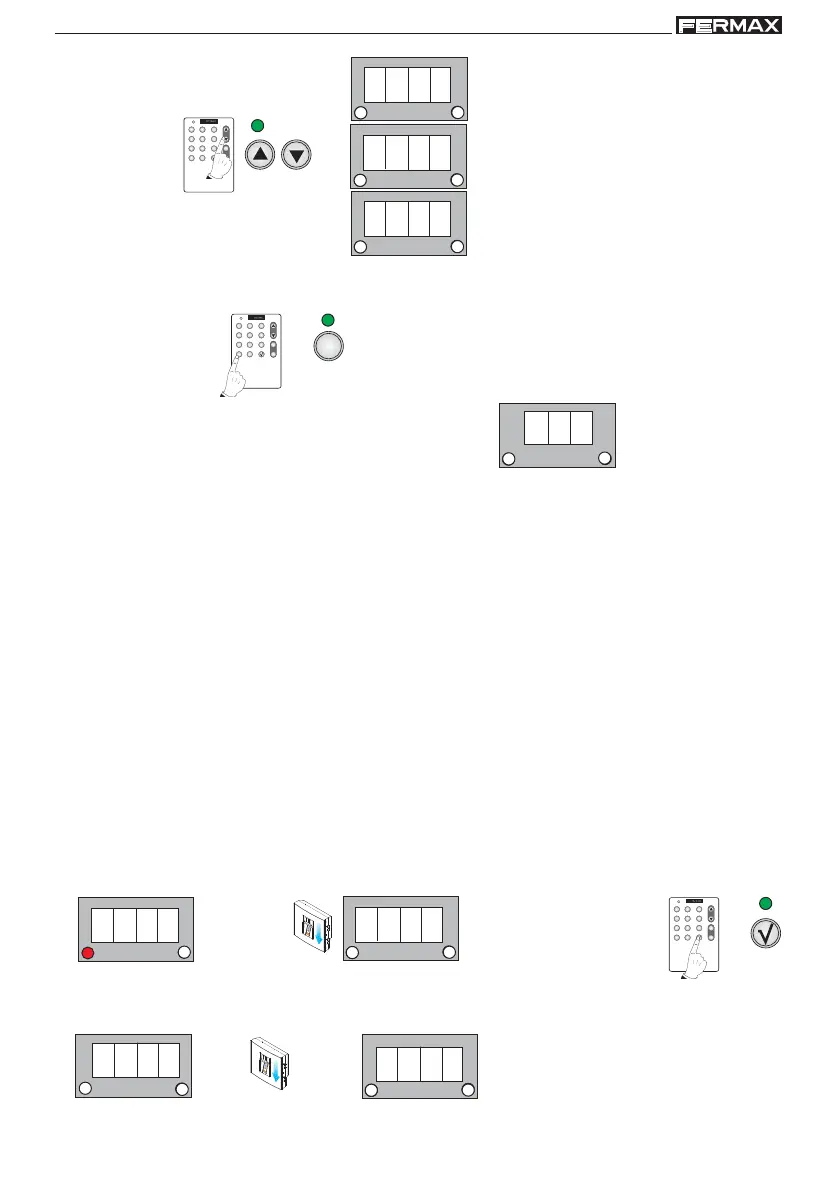
Enter Programming Mode
Standby Mode
1. Enter the master fingerprint
1 beep
2. Confirm the Add option with the
validation key
3. d1.1 is shown. Enter the user fingerprint you wish to register in the system.
1 beep 1 beep 1 beep



 To Next Page