19
In this example:
• Apartment 170 generates a call to the monitor IP 192.168.1.190 in the same installation.
• Apartment 171 generates a call to the smartphone with FERMAX MEET ME licence 0103283.
• Apartment 645 generates a call to the monitor IP 192.168.1.195 in the same installation.
• Apartment 180 generates a call to the SIP device 1234 of the SIP server with IP 192.168.1.170.
• Apartment 181 generates a call to the SIP device 1234 of the SIP server with IP 192.168.1.170
and to the smartphone with FERMAX MEET ME licence 0103283.
• Apartment 182 generates a call to the SIP device 1234 of the SIP server with IP 192.168.1.170
and to the monitor IP 192.168.1.195 in the installation.
• Apartment 183 generates a call to the SIP device 1234 of the SIP server with IP 192.168.1.170
and to the monitor IP 192.168.1.197 in the installation and to the smartphone with FERMAX
MEET ME licence 0103283.
2.10 ADVANCED
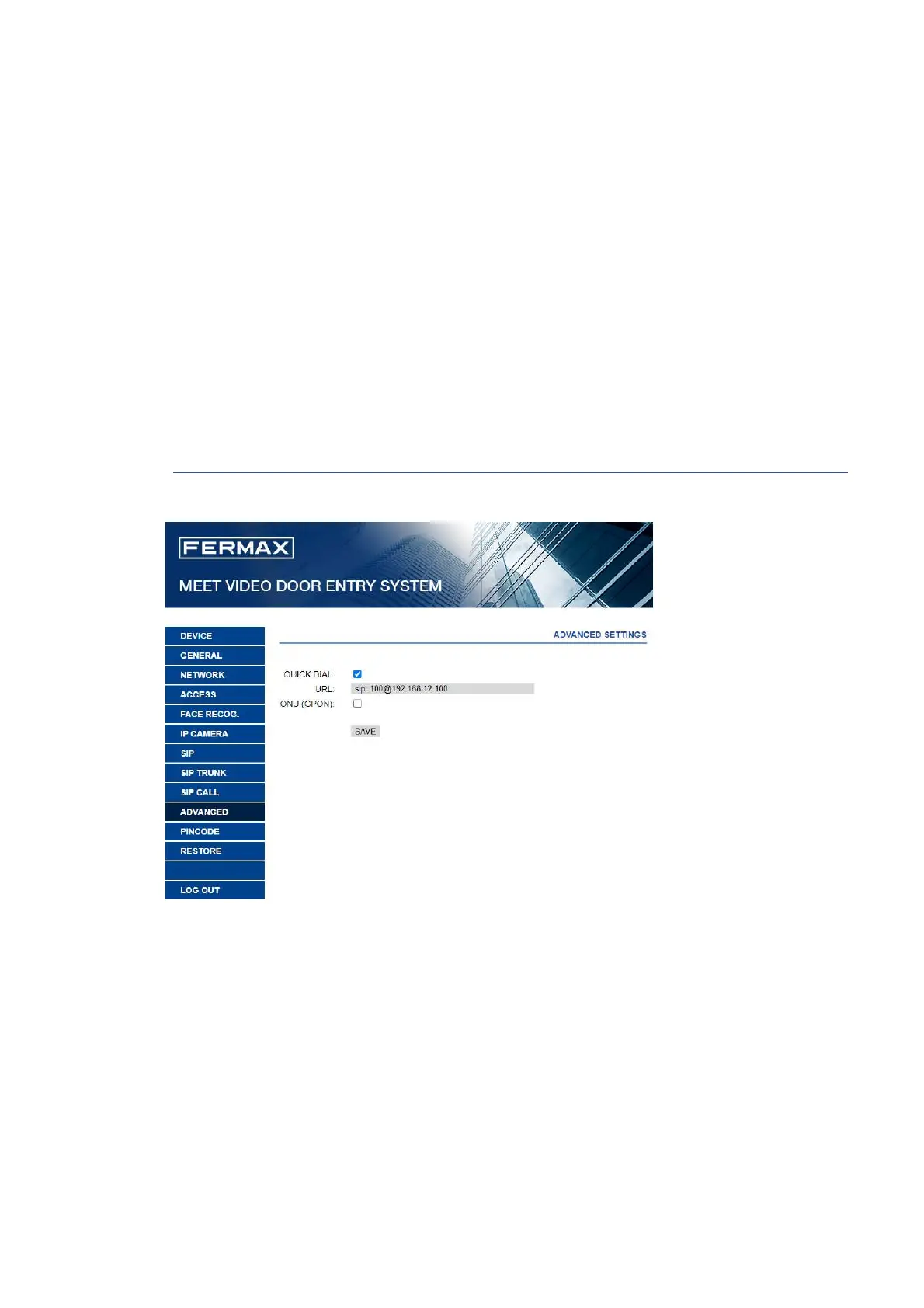
Some advanced settings, such as quick dial and directory, can be selected in this section.
QUICK DIAL: No function.)
URL: Indicate the device that has to receive the call, with the corresponding format:
o Another monitor -> sip: @IP_monitor
o SIP device: -> sip: user@IP_SIP_server
o FERMAX MEET ME device ->sip: meet_me_user@sip.fermax.com
ONU (GPON): Used in large installations based on SIP protocol (GPON) and in combination with
the configuration of said installations.







 To Next Page