5
PROGRAMMING
SECTIONS
2
WEB BROWSER PROGRAMMING
For programming of the MILO panel, access is required through a PC via a web browser. Preferably
use Chrome browser.
The PC must be connected to the same LAN as the panel and configured with an IP address in the
same range. The MILO panel default IP address is 10.1.0.1.
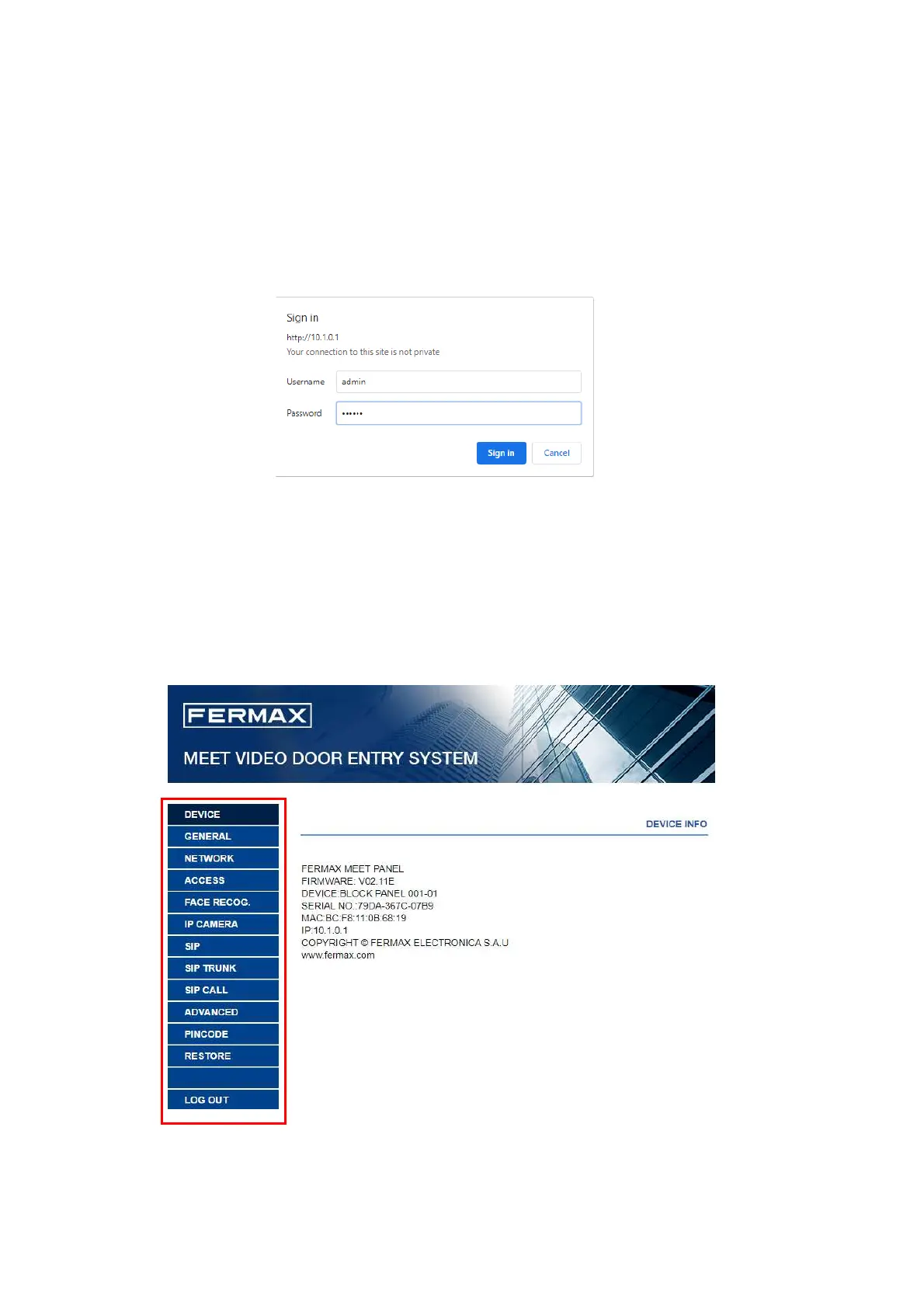
Type the IP address of the panel in the address bar of the browser. An identification form will appear.
The default identification data are:
User name: admin
Password: 123456
A form will appear with the different programming sections:







 To Next Page