7
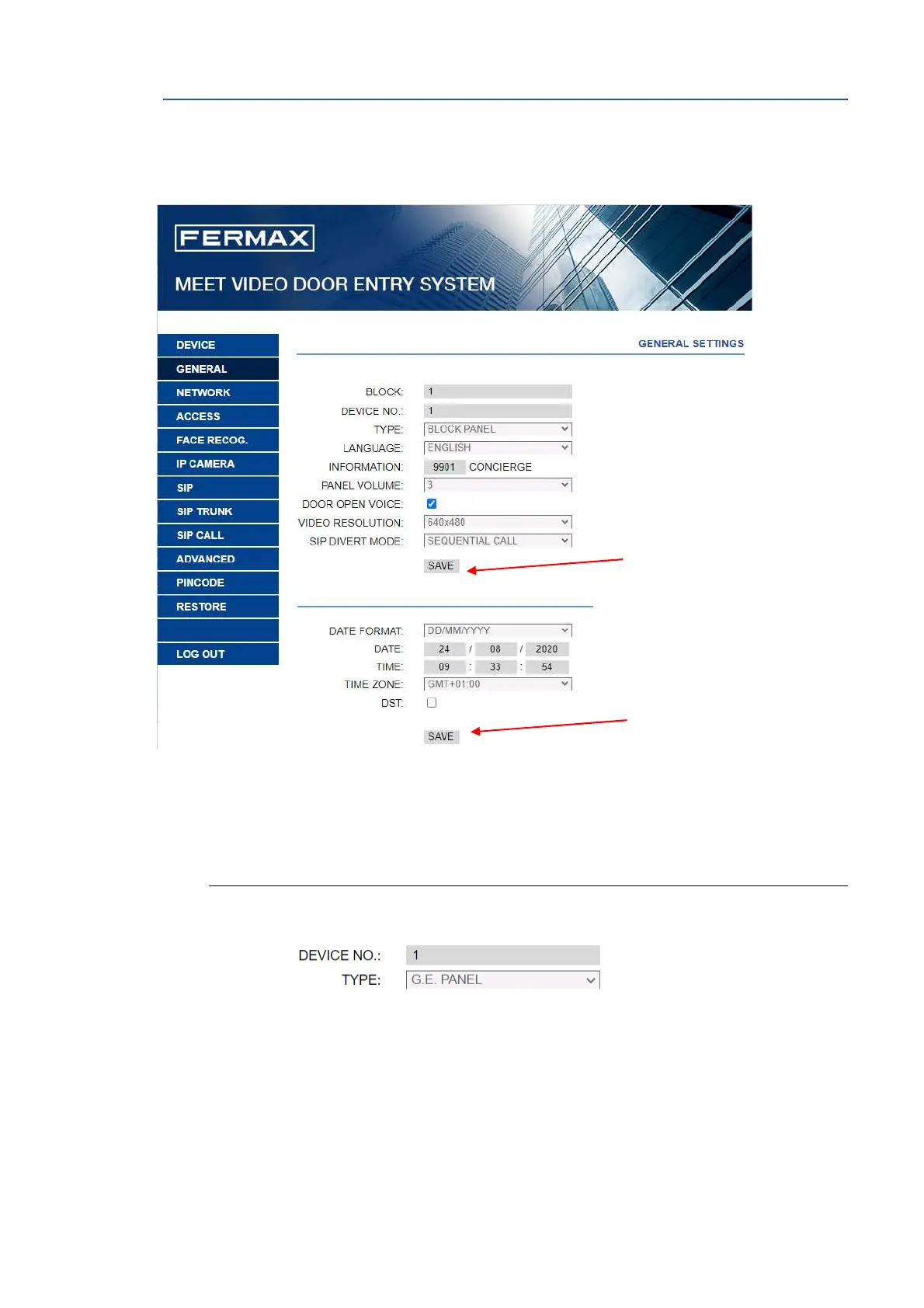
2.2 GENERAL
The section GENERAL allows the configuration of the identification parameters of the MILO panel
within the installation and allows time-date configuration.
TYPE: Select the identification parameter of the panel. There are some other parameters
related, depending on TYPE selection:
GENERAL ENTRANCE PANEL
Panel installed in one of the main entrances to a condominium
• DEVICE NUMBER: Number assigned to the general entrance where this panel is
installed (1-9000).
In the case that there is one entrance only, leave the default value 1.







 To Next Page