Operation
11
main menu – SETUP -> ROUTING
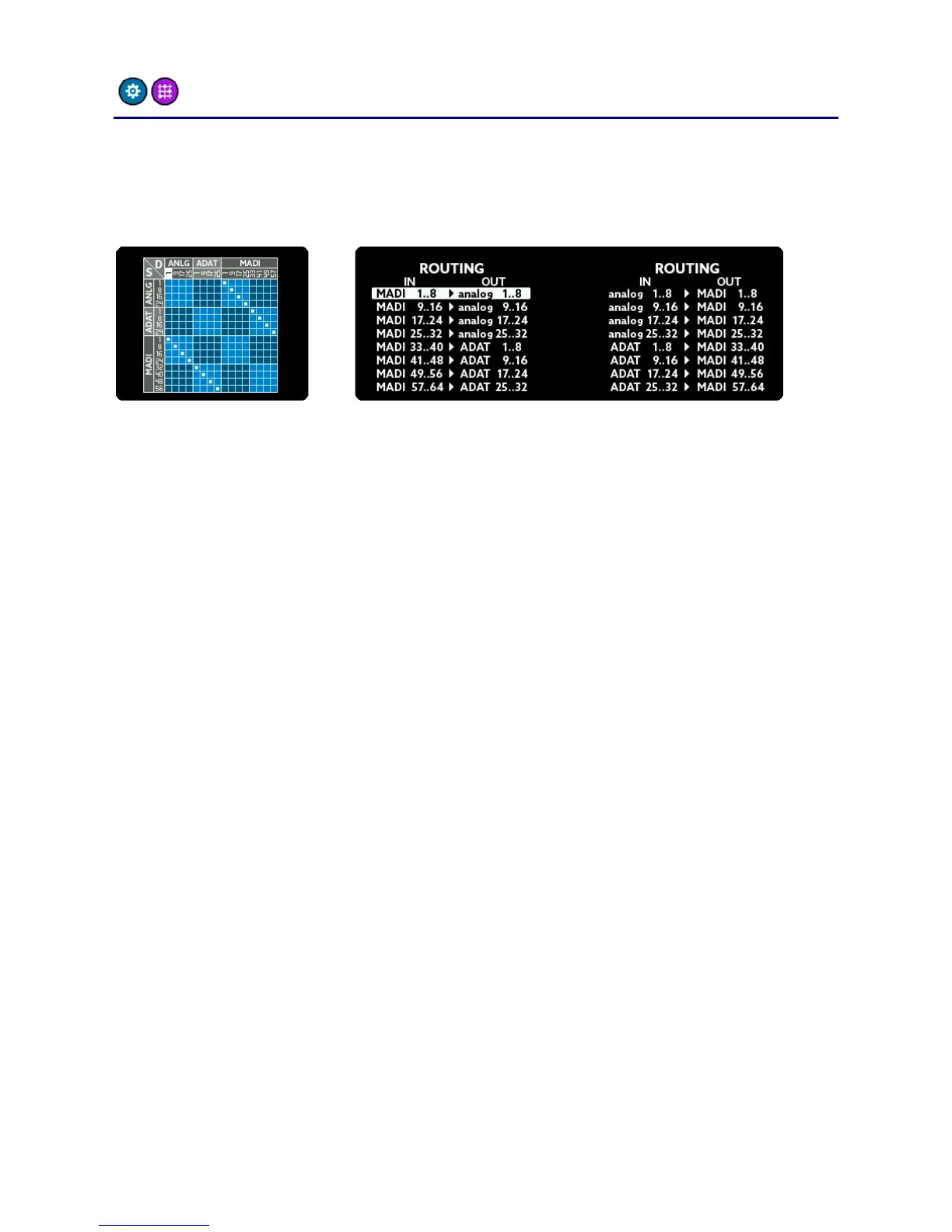
The A32 features a sophisticated routing matrix. In the ROUTING
screen you can see a graphical representation on the left side and a list
view on the right screen.
To change the routing, do the following:
Choose the output: Turn the SELECT rotary to highlight a block
of 8 outputs. It corresponds to a column on the graphical view
and a line on the list view.
Choose the input: Press MENU. You will now be able to connect
an input to the chosen output by turning the SELECT rotary. The
inputs are shown as rows in the graphical view or as text on the
left hand side of the list view line.
Hold down the MENU button for a few seconds to leave the routing
screen.



 To Next Page