Need help?
Do you have a question about the FESLEY FED150W and is the answer not in the manual?
Verify all items are present after unpacking, and contact dealers for any omissions.
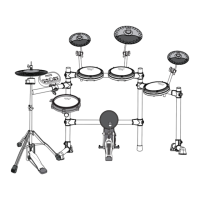
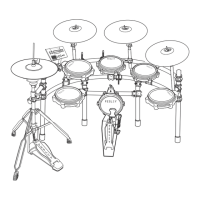
Locate the pipe parts in a small individual package inside the box for installation.
Insert pipes into corresponding numbered plastic parts and secure tightly to prevent dropping.
Carefully insert drum trays into pipes, being cautious not to pinch fingers during installation.
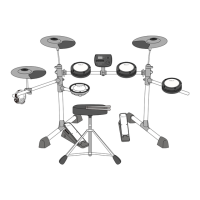
Carefully install the Hi-hat, control box, and pedals, ensuring safe handling.
Connect external audio sources like MP3 players or mobile phones for playback.
Connect headphones for monitoring without disturbing others or using external speakers.
Connect to MIDI instruments for interactive music creation and control.
Connect to external loudspeakers or large audio equipment for amplified sound.
Connect the power cord to the drum host box and a household power socket.
Select and adjust drum groups, including presets and user-defined ones.
Adjust trigger parameters like threshold, sensitivity, and series disturb control.
Use to select drum groups and reset to factory settings.
Select and play from 10 built-in songs.
Set and adjust the tempo for songs or metronome, ranging from 30-280 BPM.
Activate and set the metronome beat and time signature.
Record drum performances, with indicator lights for start, recording, and stop.
Control playback and stop functions for recordings and other audio.
Adjust tone, volume, phase, and transposition for drum sounds.
Customize and save up to 5 user-defined drum groups.
Enable or disable Bluetooth connectivity for wireless features.
Reference list of available drum sounds (timbre) categorized by drum type.
Lists of drum sound combinations for various music styles.
Slots for user-saved drum kit configurations (U01-U05).
List of included demonstration music tracks for playback.
Keep the product away from heat sources, moisture, and direct sunlight.
Avoid using near TVs or radios to prevent interference.
Clean with a soft cloth and mild detergent solution.
Handle the product gently during movement to prevent damage.
Use only specified power cords with standard indoor wall sockets.
Explanation of safety signs used in the manual and on the product.
Immediate actions for smoke, odor, or overheating: turn off power, unplug, contact dealer.
Precautions for safe power cord usage to prevent fire and electric shock.
General safety tips for power cord handling and connection.
Warning against igniting the product due to explosion and fire risks.
Steps to take if water or foreign objects enter the product.
Do not disassemble; entrust all maintenance to authorized distributors.
Details on returns within 30 days, full refund conditions, and item verification.
 General
| Power | 150W |
|---|---|
| Channels | 2 |
| Type | Electronic Drum Amplifier |
| EQ | 3-band EQ |
| Inputs | 2 x 1/4 inch, 1 x 1/8 inch |
| Outputs | 1 x 1/8 inch headphone |

 To Next Page