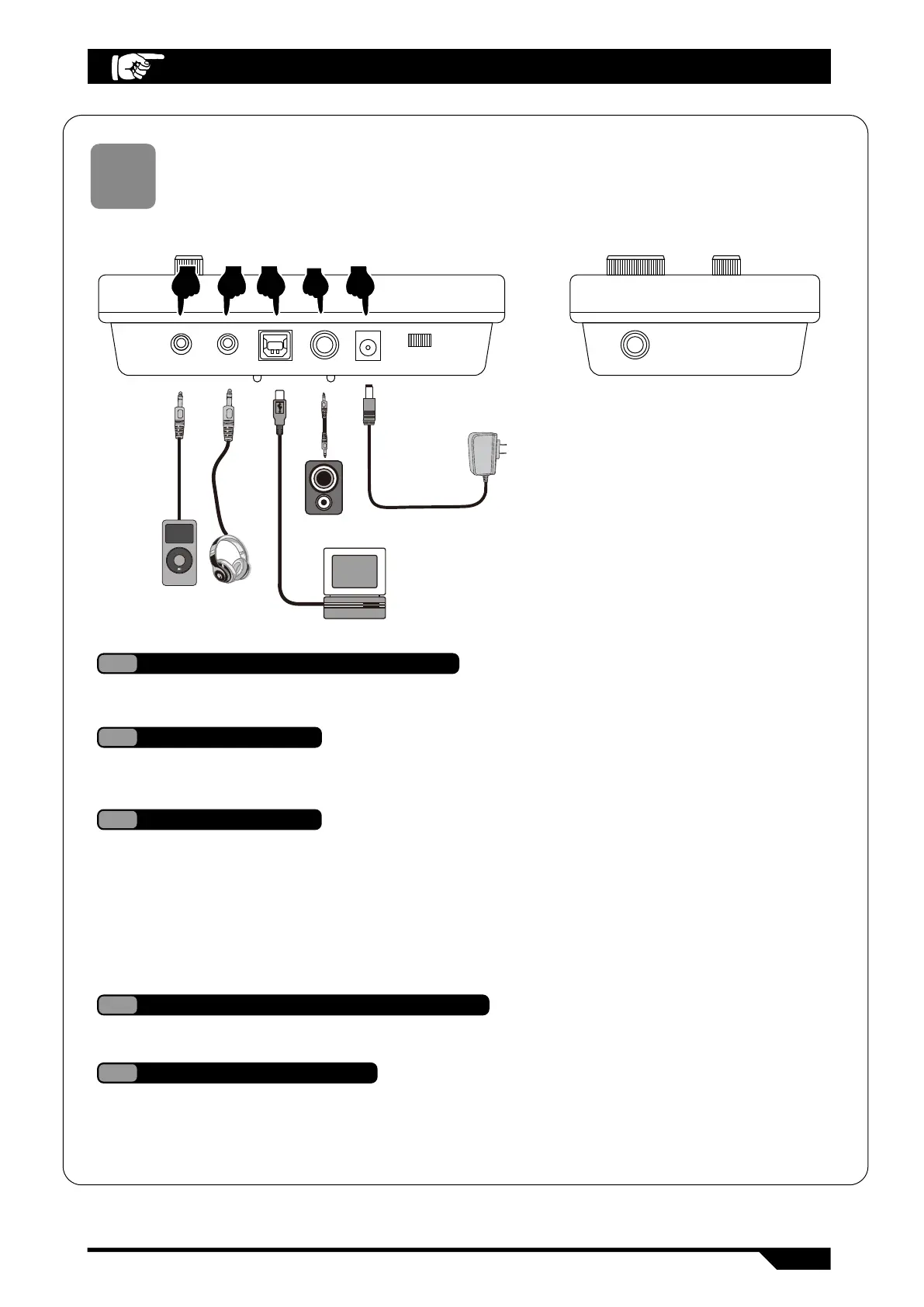
Sound Module Diagram
07
CRASH2AUX IIN PHONE POWER
OFF ON
USB UOIPUT DC 9V
MANU
MP3
SONG
1. Connect power line according to the diagram, one end insert into the power port of
drum host box, another end insert into 100-240V household power socket (Fig 5)
2. Please plug out the power line plug when long time not use this product, and safety keep it.
5
Power line connection
Connect to the earphone then can monitor the detail changes during playing, and wll not
disturb other people when not connect thespeaker box to play. (Fig 2)
2
Earphone socket
The audio frequency output socet able to externally connect the source loudspeaker
(need special loudspeaker box), and the large size loudspeaker equipment. (Fig 4)
4
Audio frequency output socket A
Audio frequency input socket able to connect the extemal audio source to drum host box
to play (example MP3, mobile phone and other linearaudio frequency signal input). (Fig 1)
1
Audio frequency input socket
Use MIDI USB socket of electro drum then can connect to music instrument with MIDI ,and
interact together
1. Process study or process playing, wrrite music, storage and other function operation
through preset well software in computer and tablet PC. (Fig 3)
2.After connected the computer or tablet PC, the audio output on the instrument
need connect the audio frequency input socket on the drumhost box, then can sy
nchronous the sound effect on instrument. (Fig 3)
3
USB MIDI socket
1 2 3 4 5
SOUND MODULE DIAGRAM
8


 To Next Page