Function instruction
OPERATION GUIDE
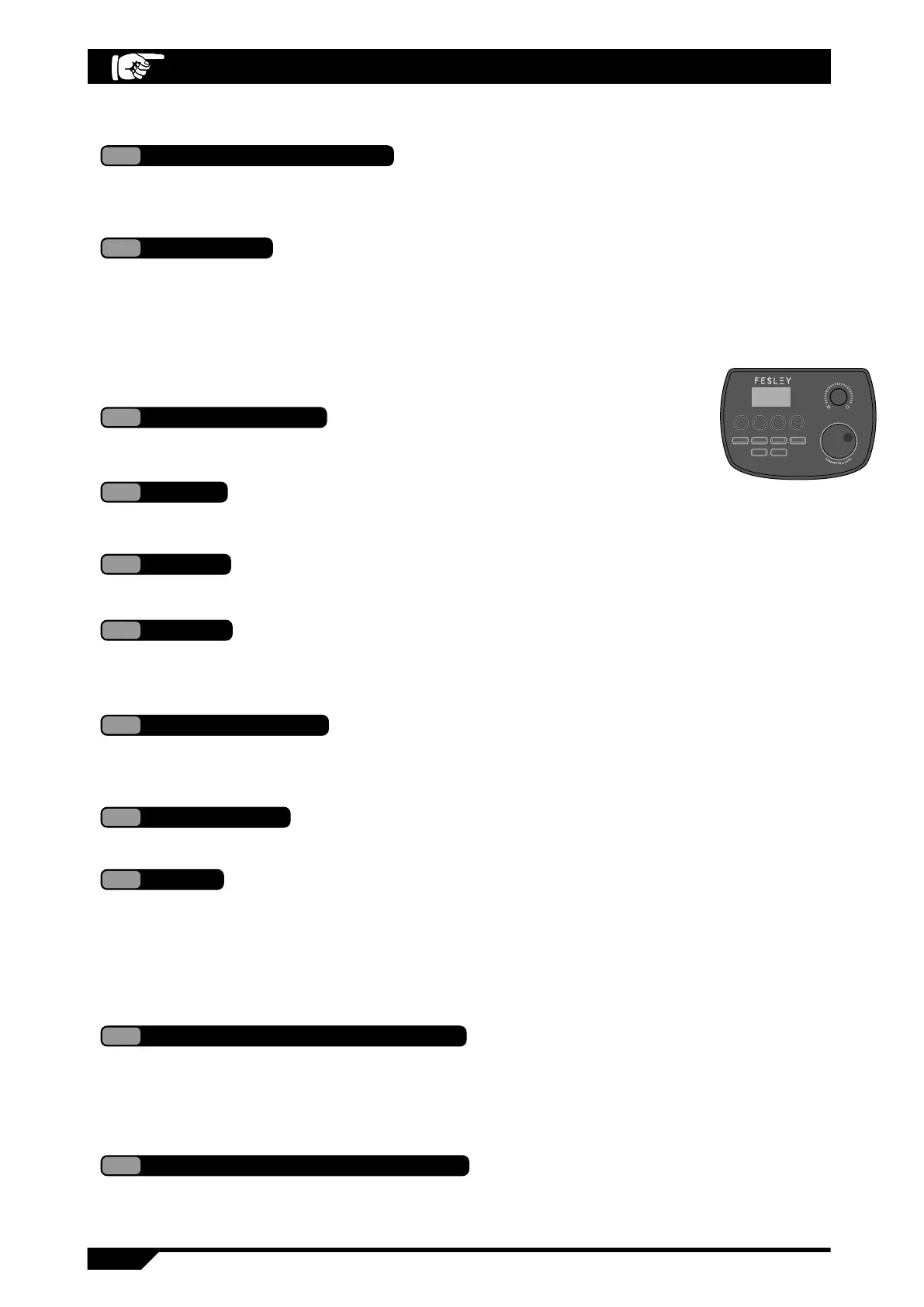
Power on default enter drum group mode, key indicate lamp normally lighting, display "001",
means drum group 1, total 25 drum groups, 1~20 are preset drum group, U01~U05 are user
drum group, able to adjust drum group through digit wheel, also able to adjust through [-] or [+] key.
1
KIT: drum group mode
The user able to adjust the trigger parameters according to personal requirements, total 3 types:
threshold, sensitivity, series disturb control, shift through [TRICGRE] key in sequence, key indicate
lamp long time lighting
Able to adjust through
digit wheel
Able to adjust through
digit wheel
Able to adjust through
digit wheel
Threshold display "Txx", range are 1~10
A
Sensitivity display "Sxx", range are 1~15
B
Series disturb control display "Cxx", range are 0~9
C
2
TRIGGER
Total 3 parameters able to be adjusted, they are: tone, volume and phase,
transposition key then indicate lamp long time lighting.
Has 10 songs, display "Sxx", range are 1~10, key indicate lamp long
time lighting.
Tone display "xxx", range are 1~200
Volume display "Lxx", range are 0~32
Phase display "Pxx", range are -8~8
Transposition display "txx", range are -6~61
D
E
F
G
3
4
Song
Trigger [TEMPO] key, enter song tempo adjustment page, display "xxx',
range are 30~280.
5
Tempo
Short time press [CLICK] key, play and stop metronome, long time press
3s [CLICK] key, enter metronome to beat, display "x-x", example "4-4", has
4 beat and 8 beat, means 1/4~9/4, 1/8~9/8.
6
CLICK
Trigger [REC] key, indicate lamp long time lighting, beat drum start sound recording,
at the same time, the indicate lamp flashing, trigger [REC] key again then indicate lamp extincted,
stop sound recording
7
Sound recording
Control play and stop sound recording when at sound recording mode,
control music playing and stop at other pages.
8
Playing stop
User self select the drum group and return to KIT page, at the same time,
press plus-reduce key 3s to recover to leave factory setting.
9
Plus-reduce key
Press VOICE key to beat one drum tray which need modify the tone, able to enter tone, volume, phase
and transposition interfaces in sequence through VOICE key, use coder to adjust to the satisfy results,
then use the above methods to modify other drum tray parameters, finally press digit wheel (confirm)key,
U01 will flashing, select the self saved drum group number (U01-U05) through revolve wheel, trigger the
confirm key of digit wheel again, save drum group finished.
10
Build and edit user drum group
Power on default that Bluetooth connection, at the same time, trigger [KIT] and [TEMPO] keys 3s,
then will display "boN' (Bluetooth open again status), use the digit wheel then able to select to
close (digit tube display "boF") also able to operate to open Bluetooth reversely.
11
Support Bluetooth connection
9
Voice
}
}
}
Asteroid Series
FED150W
KIT
TRIGGER VOICE SONG


 To Next Page