EasyManua.ls Logo

Festo EMCA-EC-67 DIO Series - User Manual

Festo EMCA-EC-67 DIO Series
140 pages
Print Icon
To Next Page IconTo Next Page
Loading...
8127157
EMCA-EC-67-...-DIO
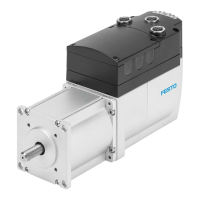
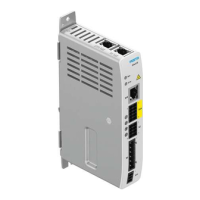
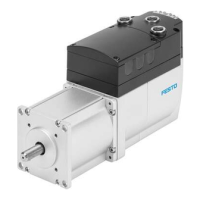
Integrated drive
8127157
2020-03d
[8127159]
Operating instructions

Table of Contents

Other manuals for Festo EMCA-EC-67 DIO Series

Question and Answer IconNeed help?

Do you have a question about the Festo EMCA-EC-67 DIO Series and is the answer not in the manual?

Summary

Safety and Requirements for Product Use

Safety

General safety instructions and warnings.

General Safety Instructions

Essential guidelines for safe operation and handling.

Intended Use

Specifies the product's intended application and limitations.

Product Description

Software for Configuration and Commissioning

Information on software tools for setup and operation.

Drive Functions

Overview of the various operational modes of the drive.

Homing

Process of establishing a reference point for the drive.

Positioning Mode

Drive function for moving to a defined target position.

Stop (halt), Quick-Stop

Procedures for stopping the drive safely.

Installation

Safety Instructions

Crucial safety warnings related to installation.

STO Interface [X6]

Connection and function of the Safe Torque Off interface.

Commissioning

Notes on Commissioning

Important safety and preparation notes before commissioning.

FCT (Festo Configuration Tool)

Introduction to the Festo Configuration Tool.

Installing FCT

Steps for installing the FCT software.

Notes on Commissioning with FCT

Tips and information for using FCT during commissioning.

Network Connection via Ethernet

Steps for establishing a network connection.

Master Control

Determines which interface controls the device.

Online Connection with the Web Server

How to access the device via its web server.

Commissioning Steps

A systematic guide for the commissioning process.

Configuration and Parameterisation

Performing precise configuration and parameter setup.

Checking STO Function

Validating the Safe Torque Off safety function.

Execute Homing

Performing the homing sequence.

Completing Commissioning

Final steps to finalize the commissioning process.

Saving or Loading Parameter File

Procedures for managing device parameter files.

Diagnostics and Fault Clearance

Access to the Diagnostic Memory

Methods to access and view diagnostic information.

Diagnostic Messages, Causes and Remedies

Detailed list of messages, their causes, and solutions.

Explanations for the Diagnostic Messages

Understanding the structure and meaning of diagnostic messages.

Diagnostic Messages with Information for Fault Clearance

Specific diagnostic messages and troubleshooting steps.

Summary

Safety and Requirements for Product Use

Safety

General safety instructions and warnings.

General Safety Instructions

Essential guidelines for safe operation and handling.

Intended Use

Specifies the product's intended application and limitations.

Product Description

Software for Configuration and Commissioning

Information on software tools for setup and operation.

Drive Functions

Overview of the various operational modes of the drive.

Homing

Process of establishing a reference point for the drive.

Positioning Mode

Drive function for moving to a defined target position.

Stop (halt), Quick-Stop

Procedures for stopping the drive safely.

Installation

Safety Instructions

Crucial safety warnings related to installation.

STO Interface [X6]

Connection and function of the Safe Torque Off interface.

Commissioning

Notes on Commissioning

Important safety and preparation notes before commissioning.

FCT (Festo Configuration Tool)

Introduction to the Festo Configuration Tool.

Installing FCT

Steps for installing the FCT software.

Notes on Commissioning with FCT

Tips and information for using FCT during commissioning.

Network Connection via Ethernet

Steps for establishing a network connection.

Master Control

Determines which interface controls the device.

Online Connection with the Web Server

How to access the device via its web server.

Commissioning Steps

A systematic guide for the commissioning process.

Configuration and Parameterisation

Performing precise configuration and parameter setup.

Checking STO Function

Validating the Safe Torque Off safety function.

Execute Homing

Performing the homing sequence.

Completing Commissioning

Final steps to finalize the commissioning process.

Saving or Loading Parameter File

Procedures for managing device parameter files.

Diagnostics and Fault Clearance

Access to the Diagnostic Memory

Methods to access and view diagnostic information.

Diagnostic Messages, Causes and Remedies

Detailed list of messages, their causes, and solutions.

Explanations for the Diagnostic Messages

Understanding the structure and meaning of diagnostic messages.

Diagnostic Messages with Information for Fault Clearance

Specific diagnostic messages and troubleshooting steps.

Festo EMCA-EC-67 DIO Series Specifications

General IconGeneral
Nominal operating voltage DC24 V DC
Protection classIP20
Number of digital inputs4
Number of digital outputs4
InterfacesCANopen
Ambient temperature0 to 50 °C
Communication interfaceCANopen
Operating voltage range DC18 - 30 V DC
Supply voltage18 ... 30 V DC

Related product manuals