EasyManua.ls Logo

Festool PS420EBQ - User Manual

Festool PS420EBQ
20 pages
Print Icon
To Next Page IconTo Next Page
Loading...
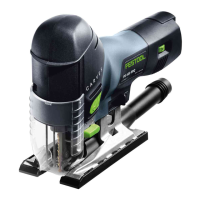
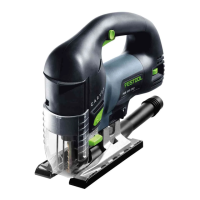
Carvex PS420 Series
Pendulum Jigsaws
PS420EBQ, PSB420EBQ, PSC420EB, PSBC420EB Jigsaw
Supplemental User’s Manual
WARNING To reduce the risk of serious injury, read and understand all safety
precautions and instructions in this manual before using this tool.

Questions and Answers

Festool PS420EBQ Specifications

General IconGeneral
Power420 W
Power Consumption420 W
Max Cutting Depth in Wood120 mm
Max Cutting Depth in Aluminum20 mm
Max Cutting Depth in Steel10 mm
Pendulum stroke setting4
Voltage230 V
Cord Length4 m
Power sourceCorded

Summary

Festool Limited Warranty and Support

30 Day Money Back Guarantee

Return tool within 30 days for refund of purchase price or lowest retail price.

Festool 1+2 Limited Warranty

Festool offers a 3-year limited warranty on new power tools, valid under specific conditions.

Warranty Conditions and Exclusions

Details extended warranty requirements and common exclusions like wear and tear.

Liability Statement and Proprietary Notice

User assumes liability for misuse; Festool not liable for consequential damages. Information is proprietary.

Repairs and Returns Process

Instructions for obtaining repairs and returning tools to the dealer.

General Power Tool Safety Warnings

Work Area Safety Guidelines

Keep work area clean and well lit; do not operate in explosive atmospheres.

Electrical Safety Precautions

Match plugs to outlets, avoid earthed surfaces, and protect from moisture.

Personal Safety Measures

Stay alert, use PPE, prevent unintentional starting, and remove keys.

Power Tool Use and Care Best Practices

Use correct tool, do not force, maintain tools, and keep cutting edges sharp.

Specific Safety Rules for Jigsaws

Reciprocating Saw Safety

Keep hands from blade, support workpiece, check space under blade.

Battery Powered Tool Safety

Remove battery before adjustments, use correct packs, and proper charging.

Respiratory Exposure Safety Warnings

Reduce dust inhalation by working in ventilated areas and using dust extraction.

Functional Description of Jigsaws

Key Component Identification

Diagram and list identifying main parts of the Carvex jigsaws with page references.

Intended Use and Technical Data

Intended Use of the Carvex Jigsaw

The Carvex jigsaw is designed for sawing wood, plastics, and other materials.

Jigsaw and Battery Specifications

Details speed, voltage, power, depth of cut, weight, and charger information.

Jigsaw Setup Procedures

Changing the Sawblade

Step-by-step guide for tool-free blade changing and ejection.

Adjusting the Blade Guide

How to adjust the blade guide for proper alignment and reduced wear.

Base Inserts and Dust Collection

Changing Base Inserts

Describes 5 optional base inserts and how to change them for different applications.

Installing;Removing Dust Collection Port

Instructions for attaching and detaching the dust port for dust extraction.

Base and Pendulum Stroke Adjustments

Changing the Main Base

Instructions for swapping standard, guide rail, and angle bases.

Setting the Pendulum Stroke

Explains the 4 pendulum stroke settings for aggressive cutting.

Battery Installation and Charging

Installing and Removing the Battery

How to insert and remove the 18V LiIon battery pack from the jigsaw.

Charging the Battery Pack

Instructions for charging battery packs using the TRC 3 intelligent charger.

Power Cord and Splinter Guard

Connecting the Plug-It Power Cord

How to connect and disconnect the removable power cord for storage.

Installing the Splinter Guard

Procedure for installing the splinter guard for cleaner cuts and reduced splintering.

Speed Control and Saw Operation

Setting the Variable Speed

How to adjust the saw's speed using the dial and variable speed trigger.

Turning the Saw On and Off

Instructions for operating the power switches and variable speed trigger.

Sawblade Selection Guide

Blade Usage, Length, and Color Coding

Guide to color coding, blade length importance, and usable length for optimal cuts.

Tooth Types and Tooth Set Explained

Explains different tooth types and tooth sets for various cutting applications.

Jigsaw Operation Techniques

Using Dust Extraction

How to connect and use the dust extraction system with the jigsaw.

Using the Jigsaw with a Guide Rail

Instructions for performing straight cuts using a guide rail and accessory base.

Cutting Circles with Trammel Attachment

Making Bevel Cuts with Angle Base

Maintenance and LED Light Adjustment

Routine Maintenance: Keeping Saw Clean

General advice on keeping the saw clean and free of abrasive dust.

Programming the LED Light Function

How to set the LED work lights to stroboscopic, steady-on, or off.

Troubleshooting Common Jigsaw Issues

Related product manuals