13
Settings
Consider the pictures on the fold-out page.
Changing direction of rotation [1-5]
• Switch to the left = clockwise rotation
• Switch to the right = counterclockwise rotation
Changing gear [1-4]
• Gear switch forwards (digit 1 visible) = 1st gear
• Gear switch to rear (digit 2 visible) = 2nd gear
Adjusting torque
By turning the torque thumbwheel
[1-2]
the re-
quired torque can be adjusted. The arrow
[1-3]
aligns with the adjusted state.
Drilling
Turn the torque thumbwheel
[1-2]
so that its
marking
[1-3]
faces the drilling symbol
[1-1]
. Max-
imum torque is set in this position.
Fastening
Adjust the torque accordingly at the torque thumb-
wheel
[1-2]
:
Position 1 = low torque
Position 12 = high torque
The machine switches off when the present torque
is reached. The machine only continues running
when the on/off switch
[1-6]
is released and
pressed again.
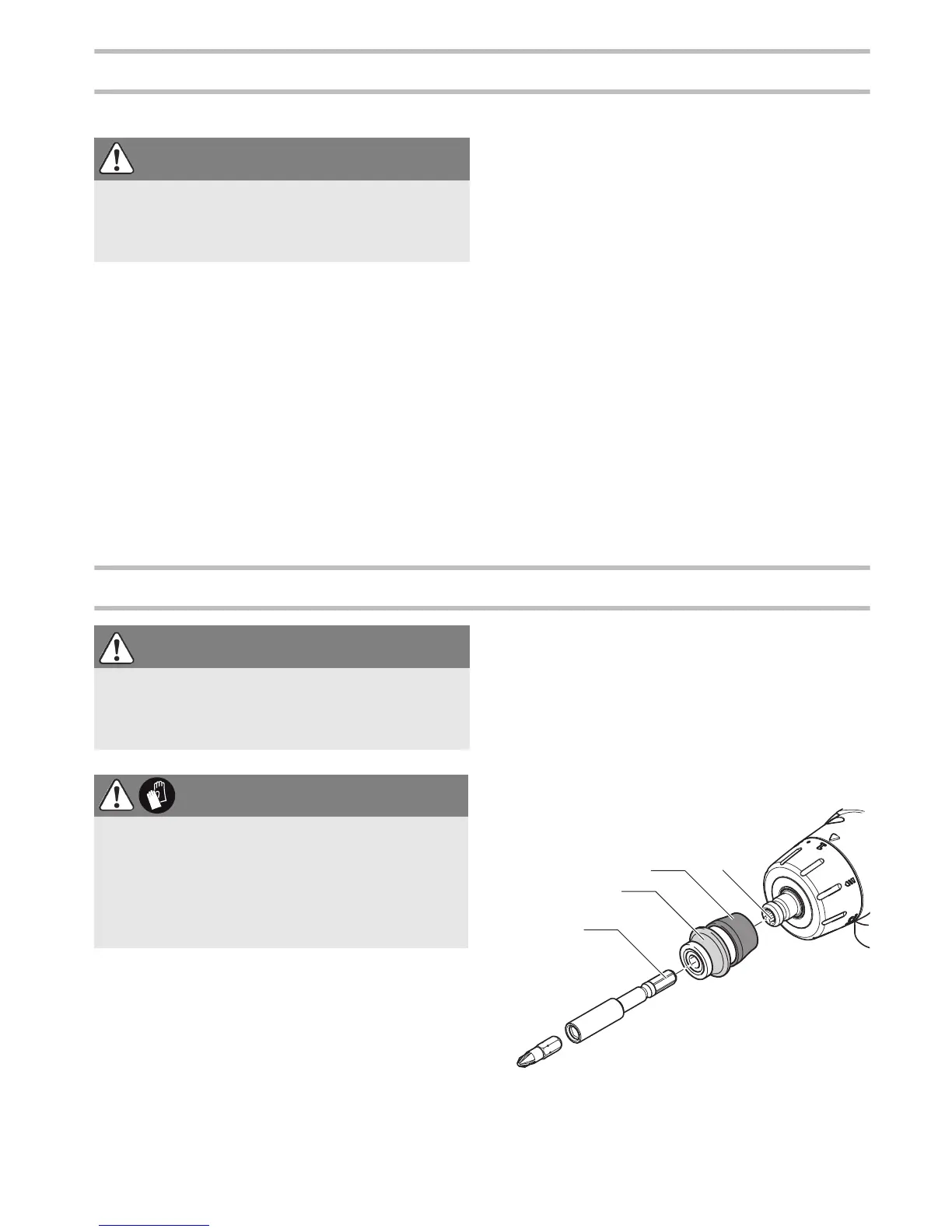
Tool holder, attachments
Tool chuck CENTROTEC WH-CE
The tool chuck CENTROTEC WH-CE allows you to
change tools with a CENTROTEC shank in a matter
of seconds.
Always use a CENTROTEC tool chuck to clamp
CENTROTEC tools.
Attaching the CENTROTEC
CAUTION
Risk of injury
Always switch off the power tool before adjusting
settings!
WARNING
Risk of injury
Always disconnect the battery pack before per-
forming any type of work on the machine!
CAUTION
Hot and sharp tools
Risk of injury
Do not use insert tools that are blunt or defec-
tive.
Wear protective gloves.


 To Next Page