15
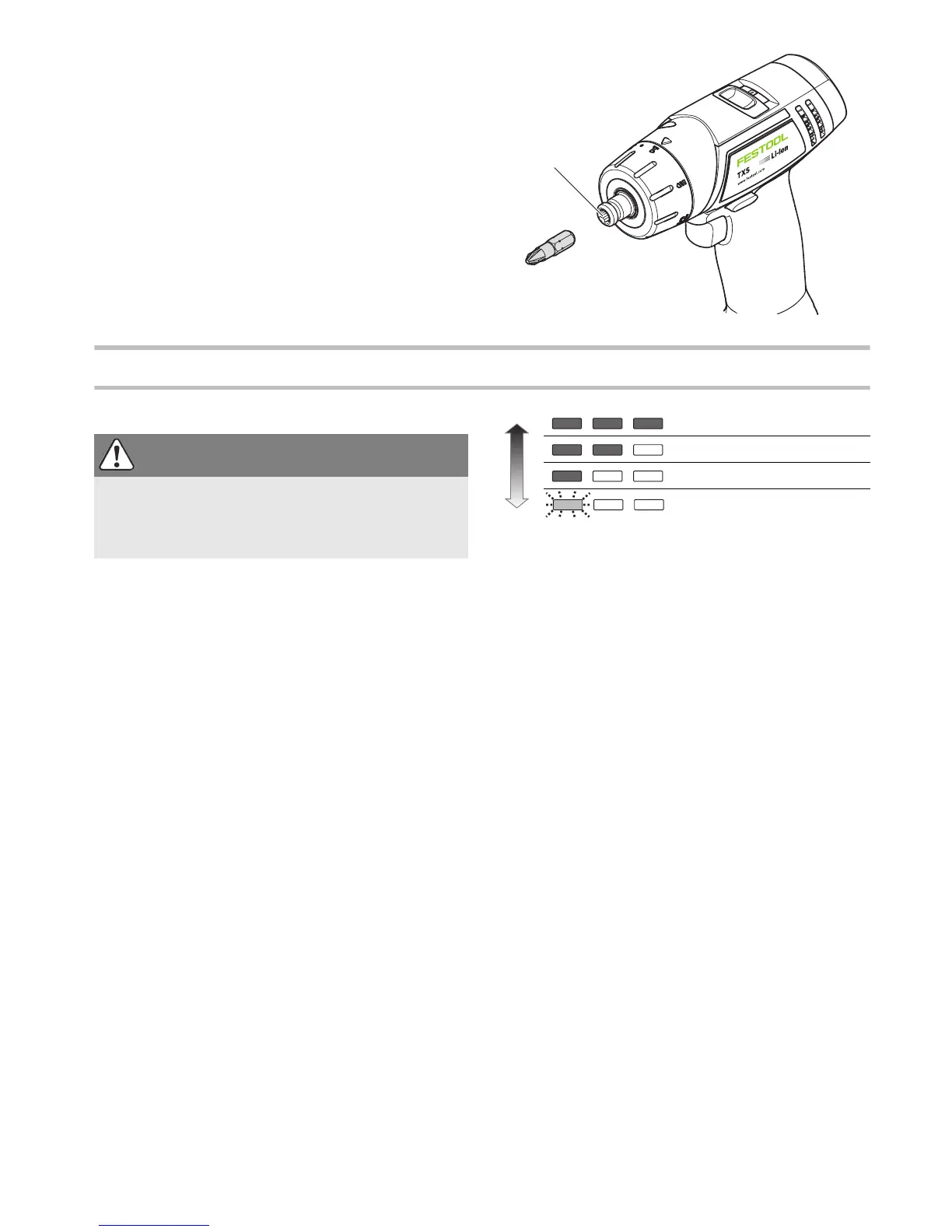
Tool holder in the drill spindle
Bits can be inserted directly in the hexagon socket
holder on the drill spindle
[9-1]
to shorten and re-
duce the weight of the machine.
Working with the power tool
Consider the pictures on the fold-out page.
On/Off switch [1-6]
Press = ON, release = OFF
The speed of the machine depends on how far
the on/off switch is pressed in.
LED lamp with capacity indicator
The LED bulb
[1-10]
lights up when the ON/OFF
switch is pressed
[1-6]
.
After releasing the ON/OFF switch
[1-6]
the capac-
ity indicator on the LED lamp
[1-10]
displays the
state of charge of the battery pack for a few sec-
onds:
Bit store [1-11]
Magnetic, for storing bits and bit holders.
Warning signals
Power tool shuts down, capacity indicator flashes:
Battery pack is empty.
Change the battery pack.
Power tool shuts down, capacity indicator does
not flash:
Power tool is overheating or has been
overloaded.
Apply a lesser load to power tool.
Allow power tool to cool down.


 To Next Page