11!
How!to!check!if!my!Fetch!TV!boxes!are!on!the!same!local!network!
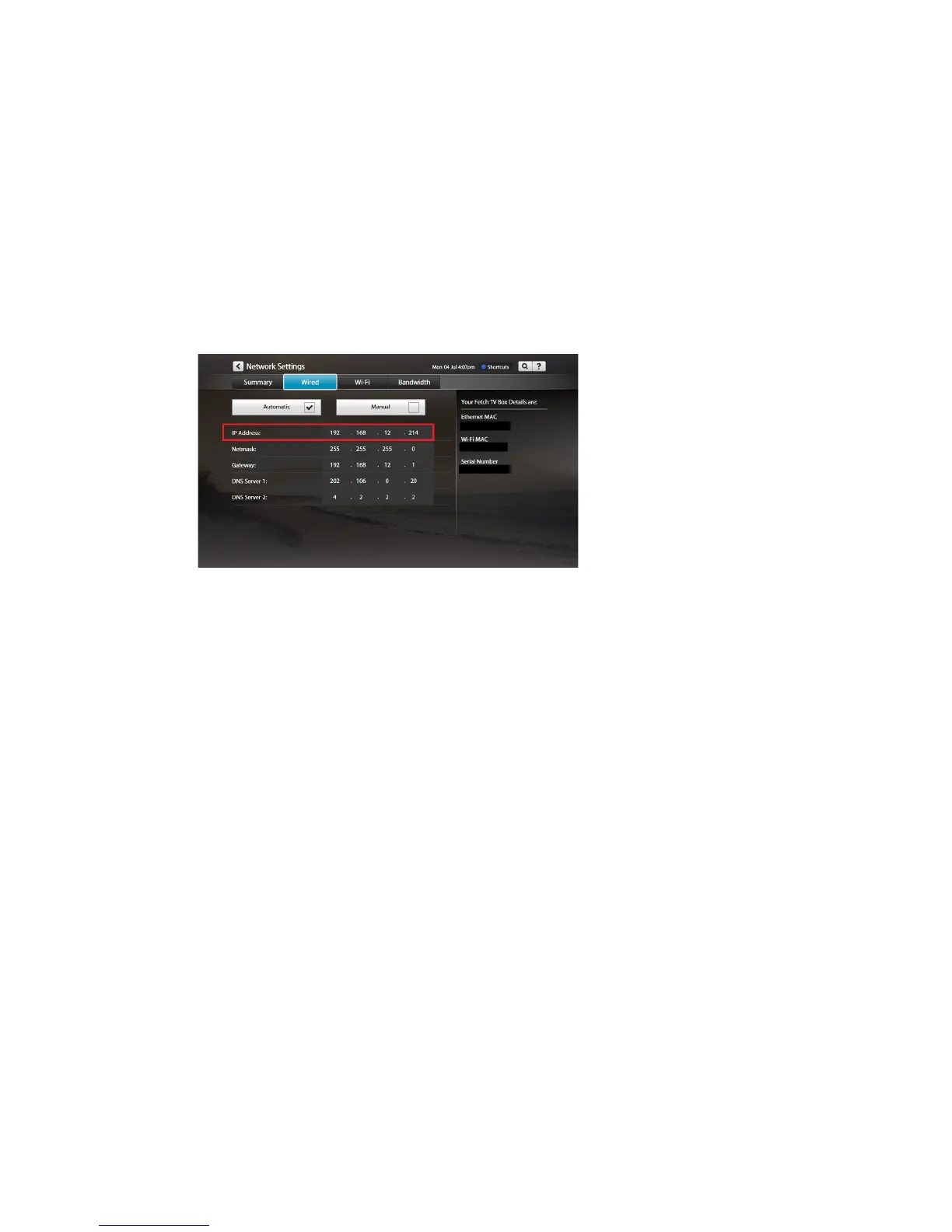
To!share!recordings!between!your!boxes!they!all!need!to!be!connected!to!the!same!local!netw ork.!H ere’s!ho w !
to!check!this!through!th e!Ne tw ork!Se ttings !on!yo ur!Fe tch!TV !bo x :!
1. Go!to!Menu!>!Manage!>!Settings!>!Network.!!
2. Depending!on!how!your!box!is!connected!to!the!Internet,!you’ll!find!an!IP!Address !in!either!the !W ired!
or!Wi-Fi!tabs.!If!your!box!is!conn ec te d !v ia!Wi-Fi,!you’ll!need!to!highlight!your!home!network!in!the!list!
and!then!choose!Advanced!Wi-Fi!to!view!the!IP!Address.!
3. Take!note!of!the!IP!Address!(such!as:!192.168.1.2!or!10.0.0.3)!on!each!of!your!Fetch!TV!boxes.!
!
4. Check!that!the!first!three!numbers!in!the!IP!Ad dre ss! on!each!box!are!the!same.!Only!the!last!number!
in!the!IP!Ad d res s!s h ou ld ! differ.!You!should!then!be!able!to!share!recordings!across!your!Fetch!TV!
boxes.!Please!don’t!change!your!Network!Settings.!
If!all!numb e rs!in !t h e!IP !A d d re s s!a re !d iff er en t !o n !ea c h !b o x,!t h en !y o u r!boxes!are!connected!to!different!
local!netw o rks ,!so !y ou !c a n ’t!sh a re !rec o rd in g s.!W e!re co mmend!you !see k!h elp !fro m!an!IT!consultant!if!
you!want!to!change!your!network!setup.!
!
! !



 To Next Page