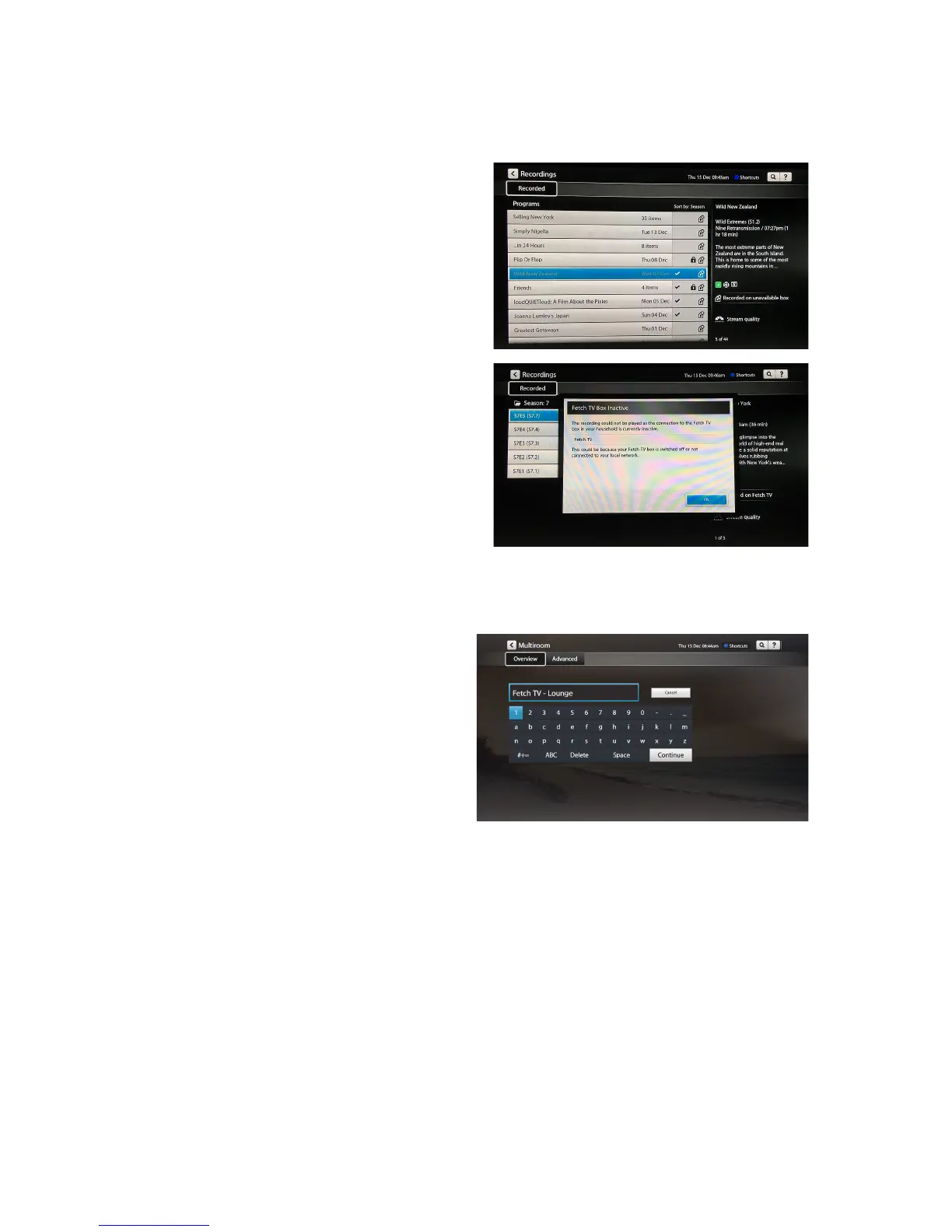
You!may!see!a!message!in!your!My!Stuff:!!
- “Recorded!on!unavailable!box”!
- “Fetch!TV!box!inactive”!!
- “Recording!not!available.!The!recording!
could!not!be!played!as!there!is!an!issue!with!
connecting!to!the!Fetch!TV!Box!in!your!
household”!
If!this!happ e n s,!make!sure!the!Fetch!TV!box!with!the!
recordings!on!is!pow e red !on !and !co nn ecte d!to !the!
same!local!network!as!the!box!you’re!trying!to!play!
from.!If!that!doesn ’t!he lp,!restart!yo u r!
modem/router!and!Fetch!TV!box.!!
For!more!help,!see!“I!can’t!see!Multiroom!recordings!
on!my!Fetch!TV!box”!(Page!10).!
In!Menu!>!Manage!>!Settings!>!Multiroom'you!can!
change!the!name!of!your!box.!This!makes!it!easier!to!
see!which!box!you’re!playing!recordings!from.!!
Choose!Edit!then!enter!a!name!for!your!box!u sing!
the!on!screen!keyboa rd.!Ch oo se! Continue!to!save.!



 To Next Page