8
Connecting
The Set Top Box
To Your TV
There are various ways to connect
the Fetch TV STB to your TV or home
theatre system. The one you choose
will depend on the display capability
of your TV and the connection
ports available.
HDMI is the recommended
connection option if available.
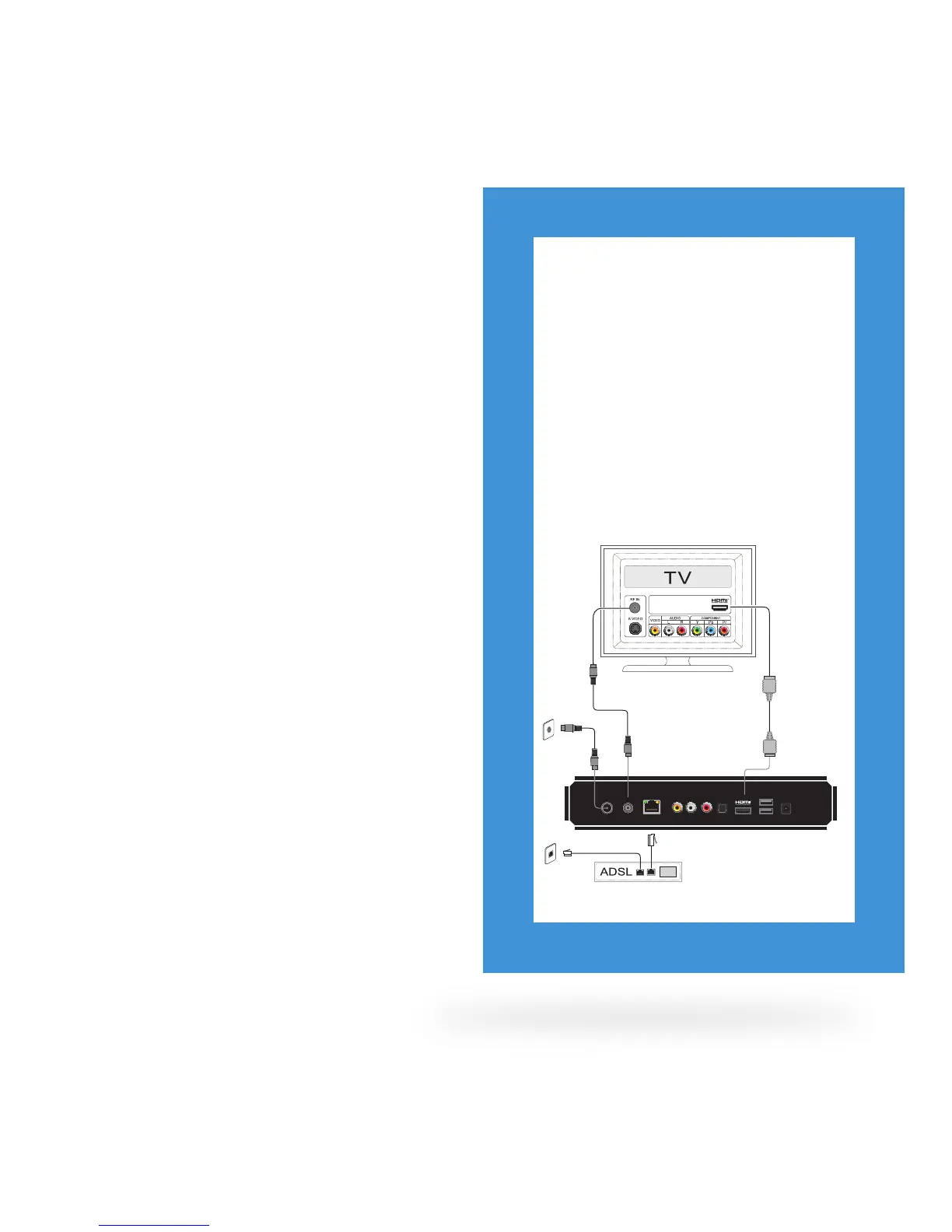
Recommended Option 1
Digital High Denition (HDMI)
This connection delivers the highest quality
picture and audio letting you watch High
Denition programming. Only the HDMI
cable is required.
1. Plug the HDMI cable into the port labelled
HDMI on the back of the STB.
2. Plug the other end into any available HDMI
port on your TV.
* ADSL or cable modem
ANTENNA AUDIO
OPTICAL
INTERNET VIDEO
IN OUT L R
HDMI USB POWER
12V AC
Antenna
HDMI
IN - ANT
ANT - OUT
Ethernet



 To Next Page