9
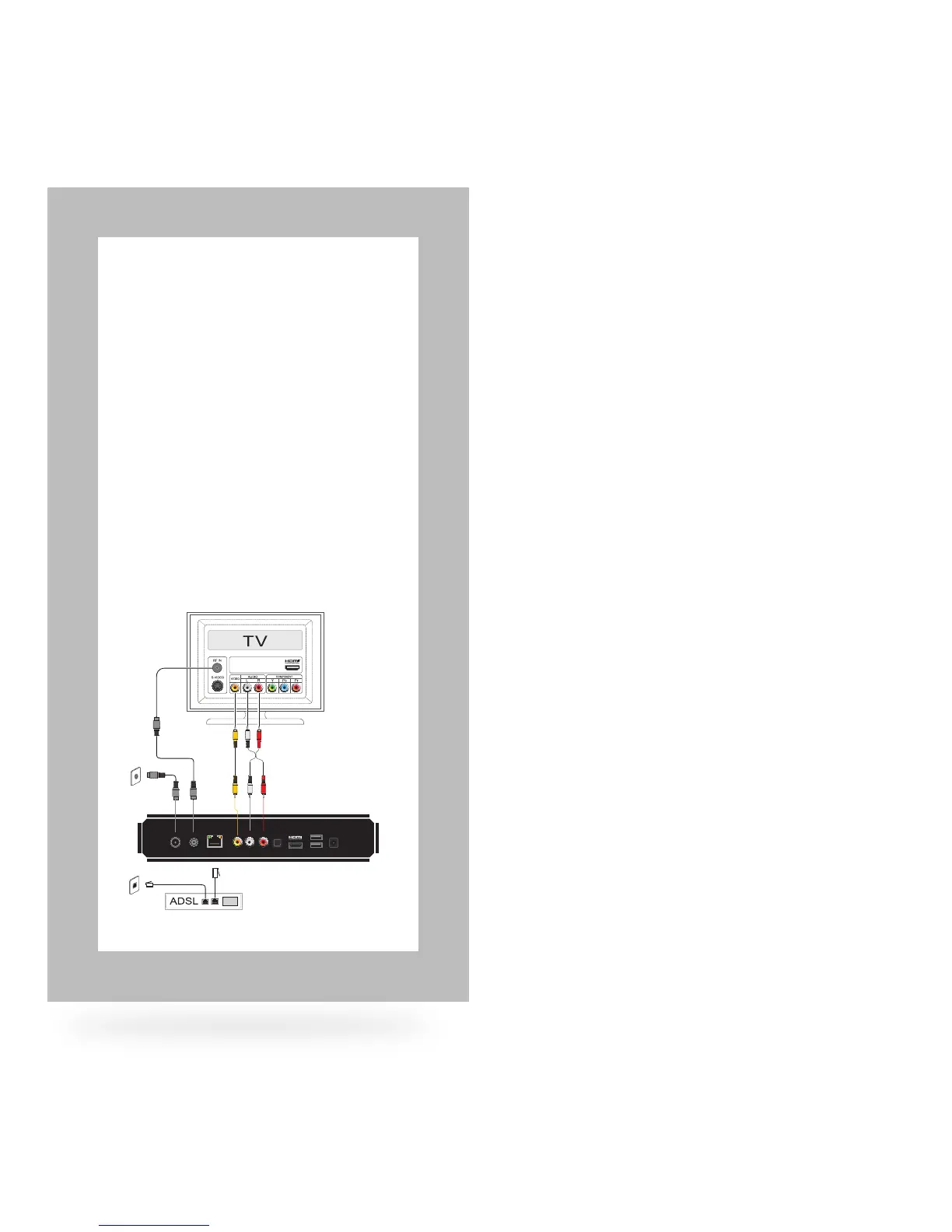
Alternative Option 2
Analogue Composite Video and
Analogue Stereo Audio
This mode delivers Standard Denition
viewing only. Use this type of connection
when or if your TV display has no other video
input types available. Use the Yellow/Red/
White cable when connecting.
1. Power cord connection
2. TV antenna cable
3. Yellow jack – video
4. White jack – audio (left)
5. Red jack – audio (right)
6. Connect from phone outlet to
ADSL modem/router*
7. Connect from network output of ADSL
modem/router* to STB network port
* ADSL or cable modem
2
2
1
3 4 5
6
7
ANTENNA AUDIO
OPTICAL
INTERNET VIDEO
IN OUT L R
HDMI USB POWER
12V AC



 To Next Page