29
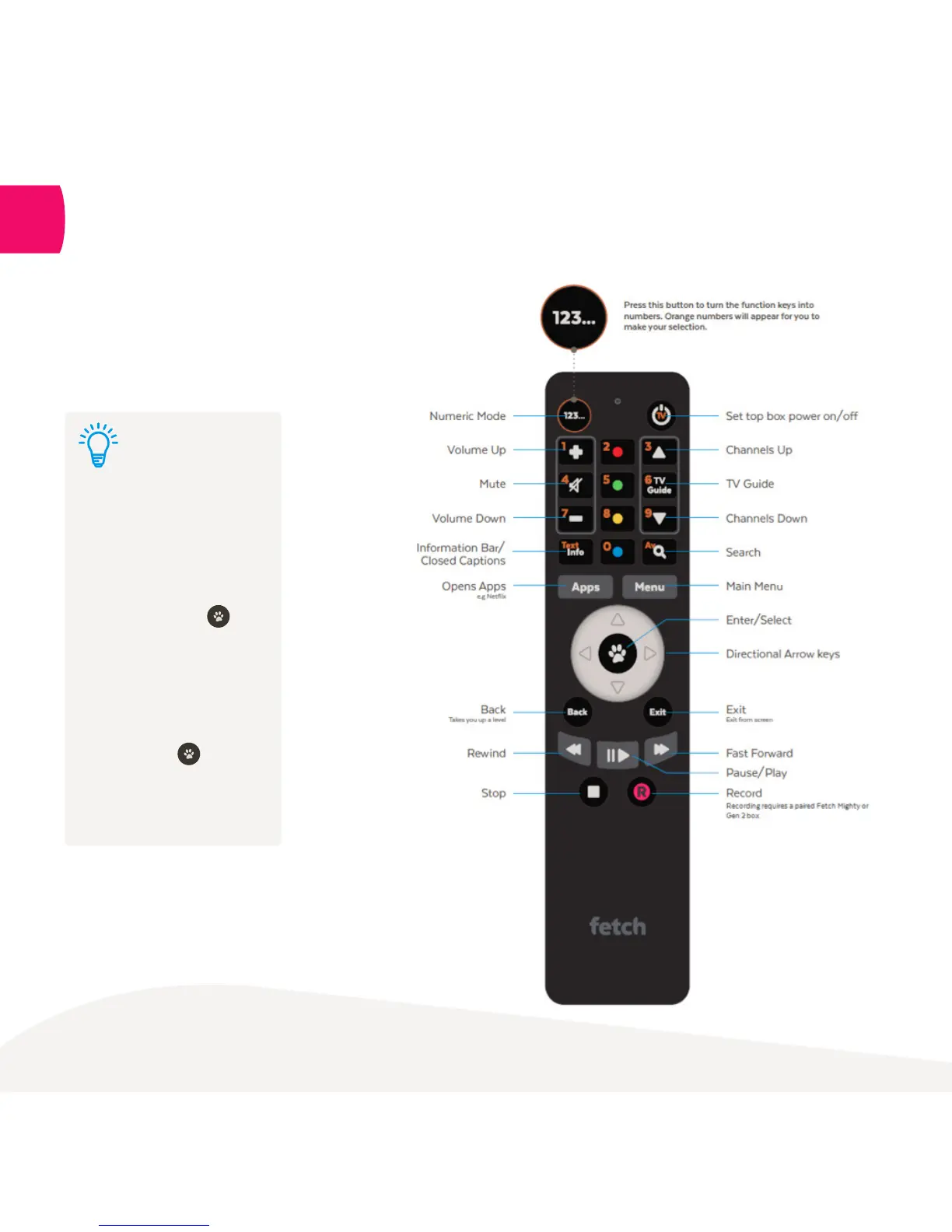
The Remote Control
The remote control brings Fetch Mini
to life. It has all the functions you
need for quick and easy viewing.
13
To set up universal remote
see “Fetch Remote 3” user
guide. Once universal remote
is set up, you can control the
volume on your TV with your
Fetch remote. Press and
VOL+ simultaneously and
wait for LED to blink once.
To set Fetch remote to control
the volume on your Fetch
Mini Box, press and VOL-
simultaneously and wait for
LED to blink twice.
Tip:



 To Next Page